











 Bug Reports
%22%2F%3E%3Ctext%20x%3D%2232%22%20y%3D%2233%22%20text-anchor%3D%22middle%22%20dominant-baseline%3D%22central%22%20font-family%3D%22Arial%2C%20sans-serif%22%20font-size%3D%2226%22%20font-weight%3D%22600%22%20fill%3D%22%23fff%22%3ED%3C%2Ftext%3E%3C%2Fsvg%3E "Dylan")
Blue box hyperlinks don't copy over to proper scale
I am copying a partial overall building plan in 1/4" scale to a total building plan at 1/8" scale. The linear and count takeoffs copy over correctly, but the blue box hyperlinks get pasted as if I am pasting at the 1/4" scale, so they are out of sync and spread out a lot further than the rest of the items. Also any dimension measurements appeared to do the same.
Honestly, I am encountering a lot of small things which these hyperlinks disrupt. It screws up highlighting, moving, deleting, and copy/pasting things en masse if they are within the mix. They also sometimes appear as locked, and need to be manually unlocked 1 by 1 before being deleted, and sometimes there are 2 or 3 layered on top of each other, making the whole thing tedious.
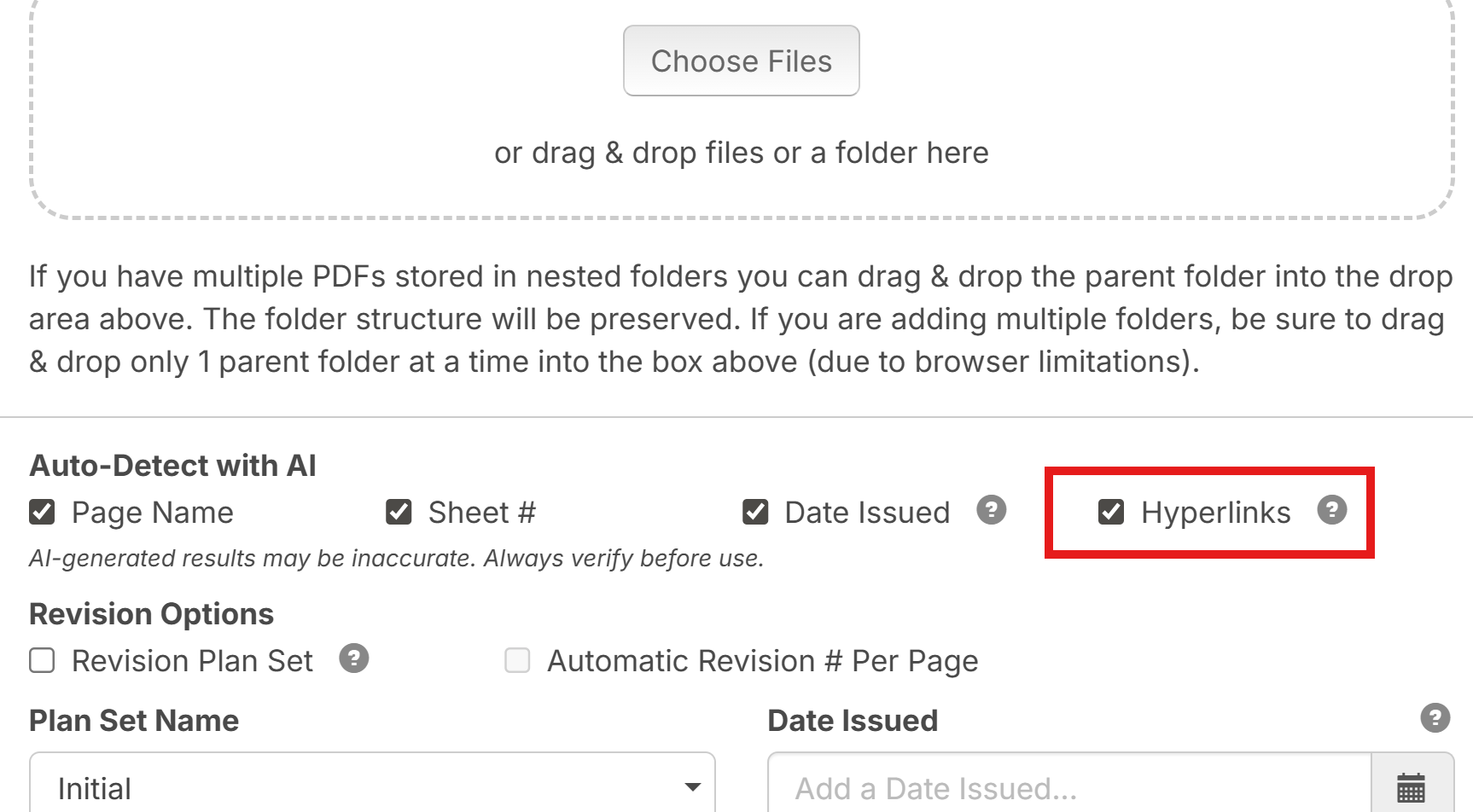
That is a feature I would prefer to be toggleable upon upload of files. I never use it personally, it is just a hinderance.

Hi, we have a checkbox when importing to not bring in Hyperlinks!

Hey Dylan, the checkbox Stephen mentioned is on the upload files popup.
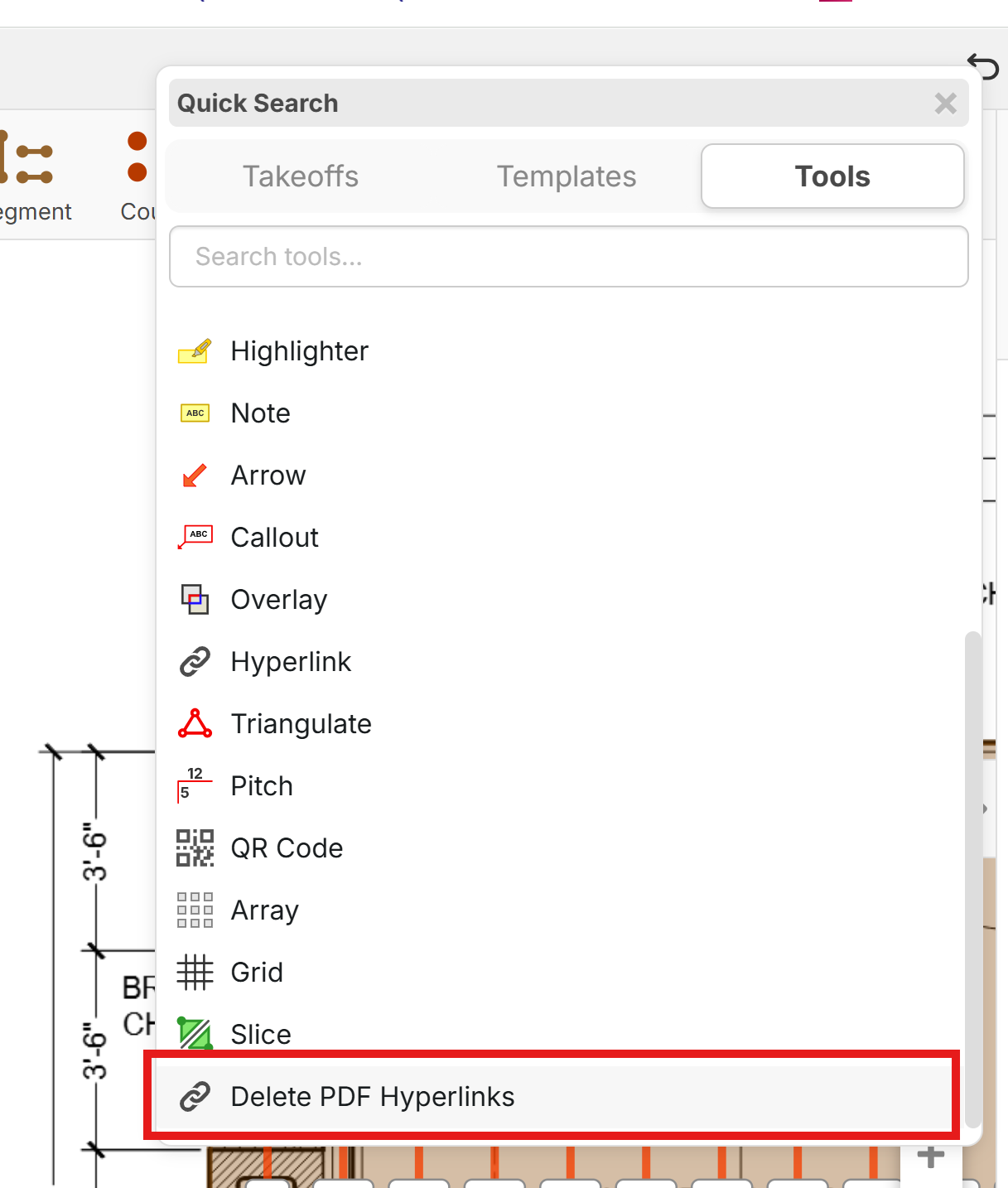
Also, if you have a set of plans and you want to wipe out all the PDF hyperlinks, you can press the / hotkey and search for "Delete PDF Hyperlinks".
We are currently working on improving the locked object behavior to make them less selectable and more out of your way.
🚀1