










 Bug Reports
Bug Report – Interface Display Issue (Zoom/Scaling Problem)
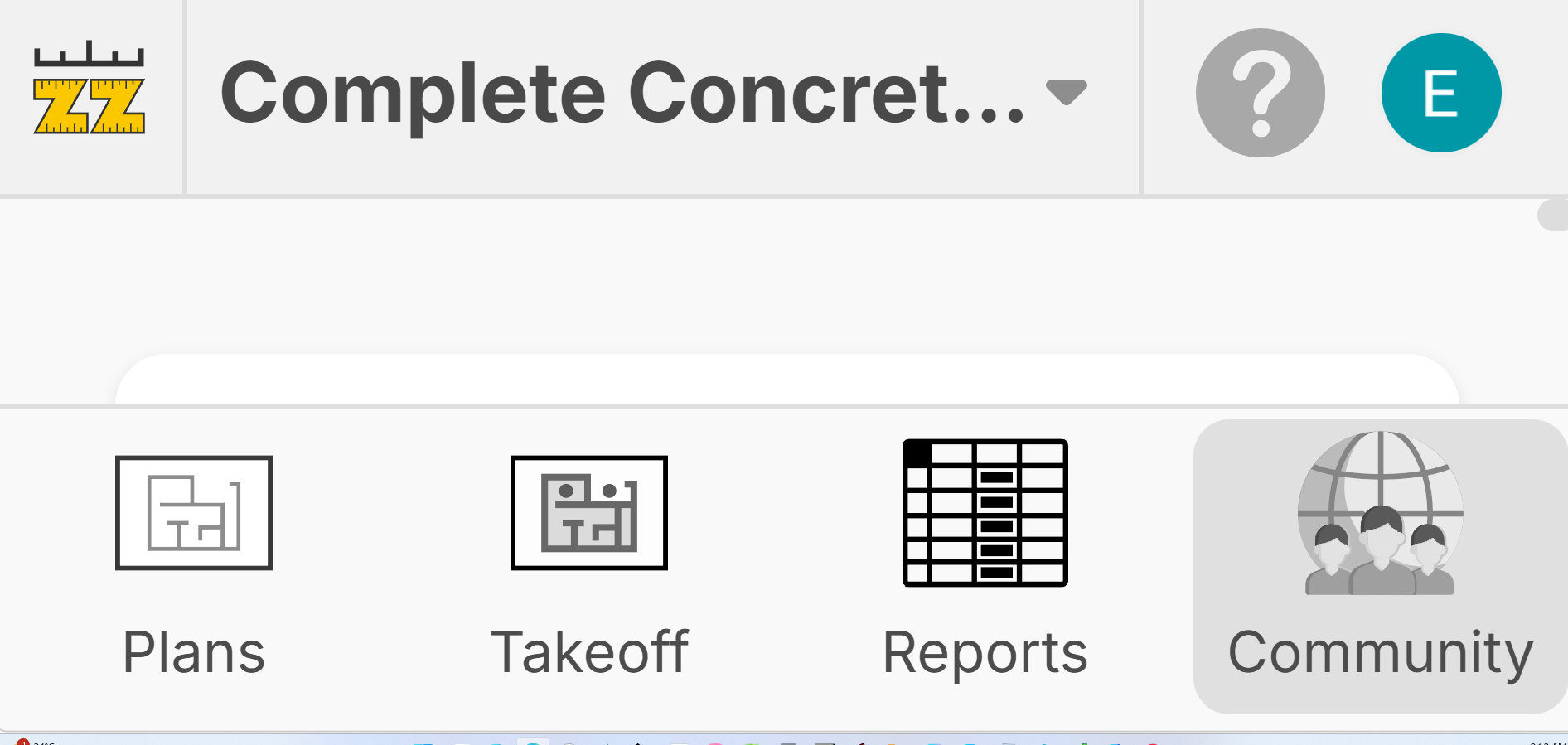
Dear Support Team,
I am writing to report a display issue encountered within the application.
Last night, the interface began rendering incorrectly, appearing zoomed out and misaligned. Key elements such as the main navigation (Plans, Takeoff, Reports, Community) were displayed at an abnormal scale, making the interface difficult to use.
Issue details:
- The UI appears zoomed out or improperly scaled
- Icons and text are reduced in size and spacing is inconsistent
- Layout alignment is affected across the main dashboard
System display settings:
- Both monitors are set to 100% scaling
- Monitor resolution: 1920 × 1080
- No recent changes were made to display resolution or scaling settings
Context:
- This issue occurred suddenly and was not present previously
- No intentional changes were made to system or application settings prior to the issue
Steps already attempted:
- Restarted the application
- Checked system display and scaling settings
- Issue persists
Please find the attached screenshot for reference.
I am unsure if this is related to my laptop; however, zzTesting Station is working correctly, and all other applications on my computer are functioning as expected. The issue appears to be isolated to zzTakeoff.
Could you please investigate this issue and provide any recommendations or a workaround to resolve it?
Kind regards,
Steve

Hi Steve,
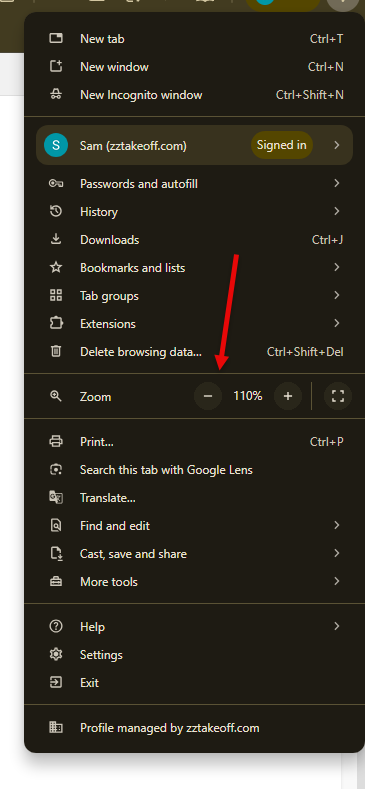
It appears that you Browser may be zoomed in . This Can happen if your mouse is over any part of the Application other than the Page View and you hold the CTRL + SCROLL .
To fix it go to the three does on top Right of the browser and adjust the zoom settings

Hi Sam,
Thank you for your support.
Hopefully this doesn’t happen again, it definitely gave me a bit of a scare. All other programs, including zzTakeoff Testing Station, were working fine, so it was quite unexpected.
I’ve resolved the issue by restoring my system back 3 days, and everything is now working normally again.
I’ll keep your advice in mind moving forward.
Grazie mille, amico!

Hi, another option to reset this is Ctrl + 0 (control key plus the zero key). This resets your zoom level to 100%.