











 Bug Reports
Can't get custom properties to total correctly
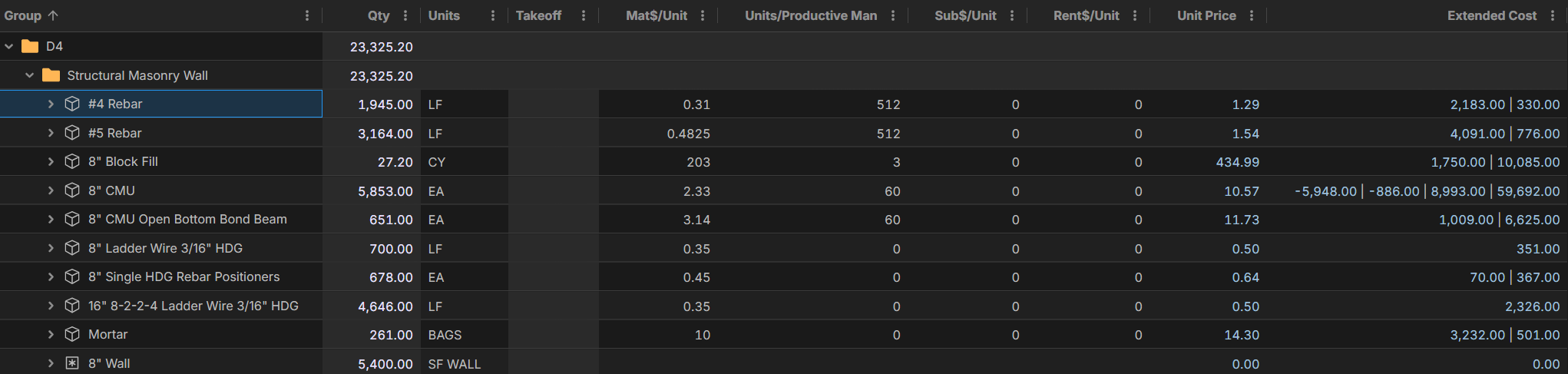
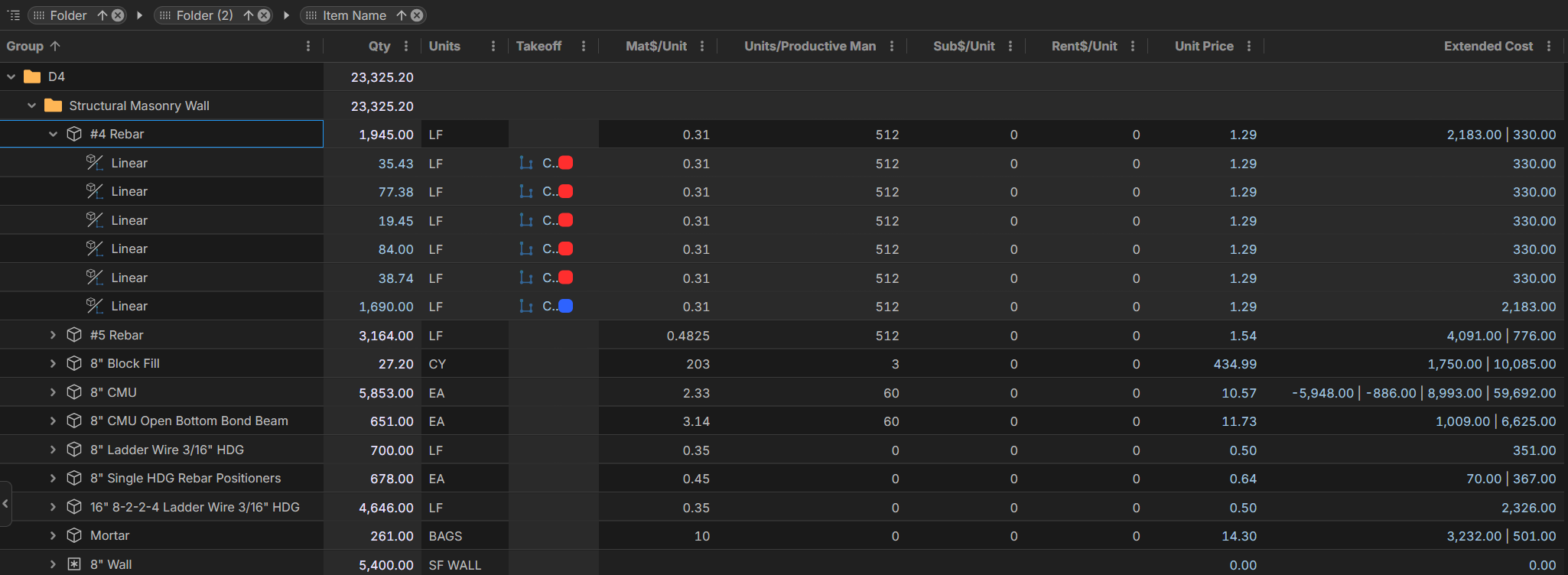
I'm working on building out a pricing structure more like the one we use in our current excel pricing sheet. I can't get the total custom properties to total as shown below in the extended cost column. Is this a bug or is there a way that I can make this column total instead of it being separated by the vertical lines. All #4 Rebar items shown below are identical. They are just on two different takeoff items. One is on a 13'4" tall interior wall and the other is on a 13'4" tall exterior wall.

Hi Kory. As we speak, we're in discussion with the team on giving more "sum" and totalling options. One thing I will mention is that we released a new Custom Property type "Computed" that may work better for this.
We'll post again hereafter we digest this a bit.
%22%2F%3E%3Ctext%20x%3D%2232%22%20y%3D%2233%22%20text-anchor%3D%22middle%22%20dominant-baseline%3D%22central%22%20font-family%3D%22Arial%2C%20sans-serif%22%20font-size%3D%2226%22%20font-weight%3D%22600%22%20fill%3D%22%23fff%22%3EKP%3C%2Ftext%3E%3C%2Fsvg%3E "Kory Podgaysky")
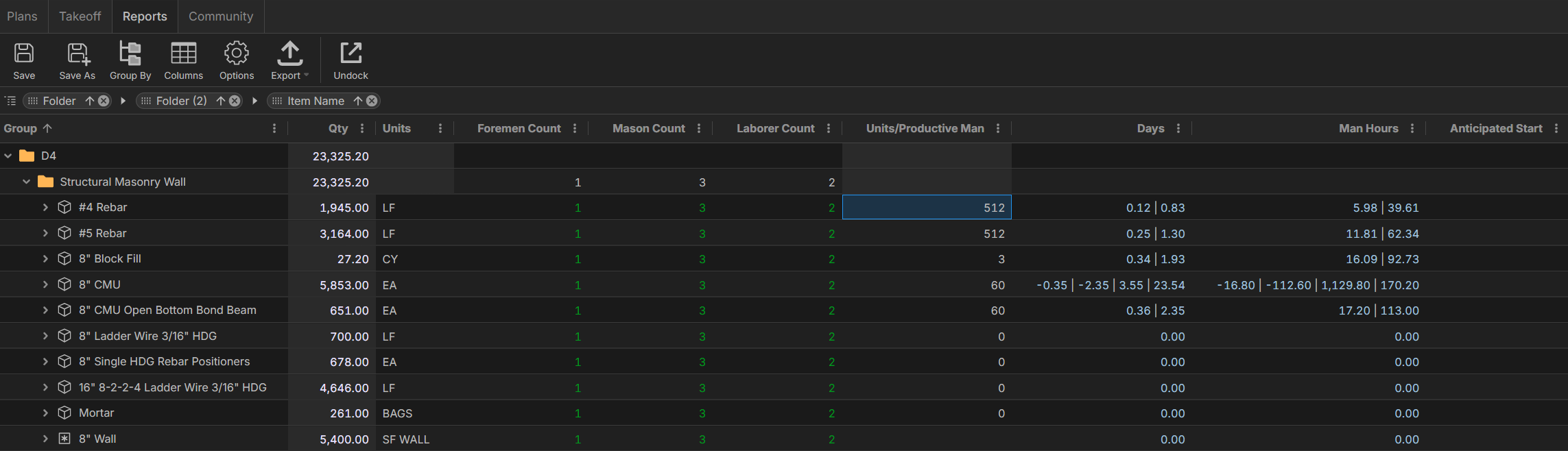
Here is another piece that I'm working on that I'll need a sum option for. I'm wanting to be able to have total days and man hours at the folder level for all items included in the folder. I still need to look into the computed property.
We will be introducing 2 new features:
1. "sum" function in formulas
2. "Auto Sum" setting for a specific column in a report view
We are also planning to add "Basic Item Report" and "Basic Takeoff Report" types which will simplify the grid view for users (without all the child levels) if they don't need to slice/dice it so many ways.
I think these will be very useful here. I just got off the phone with James and after we finish these features, he will coordinate a Zoom call with you to ensure we have solved what you're after 🙂
👍3👀1
I'm loving the way this is going from the individual sums to the simplified (no child) reports
🚀1Sorry for the delay on this. We have finished some settings (local development) for better control over aggregation per-column, which solves the issue you're having. We hope to have it on TEST Server next week sometime, and release as soon as it's fully tested.
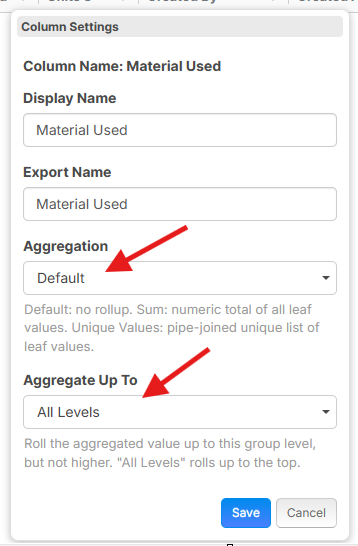
I apologize for the delay, but the fix for this is released. If you click the "..." in the column heading for "Extended Cost" (in your example), you can go to "Column Settings" and adjust the "Aggregation" settings.
❤️1