











 Bug Reports
182d 7h
Function Error not showing on new Item Formulas
Completed
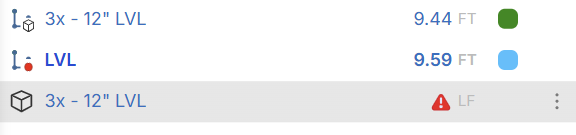
The item above with the integrated function does not show error, even though the function is not working as shown by the identical function in the assembly style below.

Lorin Allred zzTakeoff182d 6h
Hey David, thanks for reporting. I just tested on my end and confirmed that the error icon is not showing if measurement 1 is 'qty' & the formula is invalid.
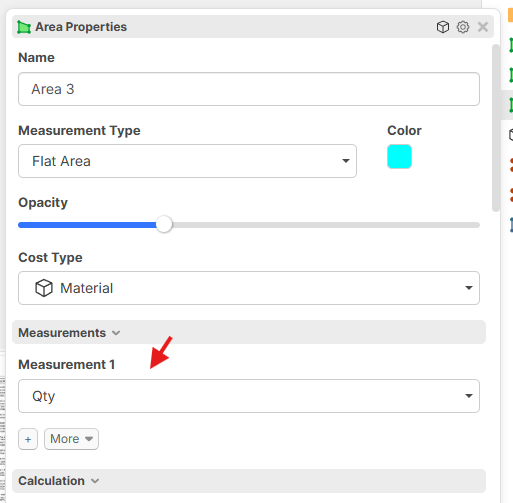
As a side note, whatever is in measurement 1 is what will display in the takeoffs sidebar. In the picture you provided, it looks like you might be using "Linear" for measurement 1 instead of "Qty" since there is a valid value displaying instead of 0 (current behavior if the formula has an error on a takeoff item combo).
Lorin Allred zzTakeoff180d 2h
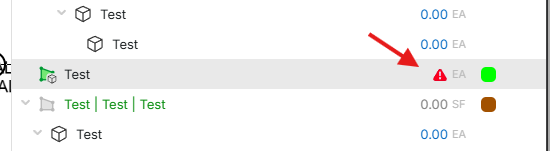
This should be fixed now if you have Measurement 1 set to 'Qty' 🙂
You must be logged in to post replies. If you don't have an account you can signup here.