











 Bug Reports
Importing PlanSwift job files
This isn't really a bug per say but more a lack of intuitiveness. When clicking Choose a Folder on the dialogue box that pops up when you want to import a PlanSwift project, it doesn't show/look for .SwiftJob files that are inside of a folder that the user may want to import, so the only way to import those is by drag & drop.
Also I think language should be added in here to mention that you can also drag & drop .SwiftJob files to import them rather than strictly mentioning folders.
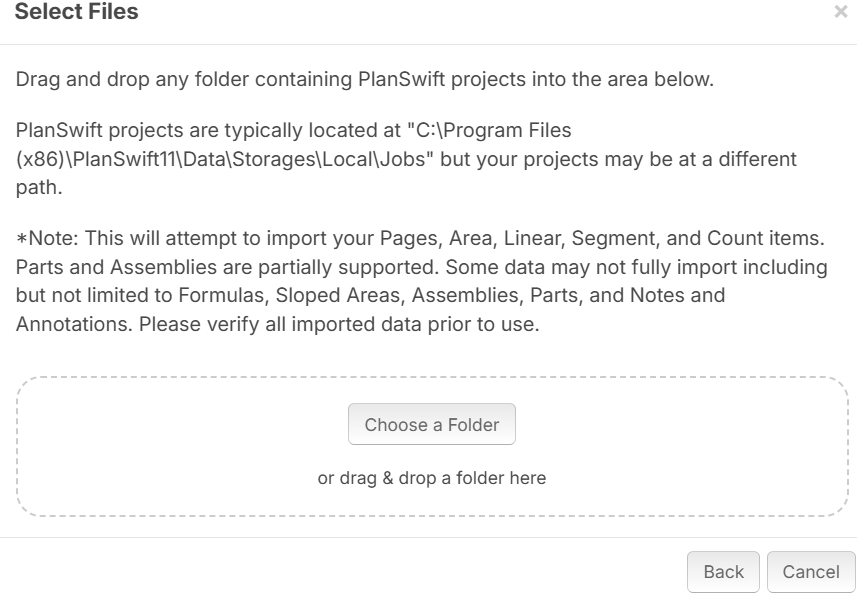

Hey Jes, thanks for pointing that out! I'll see if that's something the dev team can tweak 🙂

Hey Lorin,
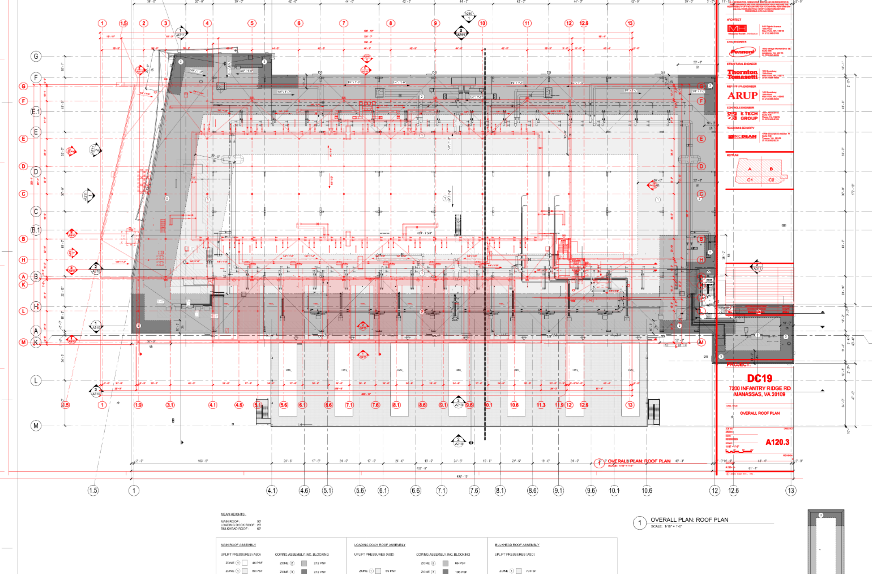
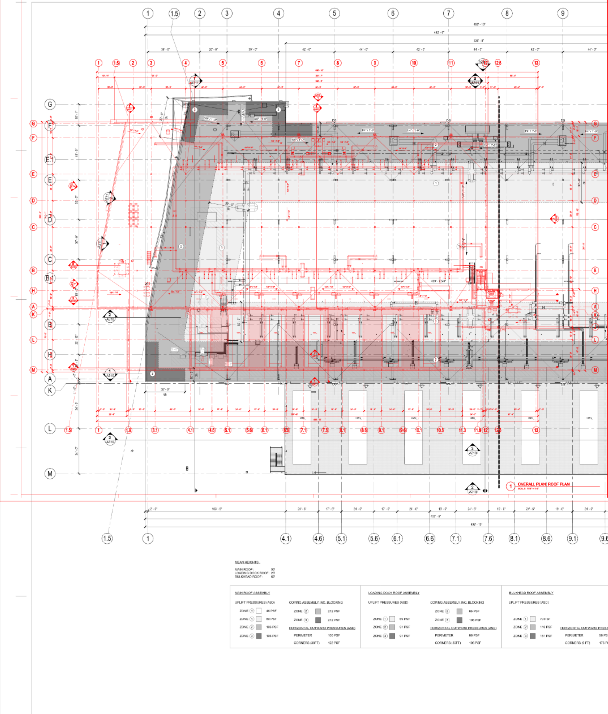
Something I want to add about the Planswift uploading as well. So in this example, this project that I am working on is currently the second round. I did the initial takeoff for Round 1 on Planswift, but any time I do the overlays to compare the 2nd round to the 1st with the newest drawing planset. The sizing is off/mismatched and it is never aligned. Is there any workaround or fix for this. It happens to me on a few other projects.
%22%2F%3E%3Ctext%20x%3D%2232%22%20y%3D%2233%22%20text-anchor%3D%22middle%22%20dominant-baseline%3D%22central%22%20font-family%3D%22Arial%2C%20sans-serif%22%20font-size%3D%2226%22%20font-weight%3D%22600%22%20fill%3D%22%23fff%22%3EJ%3C%2Ftext%3E%3C%2Fsvg%3E "Jes")
DJ I think when you upload the revision pages, on the screen where it gives you the page preview, you have to click the gear box next to the PDF sheet size and change the sheet size and/or DPI to get them to match whatever the PlanSwift ones were set to
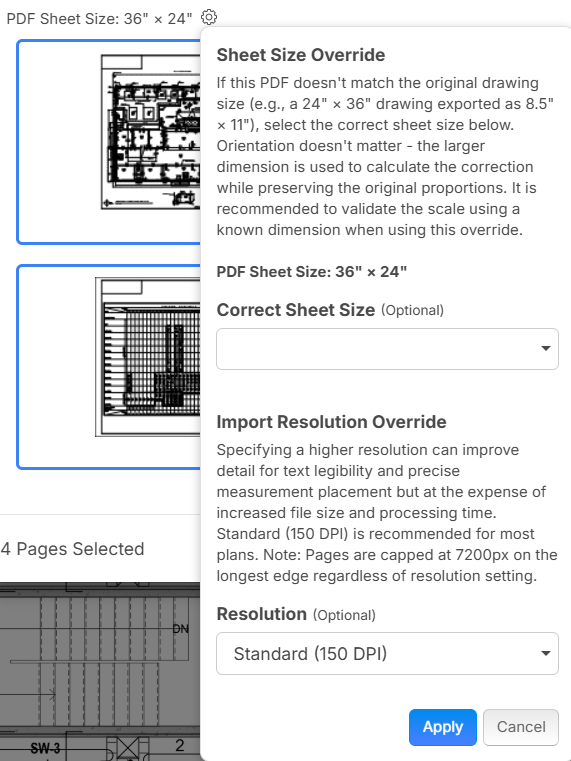
This is another one of those hidden gear boxes that you wouldn't even know is there unless you hover your mouse
I see now, it's hidden until you move the cursor over to that for it to appear. PS has it defaulted at 200 DPI and I saw zztakeoff has 150, 300, 600 dpi. Thanks again Jes!