











Inherit by default to custom property in items not pulling through
I have a custom property in takeoff which I need by default to be inherited to the labor items which according to the settings should be happening but it doesn't seem to be. Not sure if this is a bug.
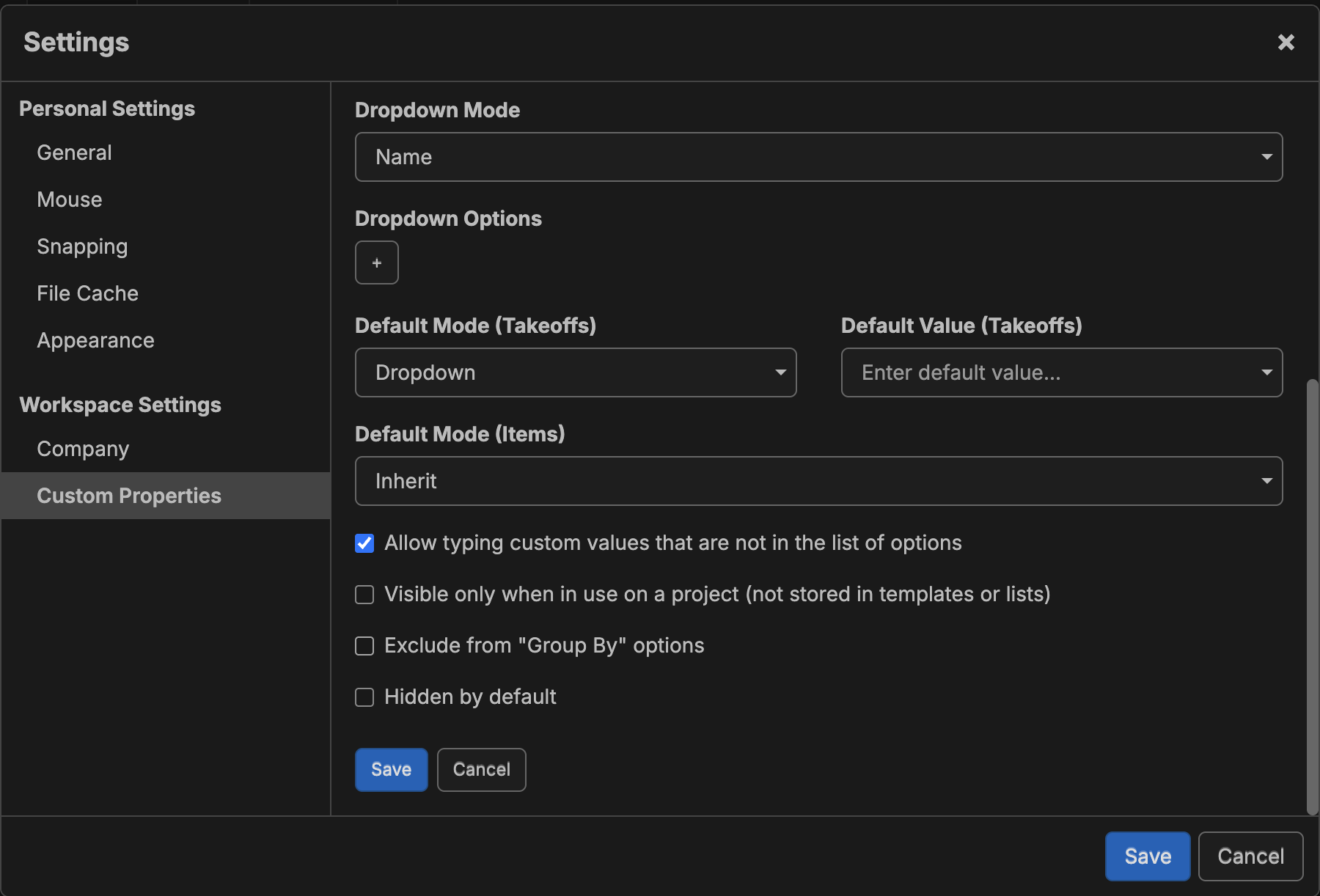

Hey Andrew, is this happening for new items or for existing items? We purposely made it so that if you change the default mode/default value of a custom property, then it does not modify any existing items, because it could screw up your existing projects if things start inheriting when they weren't, etc.
I did a test on my end, and the default mode is applying for new items/takeoffs.
As a side note, I believe the team plans to add tools in the future to help batch update existing items/takeoffs when adding or changing custom properties.

Hi Lorin,
Thanks for the reply.
Your point 'We purposely made it so that if you change the default mode/default value of a custom property, then it does not modify any existing items, because it could screw up your existing projects if things start inheriting when they weren't, etc.' is a good one and I totally agree with this as it makes complete sense.
The issue I have is that in the custom properties settings, I have my items to be set to inherit by default. However, when I go to templates to create my new takeoff templates and add in items, the items are not by default set to inherit which means i have to manually amend the setting in item to inherit.
I have done a screen recording I could email across if it helps?
Yeah, that would be great! Please send it to support@zztakeoff.com, and the development team will check it out.
Thank you very much for the video 🙂
Looks like the bug is when you add an item from the takeoff properties pop-up (works fine if you use the plus icon in the upper right of takeoffs/templates tab or right click add item).
We'll get this solved as soon as possible.
👍1Awesome! Thank you
Hey Andrew, I believe this is fixed with our recent updates. Is this working properly for you now?
👍1