Bug Reports
%22%2F%3E%3Ctext%20x%3D%2232%22%20y%3D%2233%22%20text-anchor%3D%22middle%22%20dominant-baseline%3D%22central%22%20font-family%3D%22Arial%2C%20sans-serif%22%20font-size%3D%2226%22%20font-weight%3D%22600%22%20fill%3D%22%23fff%22%3ESM%3C%2Ftext%3E%3C%2Fsvg%3E "Steve morse")
Ipad pro hiccup
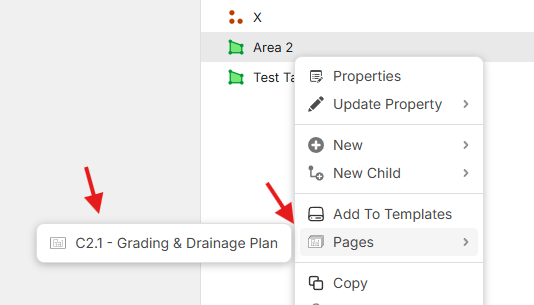
Purchase an Ipad PRO 13 and came across a hiccup with a link in the takeoffs. When I go to a takeoff and what to view the page the takeoff was performed on I hover to the right of the takeoff over the 3 dots the drop down opens with all thge different options to choose from however when I hover over pages and the page title shows up nothing happens when you click the page and try to go to that page to view the actual area that was takenoff. Hope this is an easy fix and look forward to being able to use that feature on my new toy!
Thanks

Hey Steve, thanks for reporting! We'll look into this. To clarify, what are you using as your input device on the iPad? Are you using a mouse, pen, or touch? Also, is the issue clicking the page in the screenshot below?