Bug Reports
Multi Scale and line widths not displaying correctly.
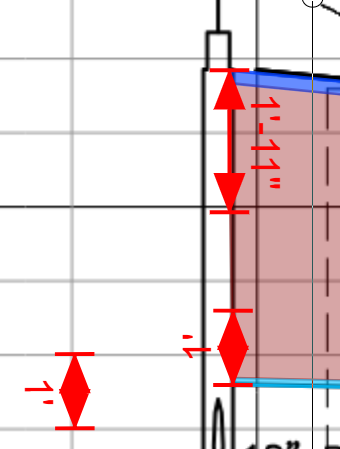
I have a plan and profile view that has a different horizontal scale than the vertical scale. Some of our users use this to determine the trench backfill, and as such, they would like to set a line width of 23" for the top dark blue line, and 12" for the bottom light blue line. From there, they would do an area takeoff to give them the trench backfill qty. What I found is that in this instance, the line width does not display correctly, so now I question if the area takeoff is correct or not as well. Dimensionally, my "red" markups are correct, so I think the area takeoff is correct, but the line widths are not. Drop me a line with any questions.
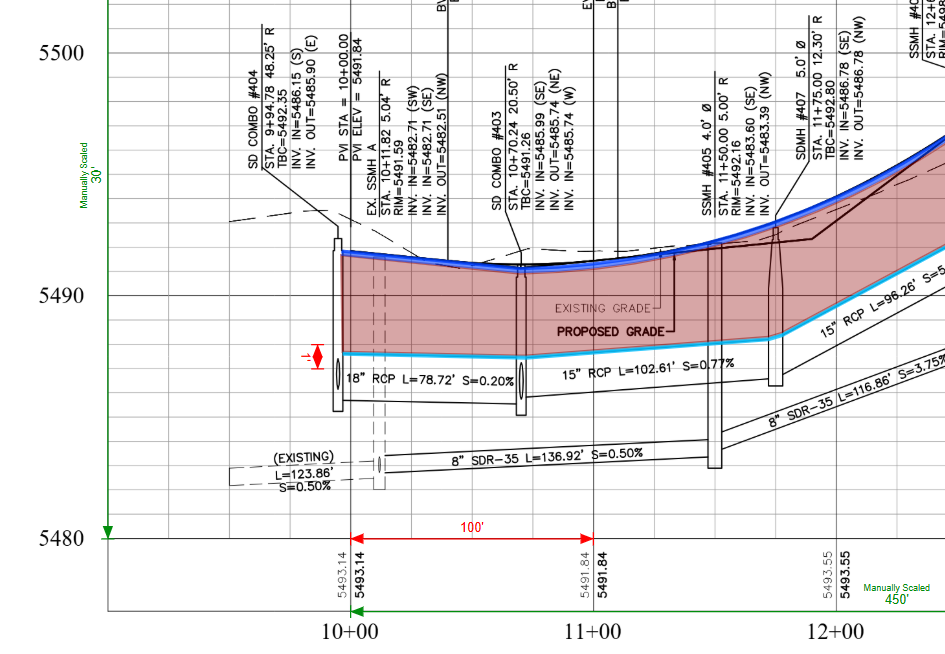
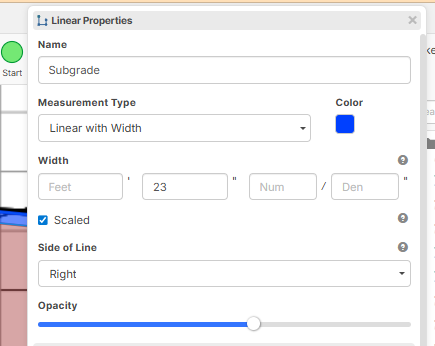
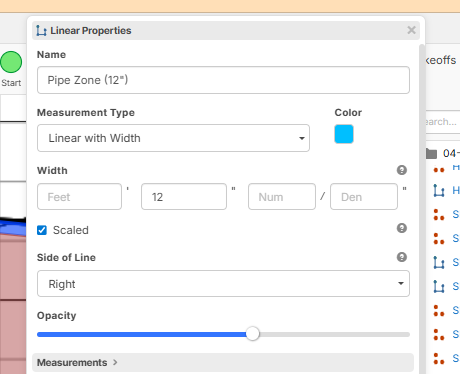

Here is another SS showing the dimensions of what the "blue" lines should be drawn to.

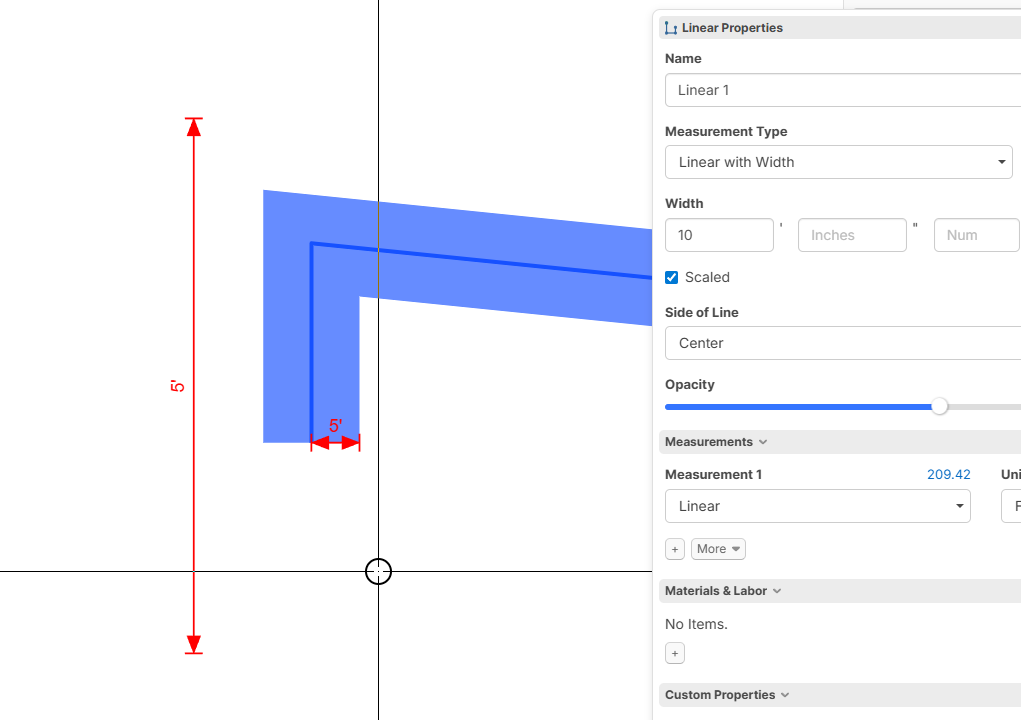
Hey Justin. I took a look at this, and it seems like what's happening is that the display width of the linear is calculated based on the horizontal scale (we fall back to the vertical scale if there is no horizontal scale). In my example below, the display width of the line is correctly displayed at 10', but only when the line is up and down. We're discussing internally what would be the best way to approach this. Any feedback would be appreciated.
As a side note, the linear width on the page is display only and does not affect the numbers being calculated.