











 Bug Reports
Sheet Revision Issue
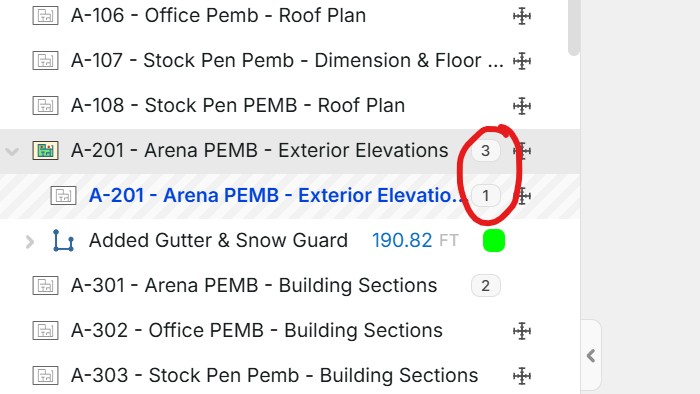
When adding a 3rd sheet revision, I noticed that when I went back to refer to previous versions of the sheet, it only showed the original. It did not show sheet revision #2. In this case, I want to refer back to the previous version of the sheet, not the original.

%22%2F%3E%3Ctext%20x%3D%2232%22%20y%3D%2233%22%20text-anchor%3D%22middle%22%20dominant-baseline%3D%22central%22%20font-family%3D%22Arial%2C%20sans-serif%22%20font-size%3D%2226%22%20font-weight%3D%22600%22%20fill%3D%22%23fff%22%3EAA%3C%2Ftext%3E%3C%2Fsvg%3E "Alma Allred")
Sweet! Also, the ability to delete a newer version of a sheet without deleting the older versions would be nice (basically, the ability to manage sheets by revision).
👍2@Lorin, after looking at this further, the reason it is missing the "2" is because that sheet was not updated in Revision 2. Revision 3 updated the sheet. I guess I was not used to seeing it that way. In Procore, each sheet has a Revision number sequence (1, 2, 3, 4, and so on), regardless of how many times the project has had revised plans. Basically, if the different plan sets can be managed, my opinion would be to make it like Procore, where it just creates the revisions per sheet.
👍1