











 Bug Reports
Smart search / folder expansion
When searching on the right pane for an item in the takeoff tab, the program filters through the items and opens the folders that said item resides in. When performing this same search in the template tab, it stops at the folder level and does not "show" the item that you are looking for.
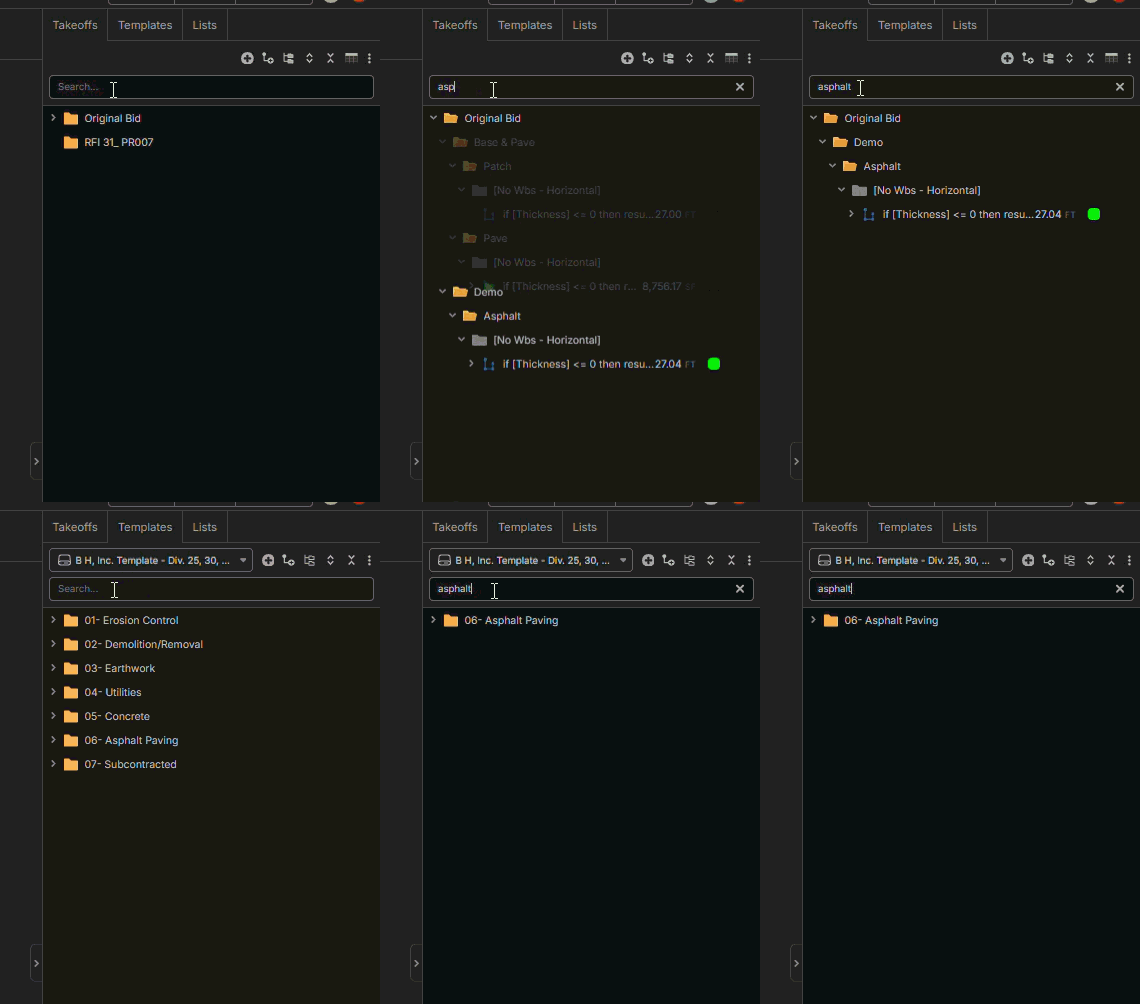

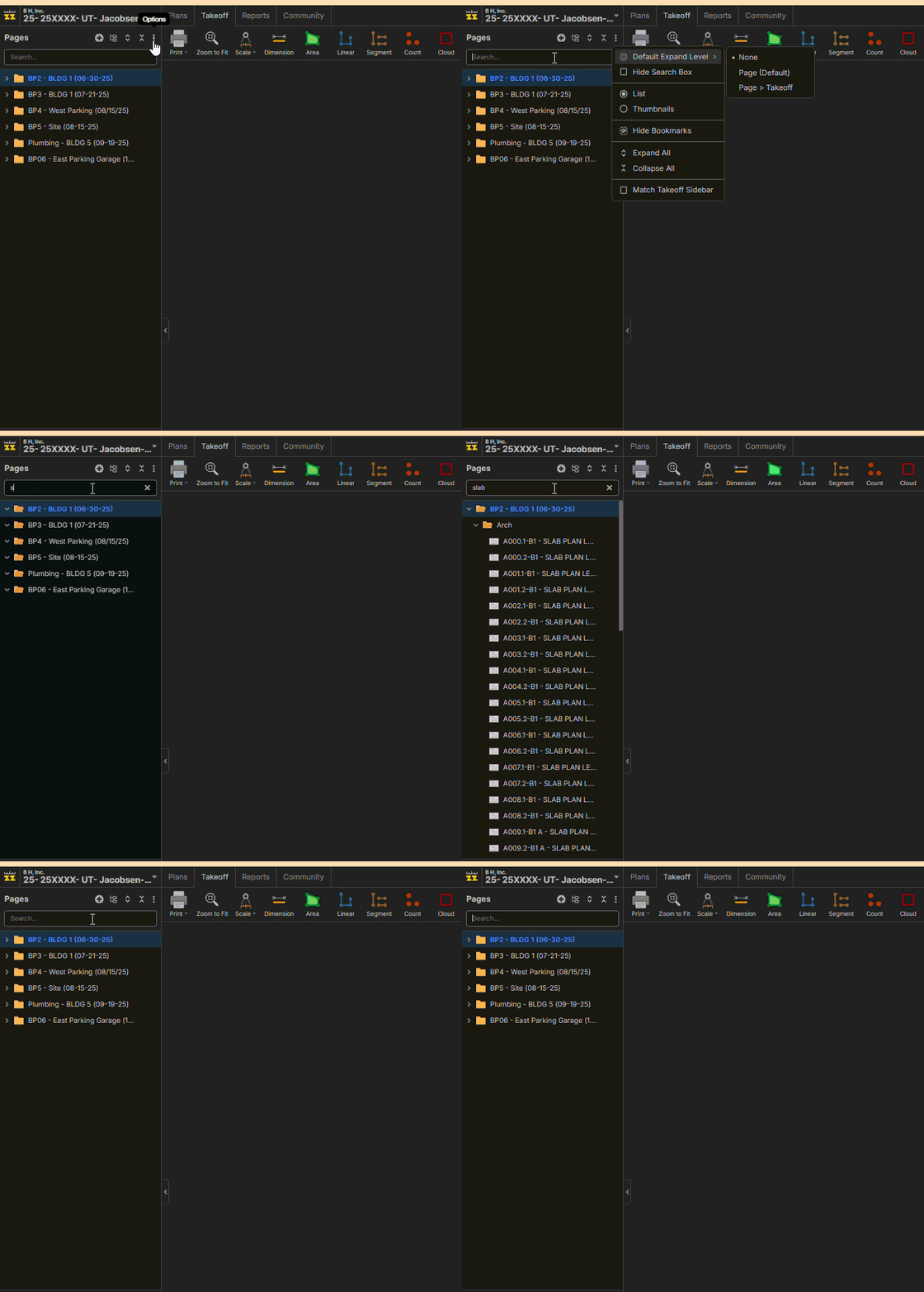
Hi, I think you Templates default expand level needs set back to the default to see the items when typing in the search box for Templates.

It doesn't matter how it is set up on the Pages "side". Also, for the Takeoffs tab, I have it set to "none," and it will expand and contract the folders. Why would it matter in any other area of the program?
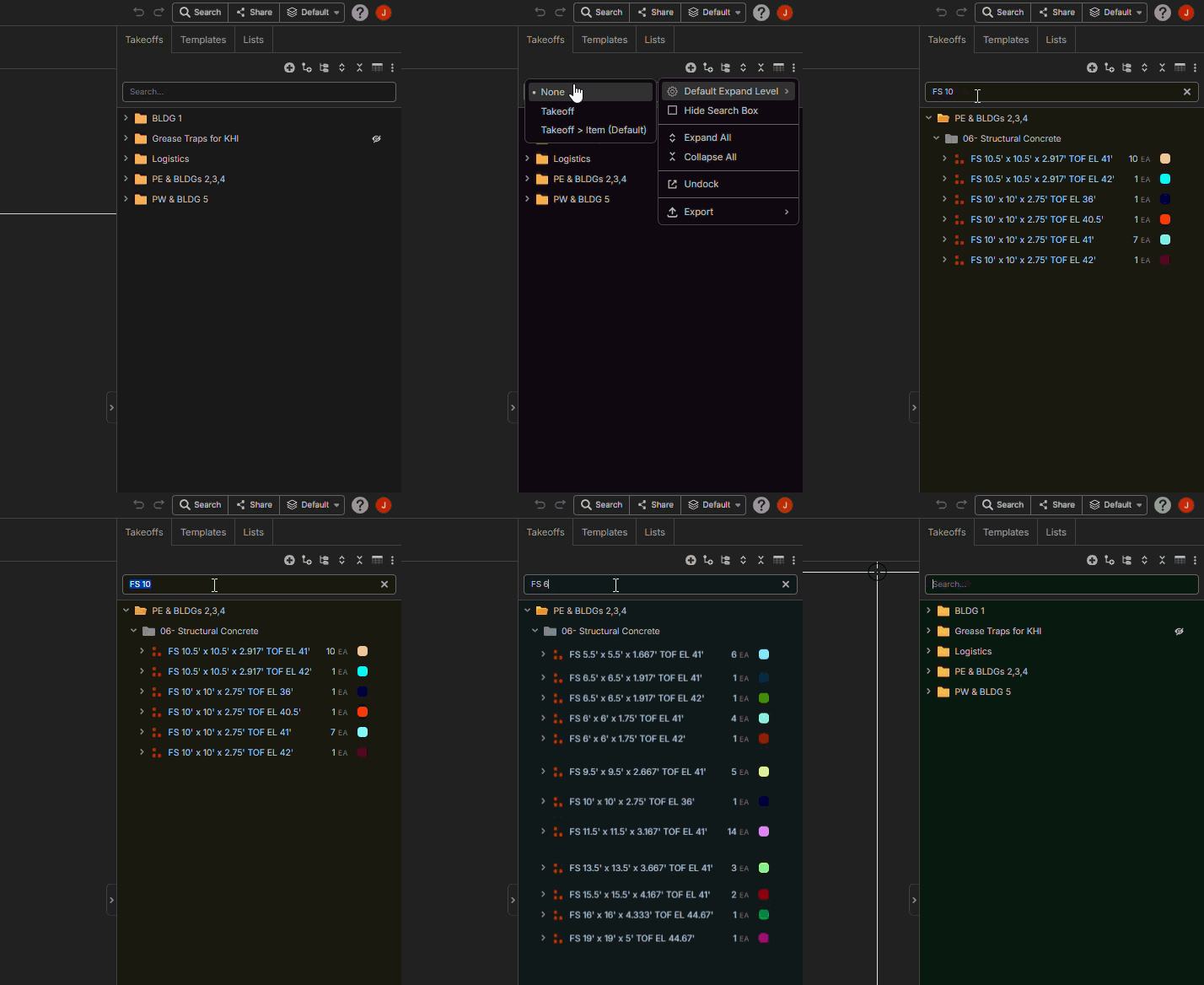

Hey Justin, I took a look at this and confirmed this is a bug with both takeoffs & templates (looks like the issue can happen based on the current group by properties). We'll have a patch out for this soon.
Thank you for all the bug reports today ( I mean it! ) its very helpful for us when the community shares their woes.
💯1We just did a patch. Is this fixed now?
On my iPad the smart search works, but it expands out the takeoff items now, and I don’t believe that I entered terms that include the “sub” items. Once I get to my computer in the morning I will check it from there, and get back to you.
🚀1Team, I pulled it up on my computer and found that yes, I get the same results. It expands the takeoff items now. I would expect this to happen IF/when there is a child item that contains the search word, but if it doesn't, I would expect the program to keep the parent collapsed. Hopefully, that is possible.
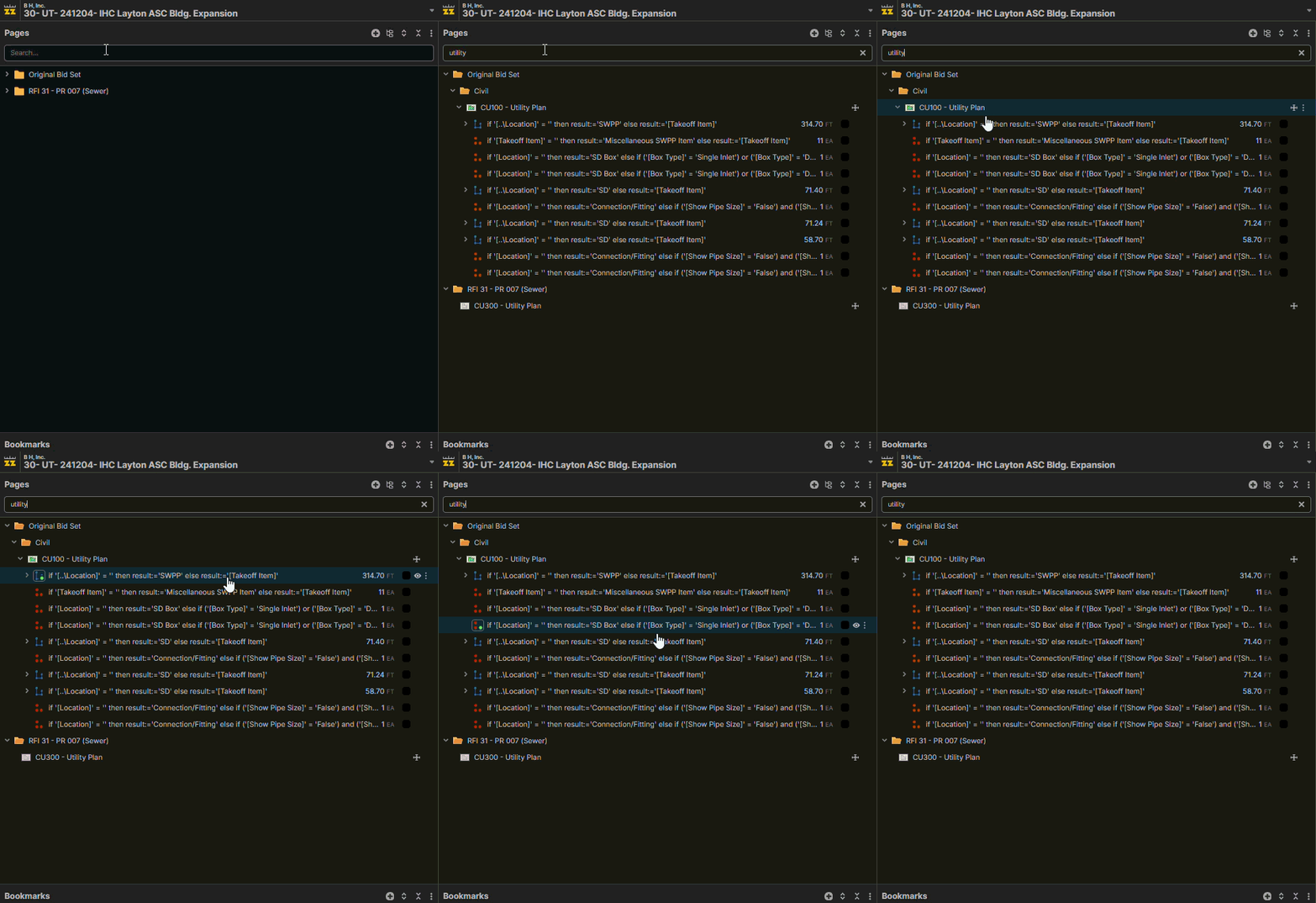
Hi, it looks like it expanded the CU100 - Utility Plan page because that matched "utility". This is the default behavior, to expand what matches (and expand to the match). Were you expecting the Page to be collapsed in your search results?
@Stephen, I assumed that it would only bring up items that contain the word "utility", as in the "GIF" #2 & 3, it didn't expand those items to show the children. Maybe this can be a setting to not expand if the child doesn't contain the search term?
👍1Team, I was looking for something on the reports, and I noticed the "filter" doesn't function here either. Look into that one as well please and thank you.
👍1