











 Bug Reports
Symbols not printing on layouts correctly
We have noticed inconsistency with symbols while printing from ZZ to PDF. I have tried saving as PDF and two different PDF creators but all have the same issue. I tried changing the scale and opacity. I tried changing sheet sizes that we are printing to. The screenshots below are from my tests.
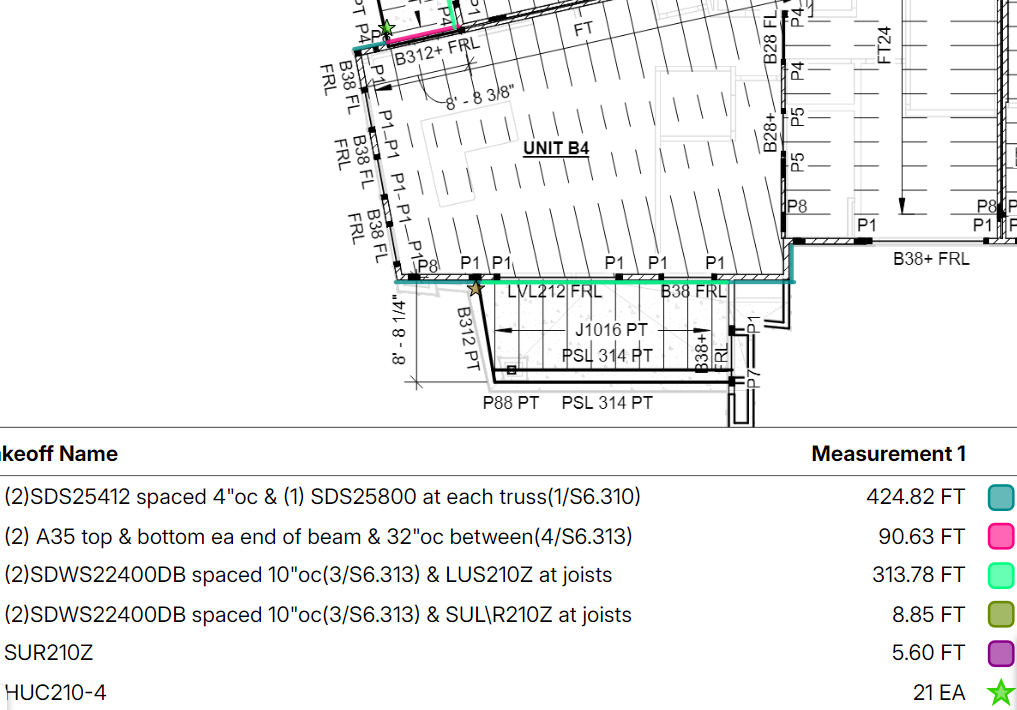
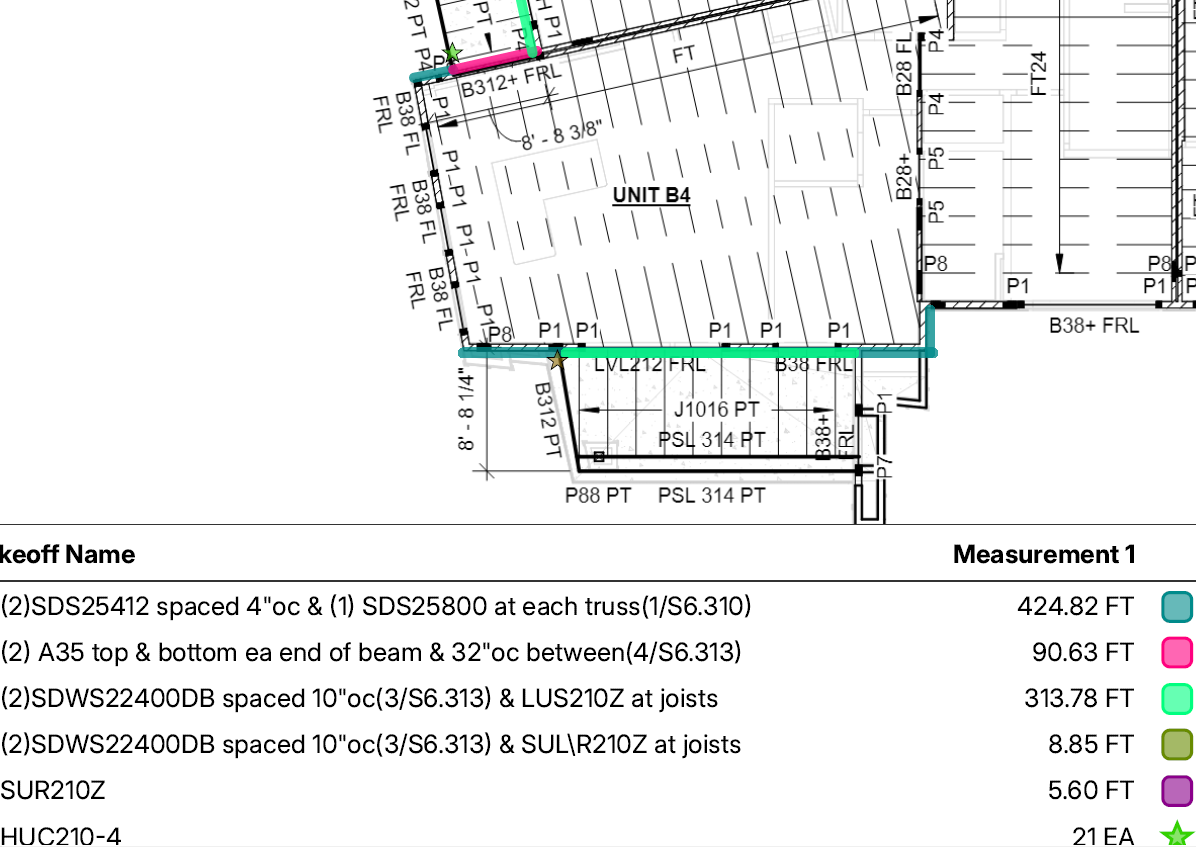
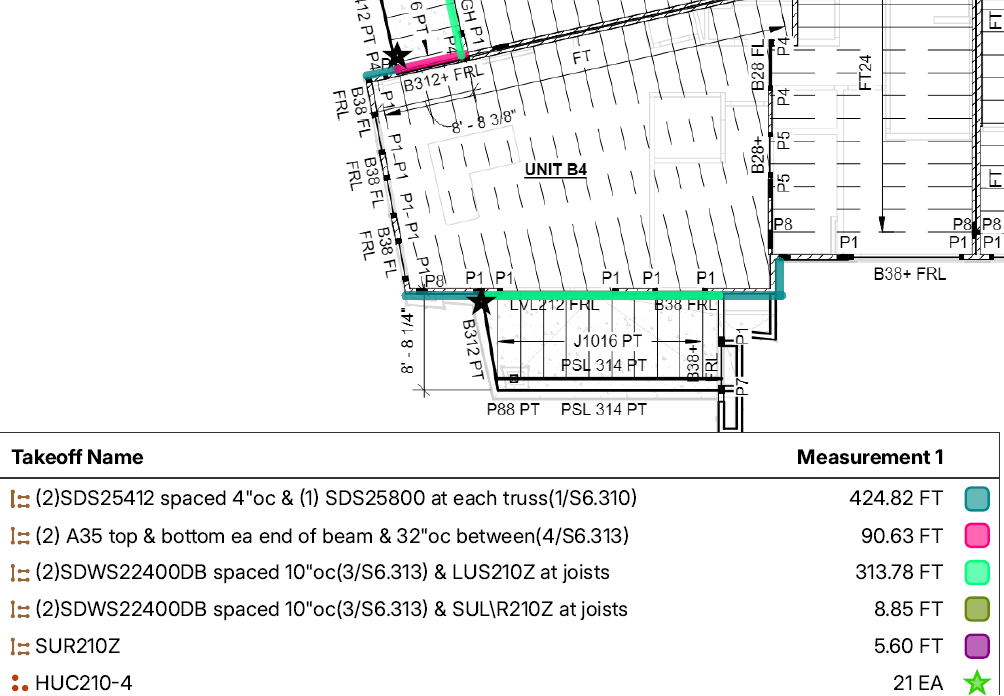
At this point, I stopped making adjustments to the scale and opacity. You will notice the first screenshot (from takeoff screen) below has a green star and a brown star. The second screenshot was taken from a PDF created with "save as PDF" and looks fine. The third screenshot was taken from a PDF created with "save as PDF" immediately after the previous but the stars are now black. I did not make any changes between these two prints.
Steps for printing: Selected "Print Current Page" then "save as PDF". Each resulting in different outputs.
The symbols on the legend look fine on each PDF created, only the symbols on the layout are changing.
First screenshot: from takeoff screen
Second screenshot: from first PDF
Third screenshot: from second PDF

Thank you for reporting this. We'll dig into what's causing this.
Side note - what browser and what type of device were you using to print the PDFs?
%22%2F%3E%3Ctext%20x%3D%2232%22%20y%3D%2233%22%20text-anchor%3D%22middle%22%20dominant-baseline%3D%22central%22%20font-family%3D%22Arial%2C%20sans-serif%22%20font-size%3D%2226%22%20font-weight%3D%22600%22%20fill%3D%22%23fff%22%3ECW%3C%2Ftext%3E%3C%2Fsvg%3E "Casey Wilson")
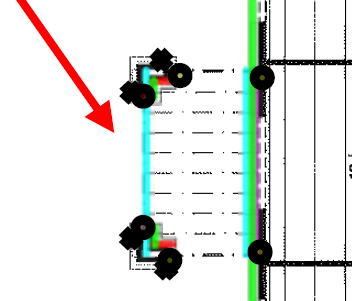
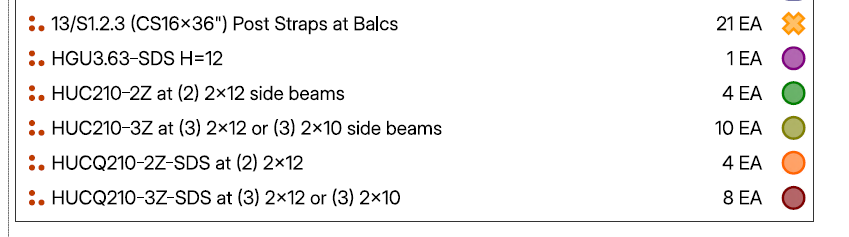
I'm having the trouble with symbols printing to pdf also. I need to send this to the framer who is in the process of installing these.
%22%2F%3E%3Ctext%20x%3D%2232%22%20y%3D%2233%22%20text-anchor%3D%22middle%22%20dominant-baseline%3D%22central%22%20font-family%3D%22Arial%2C%20sans-serif%22%20font-size%3D%2226%22%20font-weight%3D%22600%22%20fill%3D%22%23fff%22%3EDB%3C%2Ftext%3E%3C%2Fsvg%3E "Dwayne Brown")