










 Feature Requests
%22%2F%3E%3Ctext%20x%3D%2232%22%20y%3D%2233%22%20text-anchor%3D%22middle%22%20dominant-baseline%3D%22central%22%20font-family%3D%22Arial%2C%20sans-serif%22%20font-size%3D%2226%22%20font-weight%3D%22600%22%20fill%3D%22%23fff%22%3EJ%3C%2Ftext%3E%3C%2Fsvg%3E "Jes")
Ability to deskew page(s) using a horizontal line
I had some plans today that I needed to overlay in order to make sure we weren't going to hit any drains, but the civil plans were a little crooked, so no matter what I did, I couldn't get a good alignment with the overlays.
Then Stephen advised me to try to change the skew of the page using MSPaint and then reuploading it into zz to see if that would solve my issue, and that solution worked perfectly.
I ended up using Bluebeam for this though because they have a nifty feature for this where you draw a horizontal line, that I think would be great to add to zz.
The steps to do this in the other program are as follows:
1. Load up the slanted page(s) and go to page settings/page setup, then click 'Get Line'
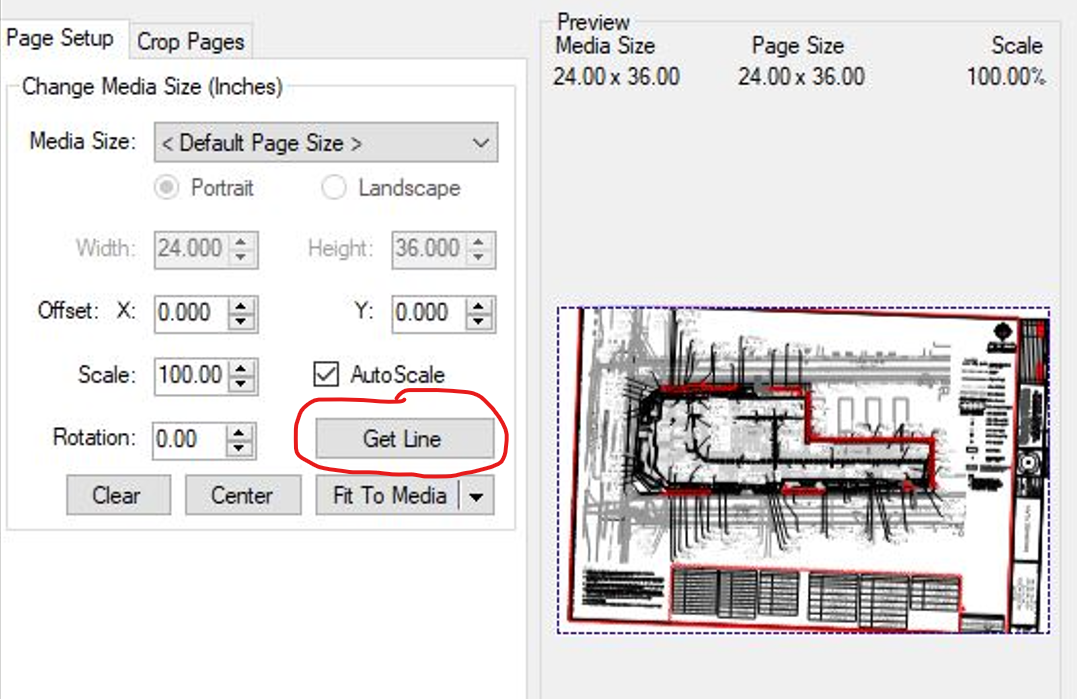
2. Draw a horizontal line over a portion of the page that you want to deskew (in the example below I used a wall)
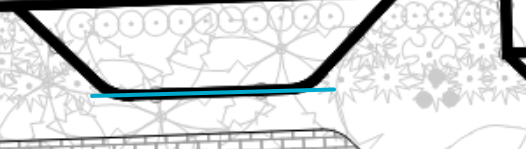
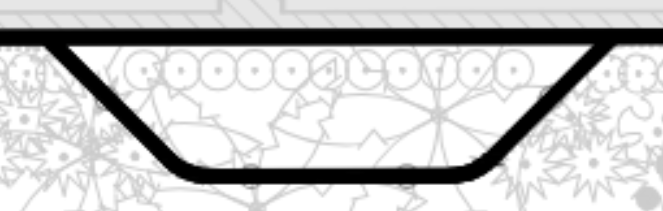
3. Once done, the tool will instantly calculate the number of degrees to rotate the page, and the skew on the page is eliminated.

Great feature request, this will help with those weird plans that need deskewing! I have shared this with the dev team, feel free to discuss what would make this feature awesome.

Here is a link to a similar request.... I would like to see other options too.
👍1