











 Feature Requests
Ability to quickly visualize multiple takeoff items
We worked with a program in the past that had a feature that you could click on the takeoff item in question and the plan view would blink at any of the areas that takeoff was counted. For instance, let's say I wanted to see everywhere I did a point count for 6" wyes, I could click on it and it would blink at all 30 points that takeoff occured in the plan view. This was a quick and easy visualization for obscure items. Can something like that be implemented here?

Hi, you can hover a point count in the Pages sidebar or the Takeoff sidebar and you will see an eye icon appear. Clicking this icon toggles the visibility of all sections on the page for this takeoff.

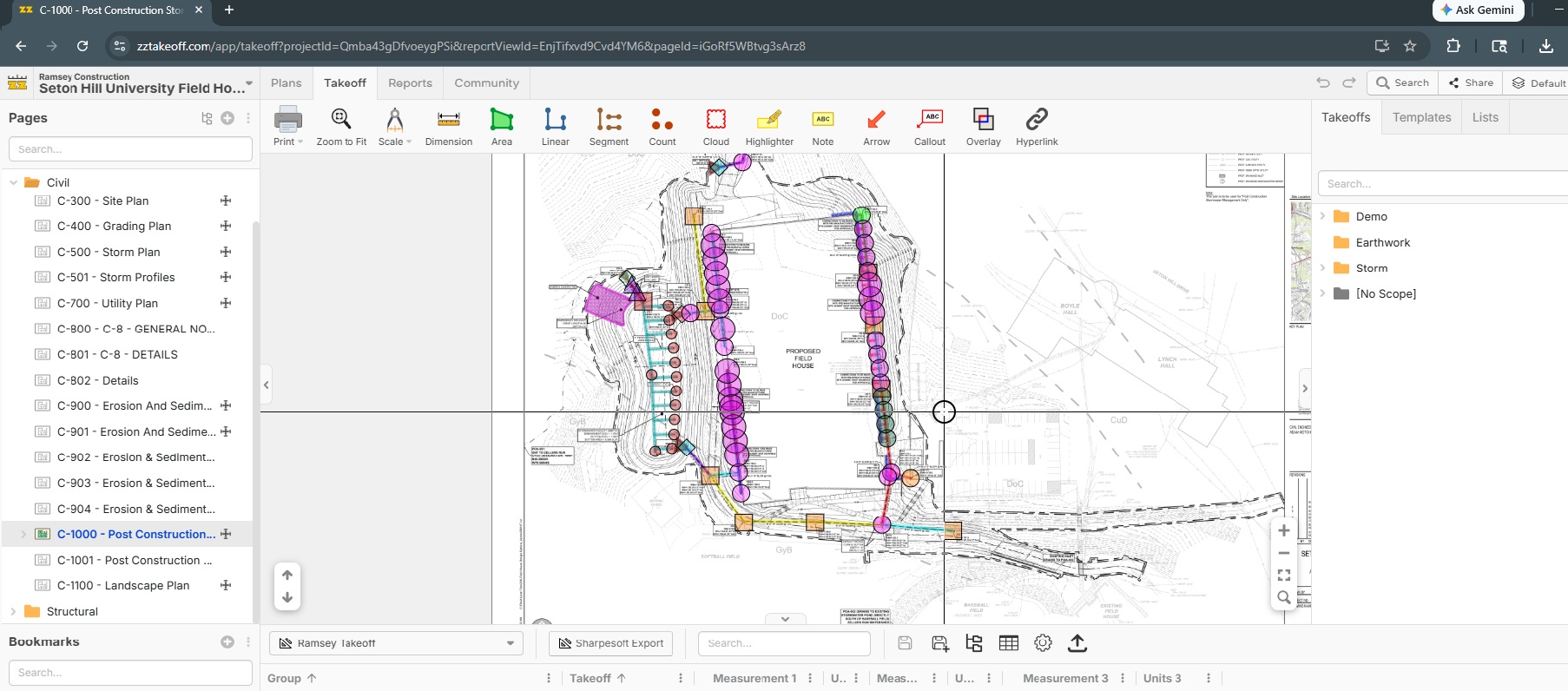
A lot of our jobs might look like this, where there are many different size/type of fittings. And I might need to quickly pick out where the 4x4x6 SDR35 ones were taken off. Clicking on and off of the eye icon would be tedious to find in that type of mess. I need to be able to zoom/scroll while still locating that point quickly. Toggling off the visibility all of the other items wouldn't make sense either as I'd have to manually click through a lot of items. However, like I said, in this other program, you could click on the eye icon and it would constantly blink those items as I zoomed and out and I could go straight to it. I wish I had a video to show. Just a feature request.
I moved this thread to Feature Requests and shared with the dev team.