











 Feature Requests
Auto Detect / Map Interior Walls on Floor Plans
Analyze the Floor Plan PDF and auto - detect around Interior walls. This would automate (for the most part) linear and sqft of drywall, paint, baseboard, and trim estimate takeoffs instead of manually tracing it all out. 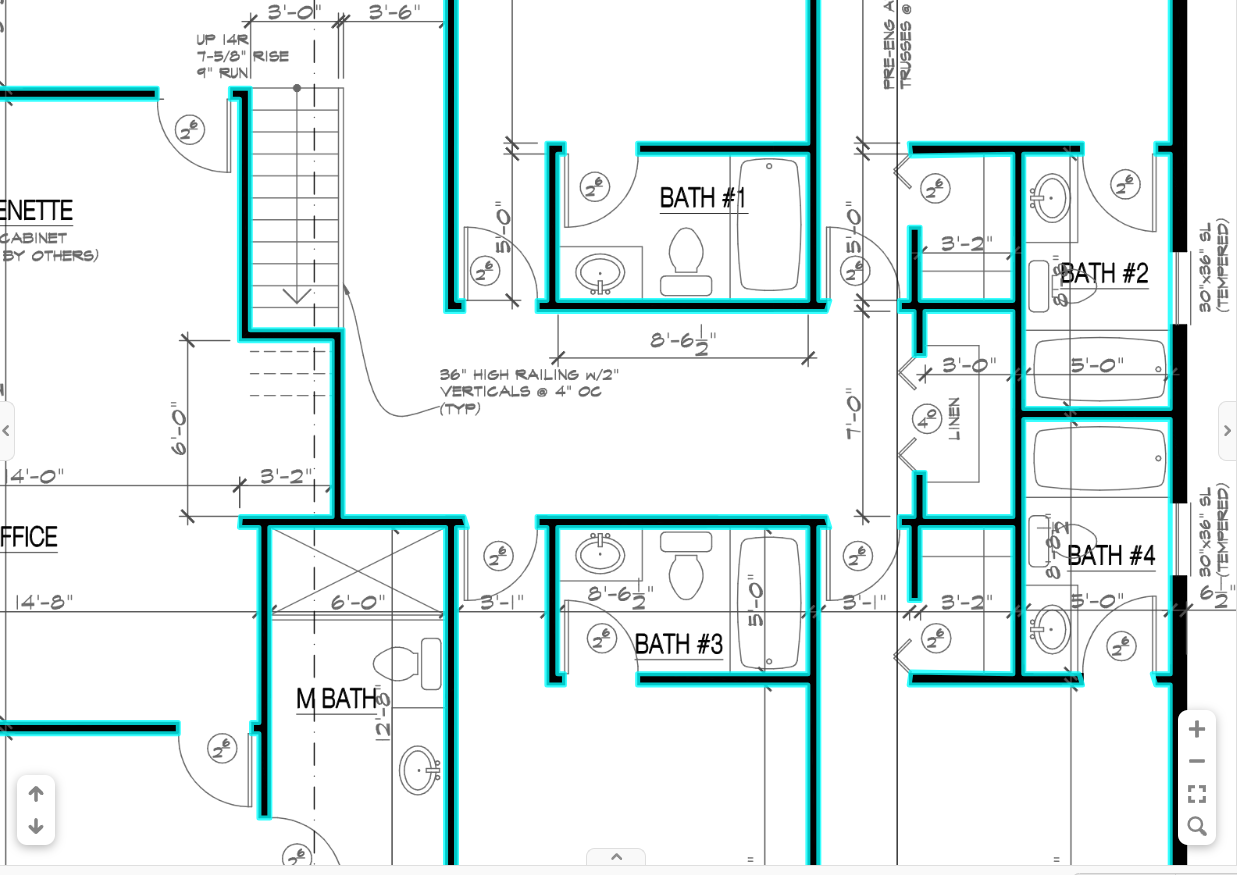

Yes Please!!!

Hi, we are working on an auto takeoff tool, however currently we do not have this released. I'm curious what percent accuracy would be acceptable for you for auto takeoff vs a manual takeoff. Many of our competitors see error rates between 5-10% for their auto takeoffs. What would be acceptable to you for errors in your takeoff?
👍1
Thats great to hear. Its really just the walls that can be tedious to trace along especially on larger plans but yes i think max 10% would be acceptable, obviously if you could get 5% that would be fantastic. As of now the only program i know of that has the ability to "read the walls" on a pdf plan is 5Dplanner, which then builds a 3d model from it. Im not sure what their error margins are but it does a fairly good job.
The more accurate the better of course but, if we new the percentage of accuracy that it is we could adjust quantities to compensate
👍1
I have seen this when I tried out Togal.ai. It worked fairly well for straight lines; however, on curved lines, the program couldn't figure out how to add an arc point, so it broke the lines into segments, and it didn't look correct, nor would I accept that level of so-called accuracy. I found myself doing it manually, as it took longer to clean up the linework than just doing the takeoff.
If we could get Architects and Engineers to ALWAYS export the layers/line labels, it would help the AI, but also, we have the PDF snap functionality. Could the drawing be "vectorized"? In AGTEK and TBC, they do a decent job at this, again especially with straight runs. I find that when the straight run meets a curved run at the Point of Curve (PC)/Point of Tangent (PT), it can't seem to reconcile this well, so there is usually a gap and an offset. In these instances (which are frequent), I use a hot key (F7) to "snap" the end of the straight run to the PC/PT.
IF you could figure it out, this could come in handy for any takeoff, e.g., utility lines, curb and gutter, sidewalk, asphalt, landscaping, walls, etc.

I literally saw Claude doing takeoff in zzTakeoff....like doing the clicks for me YIKES!......this is going to get interesting quick.
👍1Claude bot download all my pdf plans from [enter planroom url], import them as jobs into zztakeoff, scale them, takeoff all areas linears and point count relevant to the schedules on the pages, import my vendor prices from [vendor csv] into the cost each fields.
Then export all projects as bids using the Advanced Item Reports under Reports in zztakeoff to excel using my report template called Bid, and then email all the excel files to me in a zip file.
👀2