











Change Hyperlink Properties
Is it possible to select multiple hyperlinks on a page and change their properties all at once. Or another option, be able to change the hyperlink properties in the Settings tab. By default, all of the hyperlinks are locked and I can only change their properties one at a time. I would like to change all of them as a group once.

That is a great feature request! Currently, we only allow changing the properties of 1 annotation at once. If you are creating the hyperlinks, you can change the default properties, so all future hyperlinks are created with those settings.
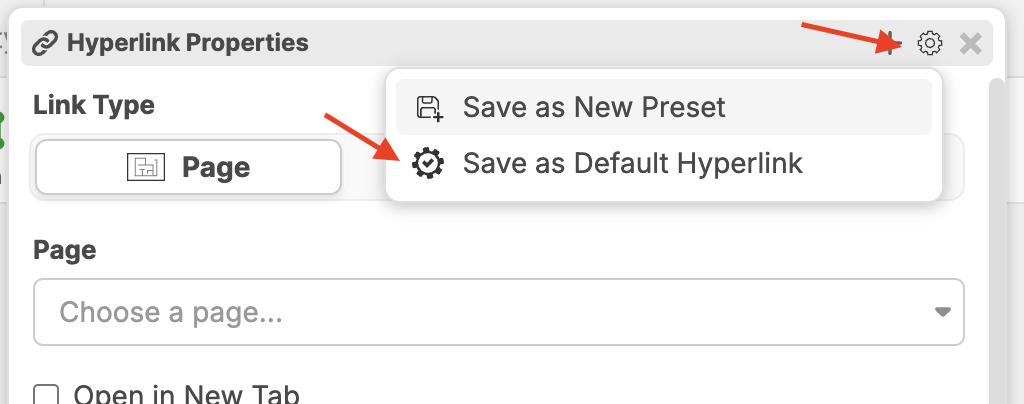
Another thing - are you talking about changing the defaults for the PDF hyperlinks, or the hyperlink annotation?
%22%2F%3E%3Ctext%20x%3D%2232%22%20y%3D%2233%22%20text-anchor%3D%22middle%22%20dominant-baseline%3D%22central%22%20font-family%3D%22Arial%2C%20sans-serif%22%20font-size%3D%2226%22%20font-weight%3D%22600%22%20fill%3D%22%23fff%22%3EBS%3C%2Ftext%3E%3C%2Fsvg%3E "Ben Stewart")
I'm not sure I understand the distinction between PDF hyperlink and Hyperlink Annotation. In my case, I imported a new set of drawings and ZZ automatically created hyperlinks for the plan references. See snippet below. I would like to globally change the hyperlink properties rather than unlock and change one at a time. Is this possible?
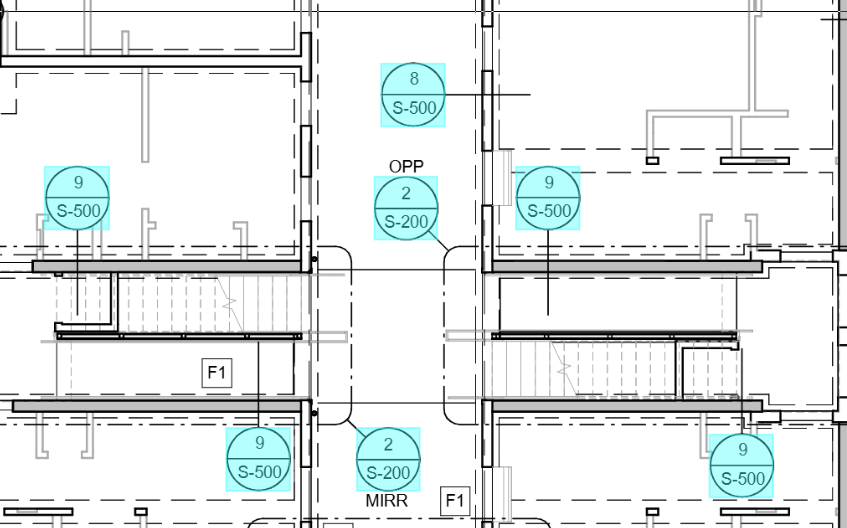
In your example, those are PDF hyperlinks. We don't have a way to change the default PDF hyperlink properties (yet), but I will mention it to the team.
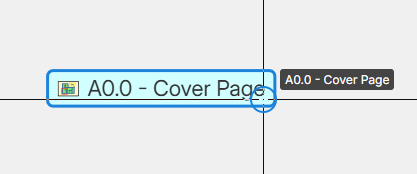
Side note: This is what a default hyperlink annotation looks like.
Thank you.