











Change takeoff type when there is a item under it
Need the ability to change the takeout type when there's an item underneath it that has no quantity. I deleted the item underneath it and then changed it, which is not ideal.
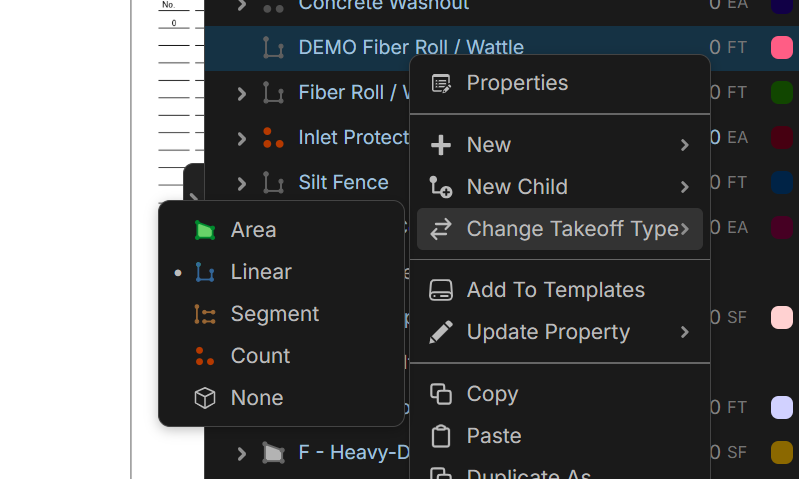

Hey Kyle, I tested on my end and was able to switch a takeoff even when it had a child item underneath. Right now, the Change Takeoff Type will only show up if you have no takeoff sections and the takeoff is the only selected row. If you accidentally selected both the takeoff & the item underneath, then right-clicked, that could be why you couldn't change the type.
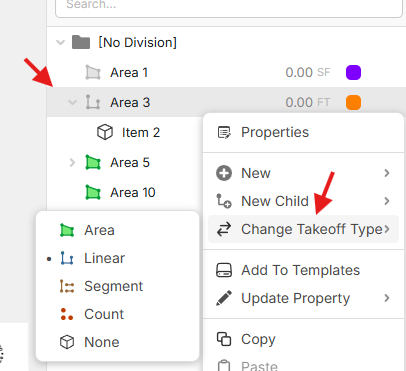
Let us know if this happens again & those conditions are met, and we'll dig further.
👍1🤔1
Ahh. It looks like when you add from templates (or copy/paste), we're selecting the newly added takeoff + all its children (even though the takeoff is not expanded). I'll mention this to the team to see what we can tweak to make the flow easier.