











Collapse / Expand individual and/or groups of folders/takeoff items
Team,
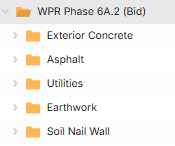
Like most users, I organize my takeoff into folders and subfolders. I would like a way to expand/collapse certain subfolders via a right-click function. I can expand/collapse all folders at one time, but not selected folders, whether I have highlighted or selected individual folders/items.
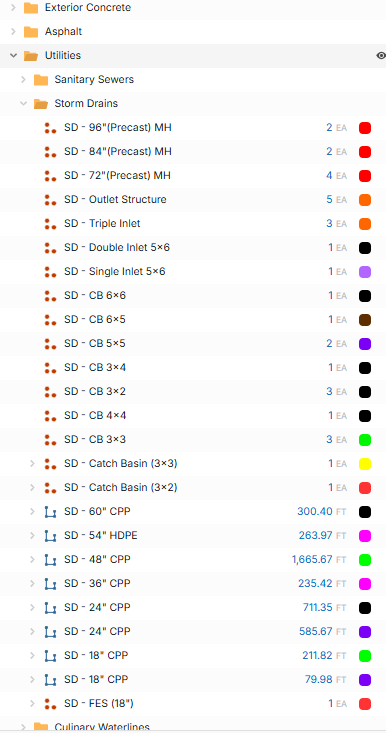
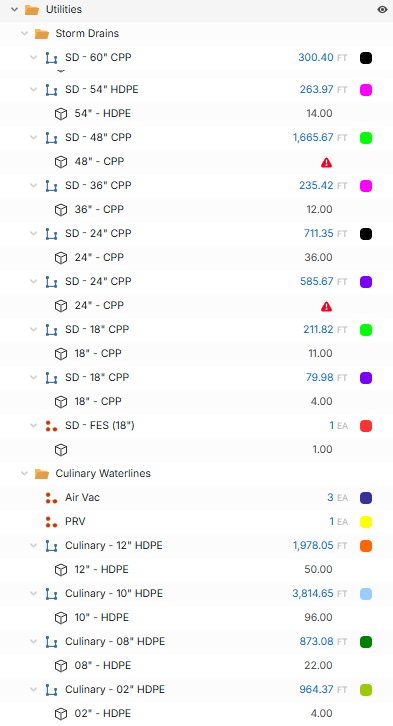
For example, I have a Utility folder that houses a Sanitary Sewer, Storm Drain, Culinary Water, Hydrant Waterlines, etc. If I want to see all the guts of the items in my Storm Drains folder, I have to go and manually expand each folder/item or right-click and select expand all. Expand all, expands ALL of my folders/takeoff items and causes more work than is necessary. Likewise, I can collapse all, but then I have to go and expand out the folders/items that I want.
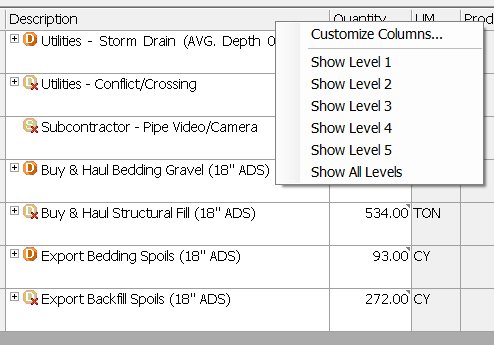
On the option, can we have a show level 1, 2, 3, 4, etc? I have this functionality in my estimating platform, and it is nice.....
Let me know what questions you have.