











Collapsing properties, custom properties and variables.
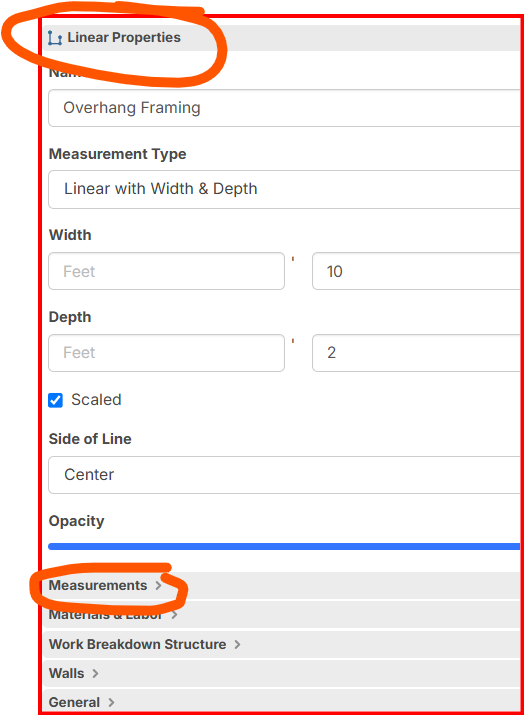
Could we have the option to collapse the property line for the different takeoffs just like all the other types such as Measurements, materials, etc. Also, would it be possible to be able to create custom properties right from the takeoff or item instead of going out and to custom properties? sometimes I just need to create one variable or property for that one item only. It would be great to have that option.
%22%2F%3E%3Ctext%20x%3D%2232%22%20y%3D%2233%22%20text-anchor%3D%22middle%22%20dominant-baseline%3D%22central%22%20font-family%3D%22Arial%2C%20sans-serif%22%20font-size%3D%2226%22%20font-weight%3D%22600%22%20fill%3D%22%23fff%22%3EKP%3C%2Ftext%3E%3C%2Fsvg%3E "Kory Podgaysky")
To add to this, it would be nice to be able to move where things show up such as moving width and depth to the measurements heading
💯2
Hey Gabriel, thank you for the feature requests! Regarding adding custom properties on the fly, that is something we have been discussing internally, and we are planning to add soon.
Also, @Kory, we are planning to allow the user to customize the location of the default inputs soon.
❤️1🔥1%22%2F%3E%3Ctext%20x%3D%2232%22%20y%3D%2233%22%20text-anchor%3D%22middle%22%20dominant-baseline%3D%22central%22%20font-family%3D%22Arial%2C%20sans-serif%22%20font-size%3D%2226%22%20font-weight%3D%22600%22%20fill%3D%22%23fff%22%3EGG%3C%2Ftext%3E%3C%2Fsvg%3E "Gabriel Glenton")
Thanks for the response, Lorin. You guys are awesome and probably thought of this already, but you know when you are putting your formula and you add new variables it shows up in the variables of the material but how about when we put the [../] to inherit from above, why not have it display it there, under an additional category. That would certainly speed things up.
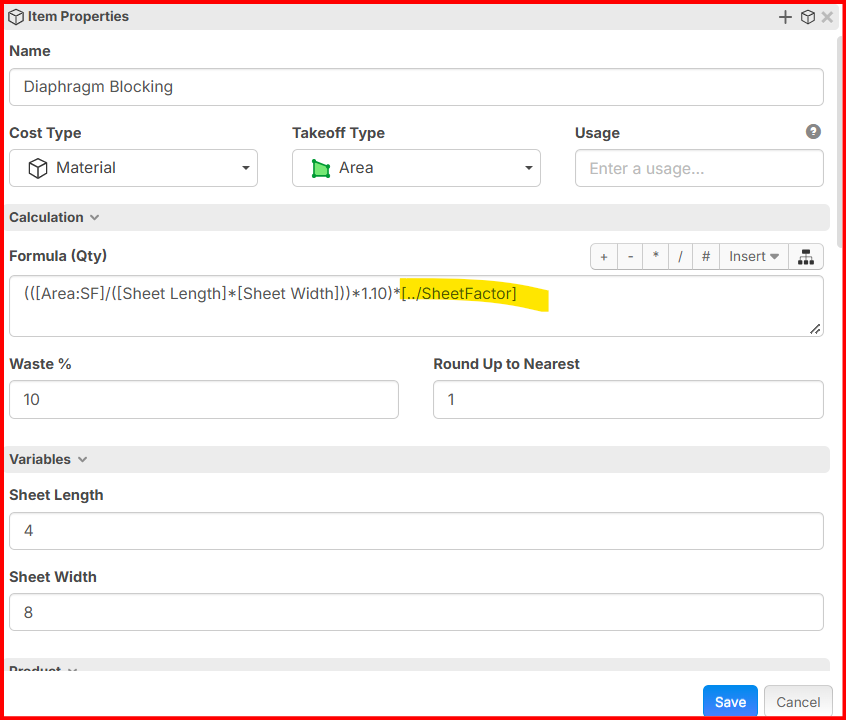
Hey Gabriel, to clarify, are you saying that when a child item references a parent property, if that property does not exist on the parent, the parent should automatically add a "variable"/proeprty for "Sheet Factor" without you having to define it on the parent (in this example)?
That's right, let the parent grab that variable or property from the child and put it under a category with the option to rename and be moved around. That will save the time to go and create variables on both ends. Not sure the complexity on this one but yeah that would be fantastic.
👍2Awesome, thanks for clarifying! I'll pass this along to the team. 🙂
💯1👍1