











Copying Takeoff Items
Every time I copy a takeoff item in the takeoffs folder, and paste it into a new folder, it changes the color of the new takeoff item and assigns it a random color. It's maddening. Can you give me the option to keep the color and all other properties when I copy and paste items?
Thanks!
%22%2F%3E%3Ctext%20x%3D%2232%22%20y%3D%2233%22%20text-anchor%3D%22middle%22%20dominant-baseline%3D%22central%22%20font-family%3D%22Arial%2C%20sans-serif%22%20font-size%3D%2226%22%20font-weight%3D%22600%22%20fill%3D%22%23fff%22%3EKP%3C%2Ftext%3E%3C%2Fsvg%3E "Kory Podgaysky")
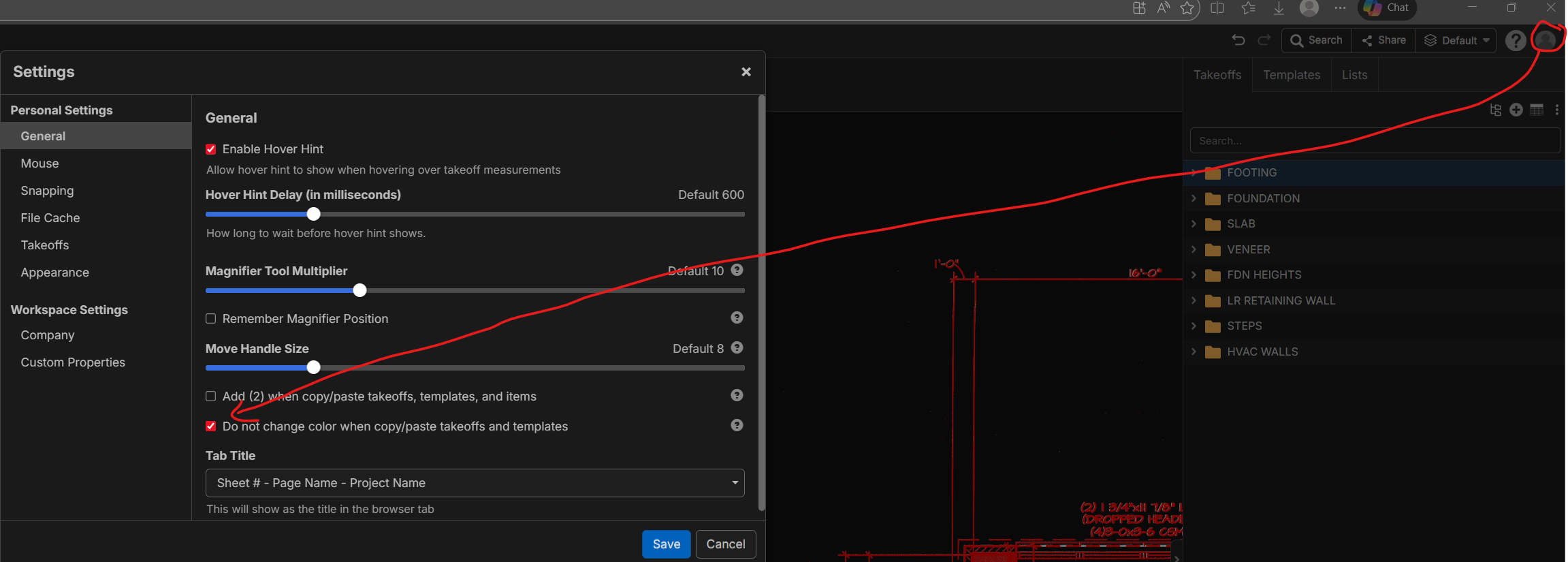


I'm interested if you guys think this should be on by default? We're open to input on this. My concern is that if we do, some users that copy/paste templates may complain that the colors of all their templates are overlapping.
👍1When you copy/paste from the template tab, it keeps the colors anyways. It only changes color when you copy/paste folder to folder in the takeoffs tab, even with this box unchecked. For me, I like them to stay the same because I have a pattern I like to keep for every unit type. But I can't speak for everyone.
👍4
I'm trying to get our 184 estimators off OST, so anything that matches OST is what I want the default to be. OST keeps the same color when you copy and paste. So +1 for me as well with John.
👍1I agree with the keep same color. If I'm copying, I either want an identical copy or I'm going to change several things anyway so adding changing the color to the list is no big deal. I like being able to uncheck it if needed though.
👍1