











 Feature Requests
Dimmer for plans?
A bluebeam feature I utilized more often than I realized (now that I don't have it!) was the ability to dim the lines on the drawings (not the markups). It helped me especially on wall takeoffs or busy drawings.

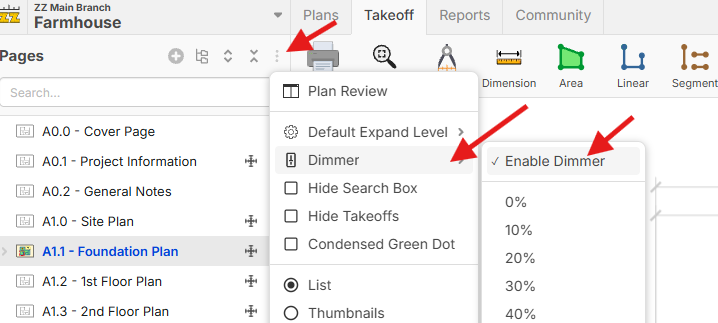
Thanks for the input Trenton. Would this be a per-page setting, or just a personal user setting that dims all pages? Would you set it in the settings popup, or would it need to be accessible such as at the bottom of the screen so it's easily accessible?

I think this would be a setting that would dim all pages until turned off. A symbol near the bottom would work best, maybe a dimming % as well to adjust the strength (ie. 10%, 20%, etc.). See screenshots below for a dimmed plan and normal.
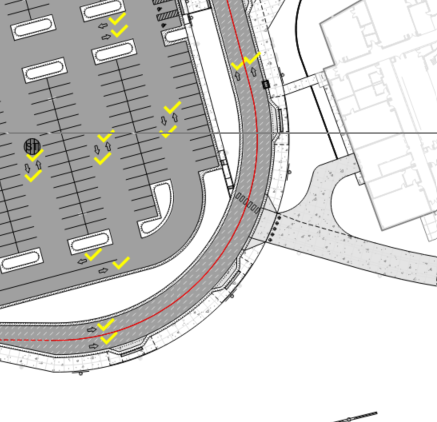
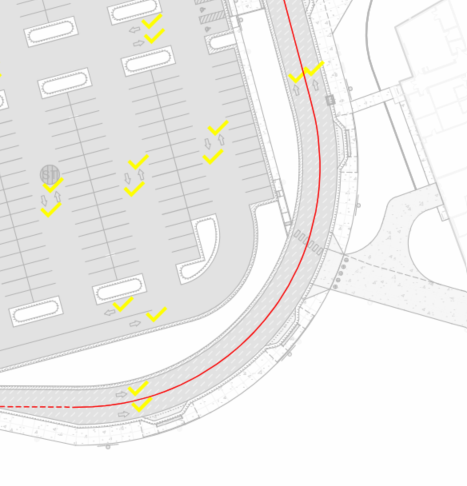
Maybe something like this:
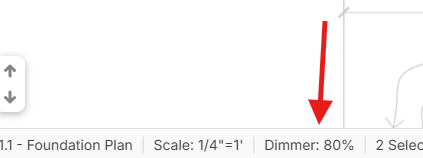
If the dimmer is enabled, you get a dimmer % in the footer:
If you have a Test Server account, you can test it with the "Test It" button above.
👍1Haven't even tested it out yet, but this "test it" link is awesome! Keep it up zz!
🙂1Awesome! Thanks for the feedback. This will go out with our next release. 🙂🚀

While Testing this feature I was getting the following error. On reload the page Dims successfully.
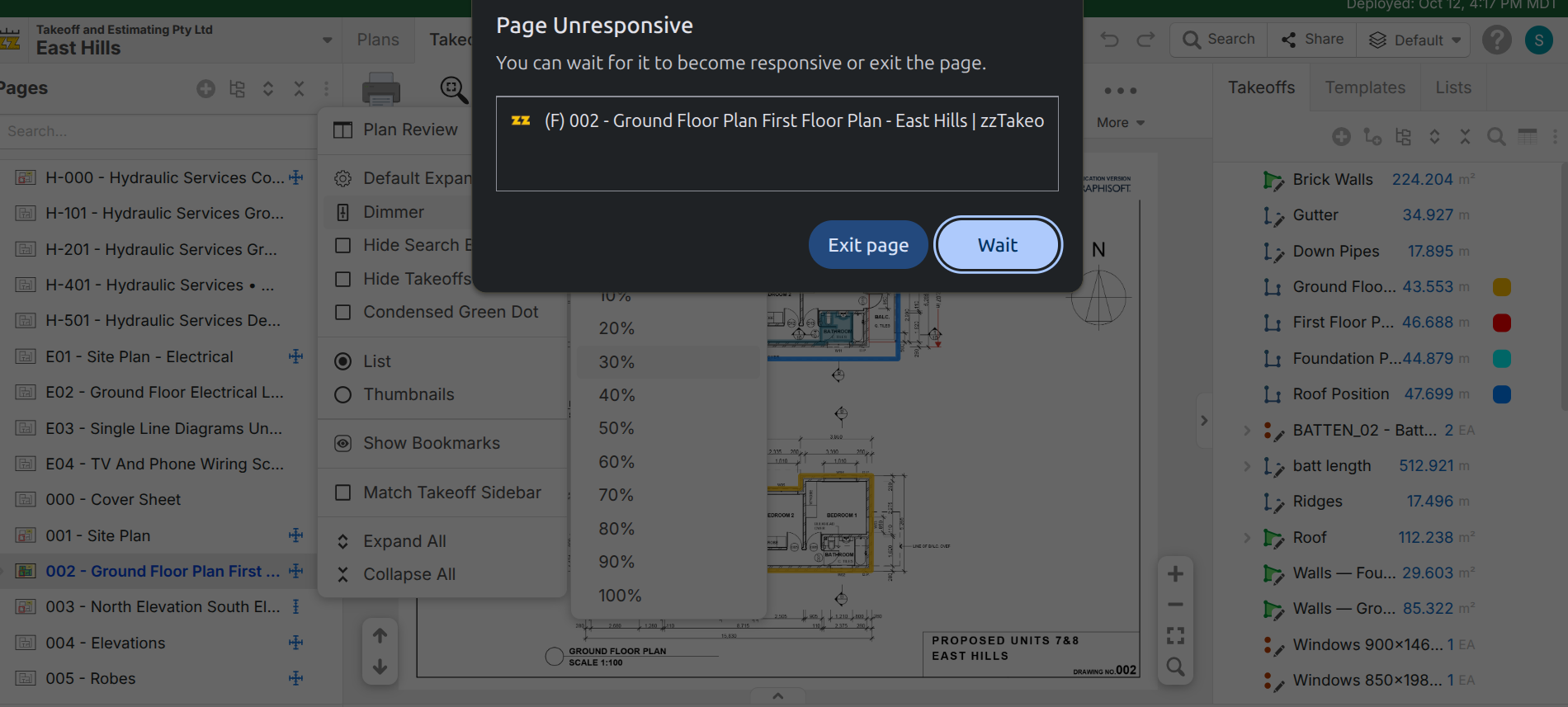
@Sam Good catch. We just deployed an update to resolve this.