Feature Requests
Extract Page with Vectors
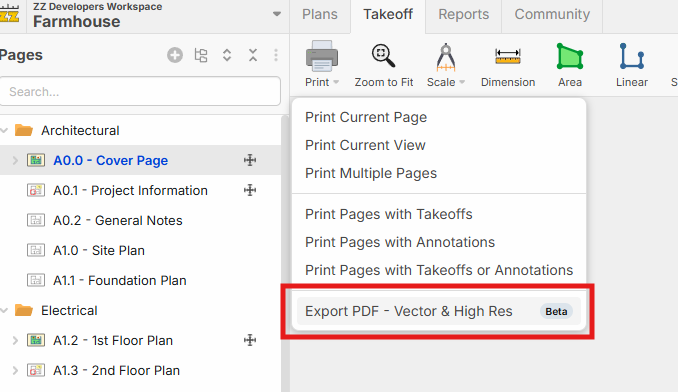
A lot of the time I have to grab a PDF from Bluebeam and extract it to bring it to another tool. In my example I'm sending this to Agtek so I need all the vectors. I'd really like to be able to right-click and in zzTake out just the export PDF with vectors (the original PDF of the single page). I have to go to Bluebeam and do it, which is annoying, but that's life.

Thanks for the input Kyle! This is definitely something we plan to implement. We've been having discussions internally about how to go about it.
Just curious, what other things do you use from Bluebeam still that we can solve? Page Stitching is another one on our list.

Heber, great question. Really I'm going to say you nailed everything with the PDF drawings. I don't really ever use Bluebeam. Granted if I have to go hyperlink them because you guys can't do hyperlinking, that's one.
Now the major things outside of drawings:
- specs
- marking up subcontractors' proposals, then saving them to our sharepoint.
- working with pdfs as individual files to share with others, thur email for example
I even asked copilot to give me a summary of all PDF's from our last job we just bid and here was the output: Look quantity survey is last
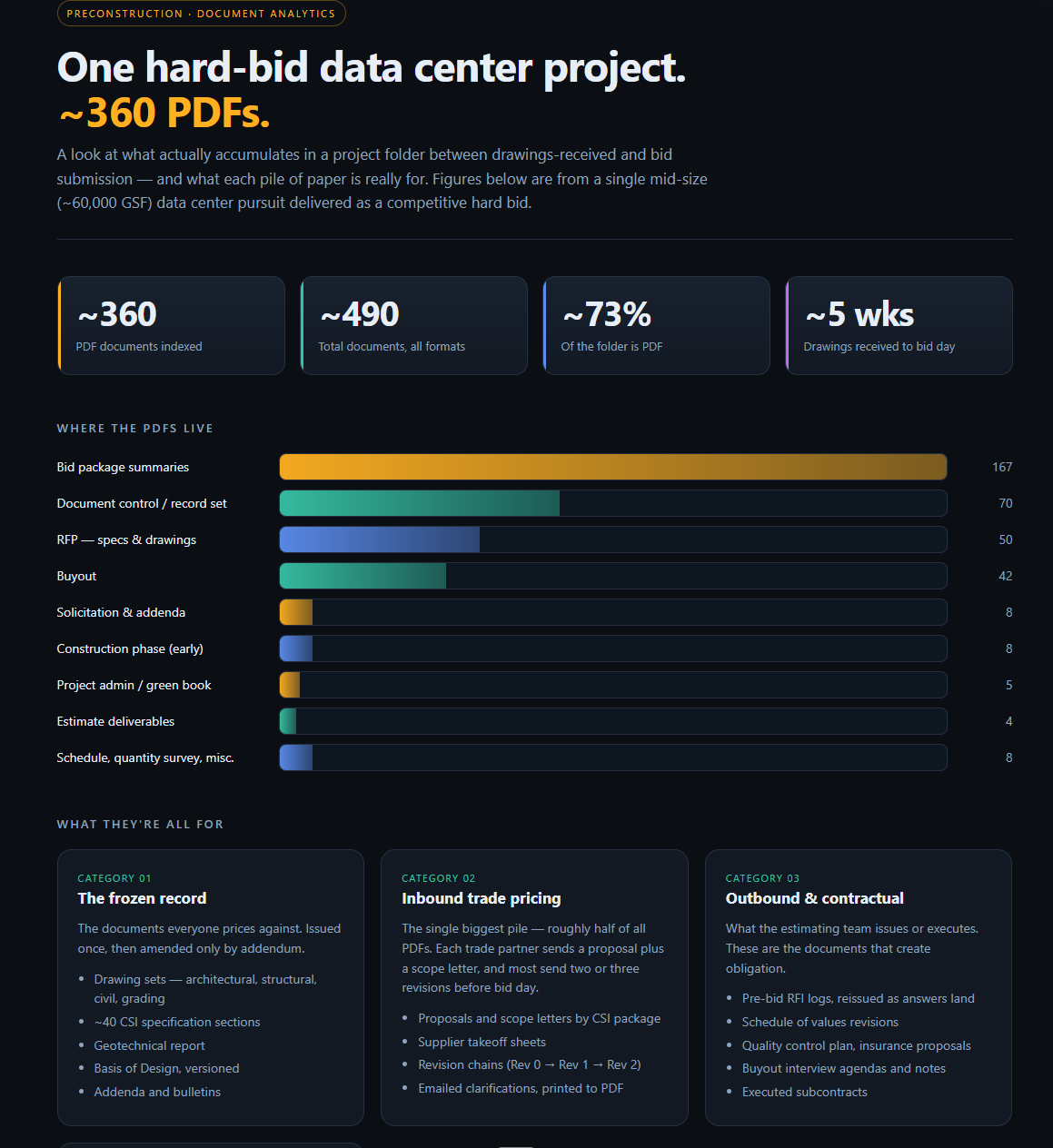
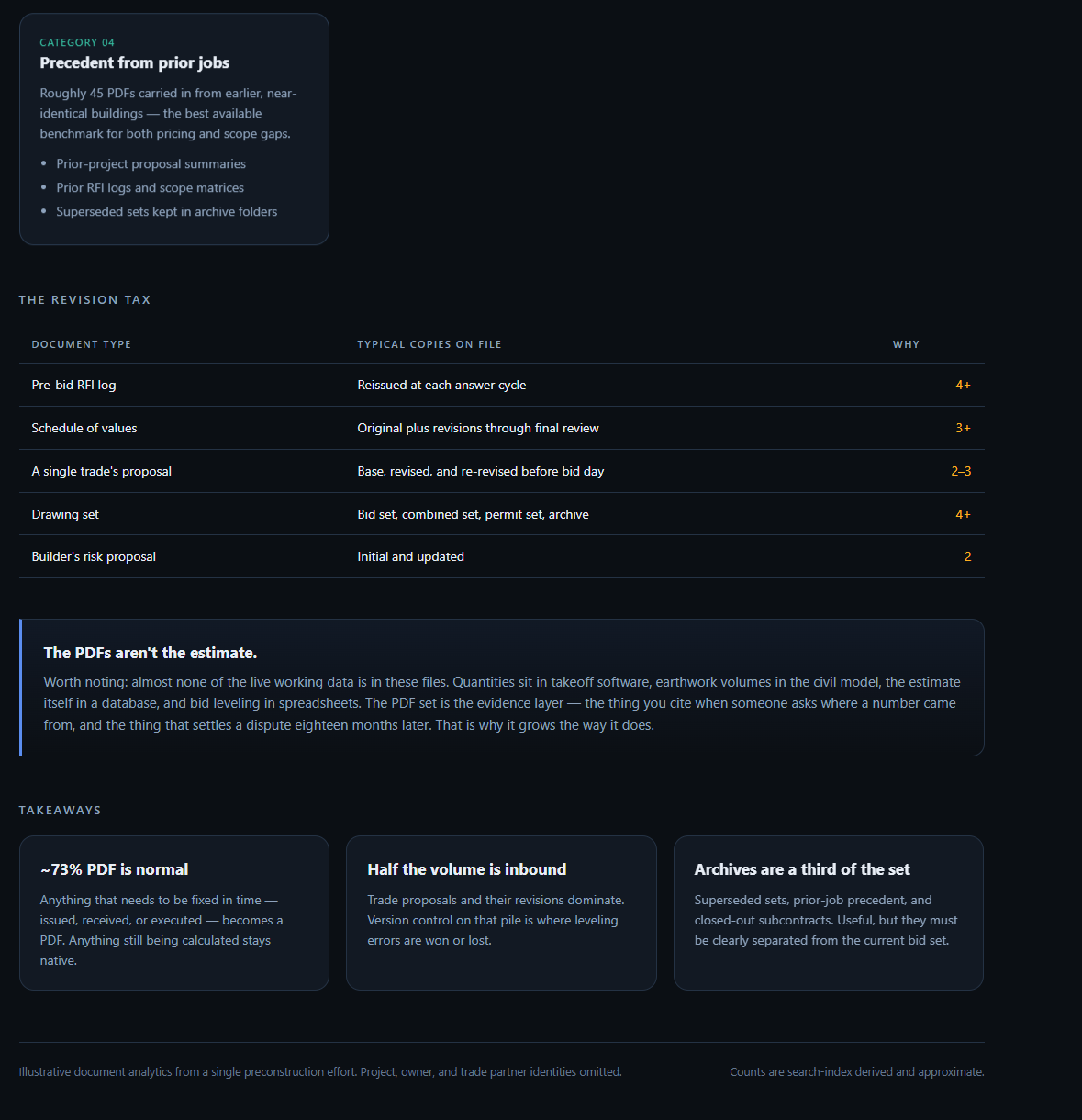
From that data if you could solve frozen PDFs, double-click on any PDF, edit it, and save it, that'd be the W. But now you're probably talking about installing something in our computer, I'm guessing. hmmmm.
👍1This is early beta, but you can give it a shot at the "Test It" button above. Not all features are supported yet for export.
Click "Print" and then "Export PDF - Vector & High Res"