











 Feature Requests
%22%2F%3E%3Ctext%20x%3D%2232%22%20y%3D%2233%22%20text-anchor%3D%22middle%22%20dominant-baseline%3D%22central%22%20font-family%3D%22Arial%2C%20sans-serif%22%20font-size%3D%2226%22%20font-weight%3D%22600%22%20fill%3D%22%23fff%22%3ETS%3C%2Ftext%3E%3C%2Fsvg%3E "Tyler Stuessy")
Features From Another Takeoff Program - MeasureSquare
I have a couple pretty useful feature requests id like to see and i think others would benefit off this too. This is going to be a little lengthy so bare with me on it.
For several years we used MeasureSquare for all of our flooring takeoffs and they have quiet a few really cool features that i think zz would benefit from. I will make a list below and attach some screen shots from the MeasureSquare program. Hope this will make sense and i'll try to spell everything out.
1. Door & Window Area Deductions
MeasureSquare has simple icons for the doors and windows along the top ribbon bar

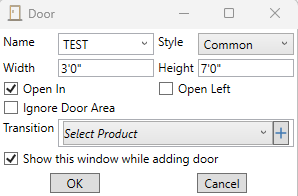
What these allow me to do is set the length and width for my doors and windows and place them on walls and will "punch" a hole in the wall and deduct that footage. once the door size is set, my cursor changes to a "door with swing" that i can go through and click all the door locations on the plans that have that swing (open left or open right). when i add these doors and windows it automatically deducts the footage in the take off area.
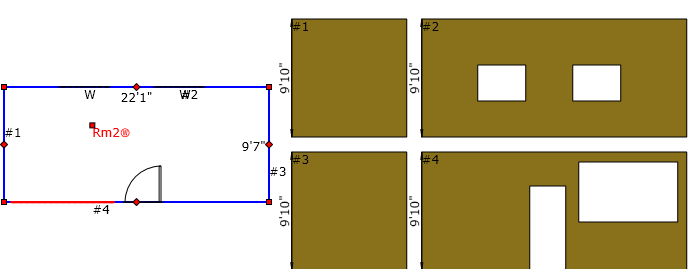
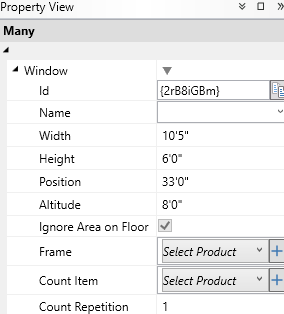
For windows, I can do an option with the drop down carrot next to the window for "Takeoff Window" and that allows me to click and drag to my desired length of the window and i can change my window dimensions within the properties tab (see larger window next to door). the properties tab lets me customize window width, height, position of window on the wall, and the altitude of the bottom of the window. For Instance if i had a 20' wall that was windowed along the middle, i can set my altitude (which is the bottom of the window) to 8' and that puts the bottom at 8' and i then set the window height to 6' and can also change how far the end of the window is from the corner of the wall, like if the windows were to stack up the wall.
2. "View Wall Feature"
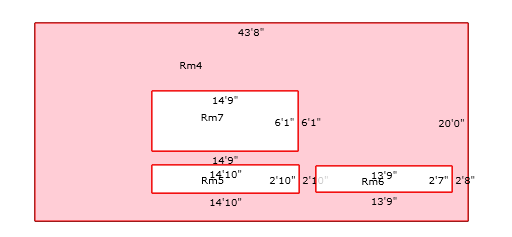
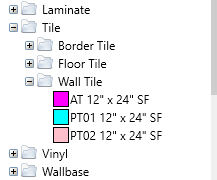
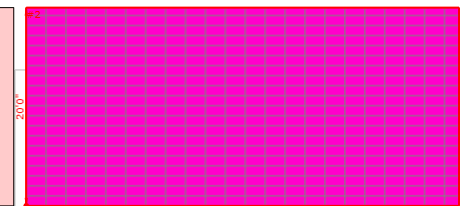
MeasureSquare has this simple feature once i have done my tracing, i can click the "View Wall" icon on the top ribbon bar (see first attached photo, it is highlighted in blue, far right). What this does is take my room ive traced, a populates the walls to the side. Just like in the photo with the door and windows. it makes it super easy to add an area footage for wallcovering, custom painted stripes, wall tile, ect. Here i then can impliment the "drag & drop" feature request i submitted a few weeks ago. i can click and hold on a product (I am using Wall Tile "AT 12x24" as an example from the image below), drag it on the wall, drop it, and it auto fills that area with the product. This "drag & drop" also works on any traced area, not just walls, and for any created takeoff products.
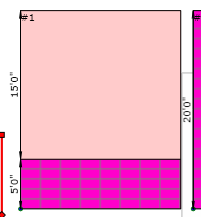
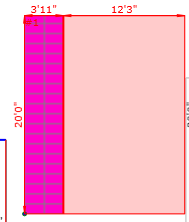
This feature also lets me add a custom vertical or horizontal wall stack by right clicking the wall and selecting one of the two if the wall were to only go up partially or be on only one area of the wall. the sizes can be modified within the properties tab.
I apologize for the load of information and I am open to a zoom call with a dev or anybody to share my screen and see these featires used in real time on the MeasureSquare program for a better understanding and more clarification. I am trying to transfer our company away from MeasureSquare and switch to zzTakeoff for all of our OST needs.

Hey Tyler! Thank you for the very detailed explanation and associated images. It helps a ton for the DEV team. 🙂
👍2