











 Feature Requests
Folder Structure with adding items
This enhancement is great - to be able to incorporate the folders into searching for an item! Hoping the next iteration retains the hierarchy.
IE - if I select the pipe folder under DIP and select a certain dip pipe, would be great to re-use that takeoff and have the results be filtered by that nested folder (the pipe) so that those are the only results displayed.

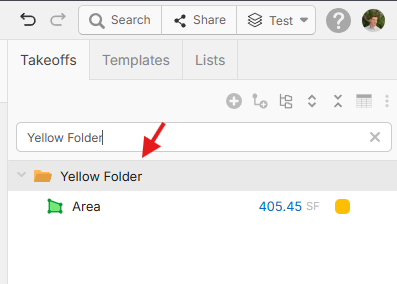
Hey David, thank you for the feature request! Could you include a simple screenshot/mockup of what this would look like? Currently you can search by the folder name in the takeoff sidebar and it will return it and any of its children in the correct hierarchy.
%22%2F%3E%3Ctext%20x%3D%2232%22%20y%3D%2233%22%20text-anchor%3D%22middle%22%20dominant-baseline%3D%22central%22%20font-family%3D%22Arial%2C%20sans-serif%22%20font-size%3D%2226%22%20font-weight%3D%22600%22%20fill%3D%22%23fff%22%3EDM%3C%2Ftext%3E%3C%2Fsvg%3E "David Mehan")
wrong terminology - should have said when searching for a product:
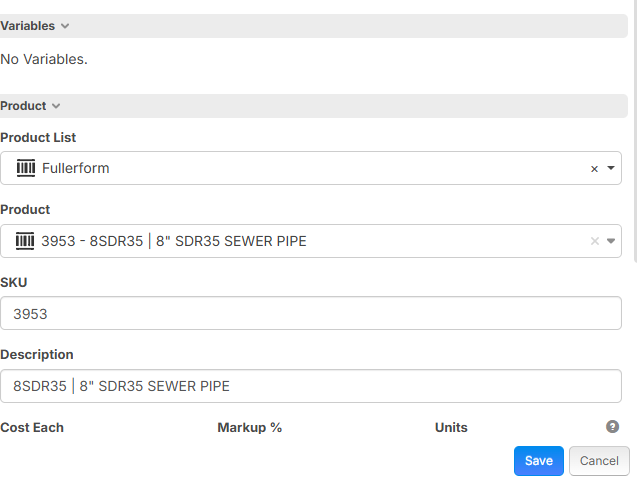
This takeoff has 8 SDR35 Sewer Pipe attached to it. If it were to copy this takeoff and change it to 6 SDR35, it would be nice if the product search defaulted to the lowest folder which contained the item. Right now, when clicking the dropdown it starts over at the top of the hierarchy.
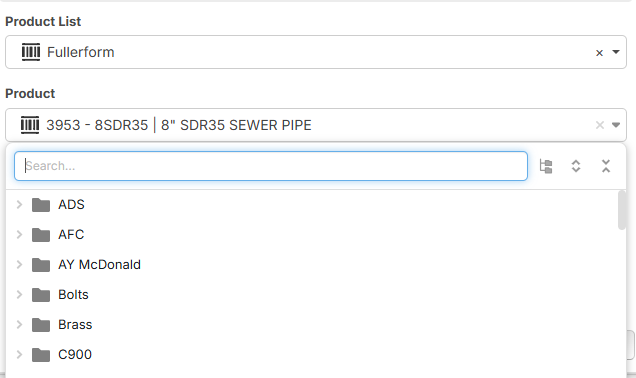
Would prefer it to open up the pipe folder and just show those results, requiring a user to select to move up the hierarchy.
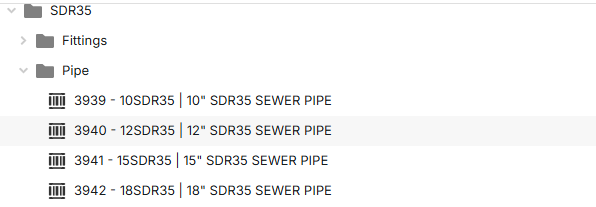
This would be a great add for templates as well.
If i could build out several backflow assemblies...1", 2", 3", 4", 6", ect, and have a template saved as "Backflow Preventer Assemblies" where i could select from a menu which size I want, oooh i'd be a super happy nerd! Asking for a friend :)
😂1Thanks for the clarification and detailed screenshots! I'll mention it to the team and see if it's something we can implement. 🙂
🚀1