











 Feature Requests
Importing plans
Is it possible to import pages and just show the page name in the side bar but also import the page number so it can be seen in properties?
Also where is the detect scale setting?
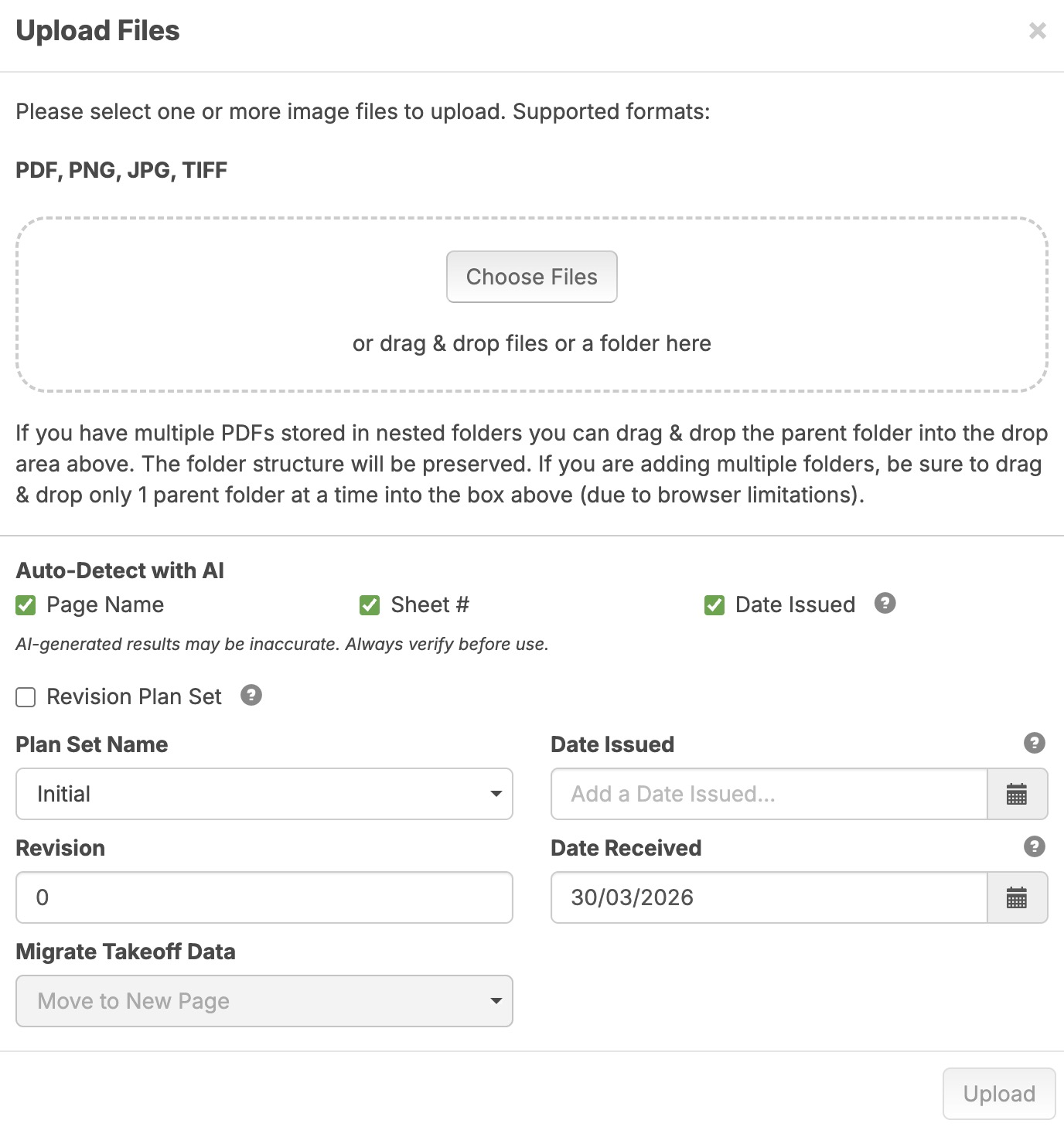

Not sure about your other questions but the Auto-Scale feature has been temporarily deactivated while the ZZ staff works on improving its reliability.
👍1
Hi, when you say "page number" do you mean "Sheet #"?

Hi Stephen, yes sorry Sheet #
If you require the Sheet # to be stored as a separate property from Name, this may be achievable using custom properties. Provided you are comfortable with the Sheet # also appearing in the Name field, a new property can be configured to extract the Sheet # directly from the Name using a Formula
Hi Stephen
All I want to do is just show the page name only in the left side bar, I can do it by unticking the sheet # when I import my plans but I need the sheet number to be there when I right click on a page name and show properties.
This is how it currently looks with the sheet number
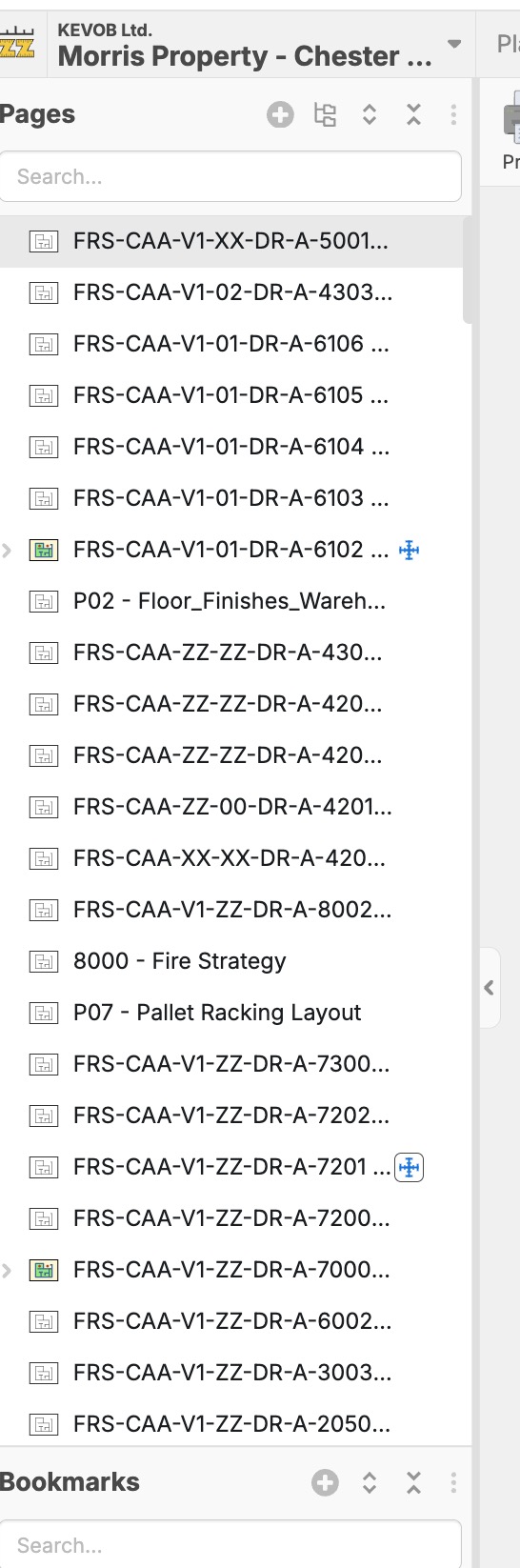
Unless I make the column really wide I cannot see the name.
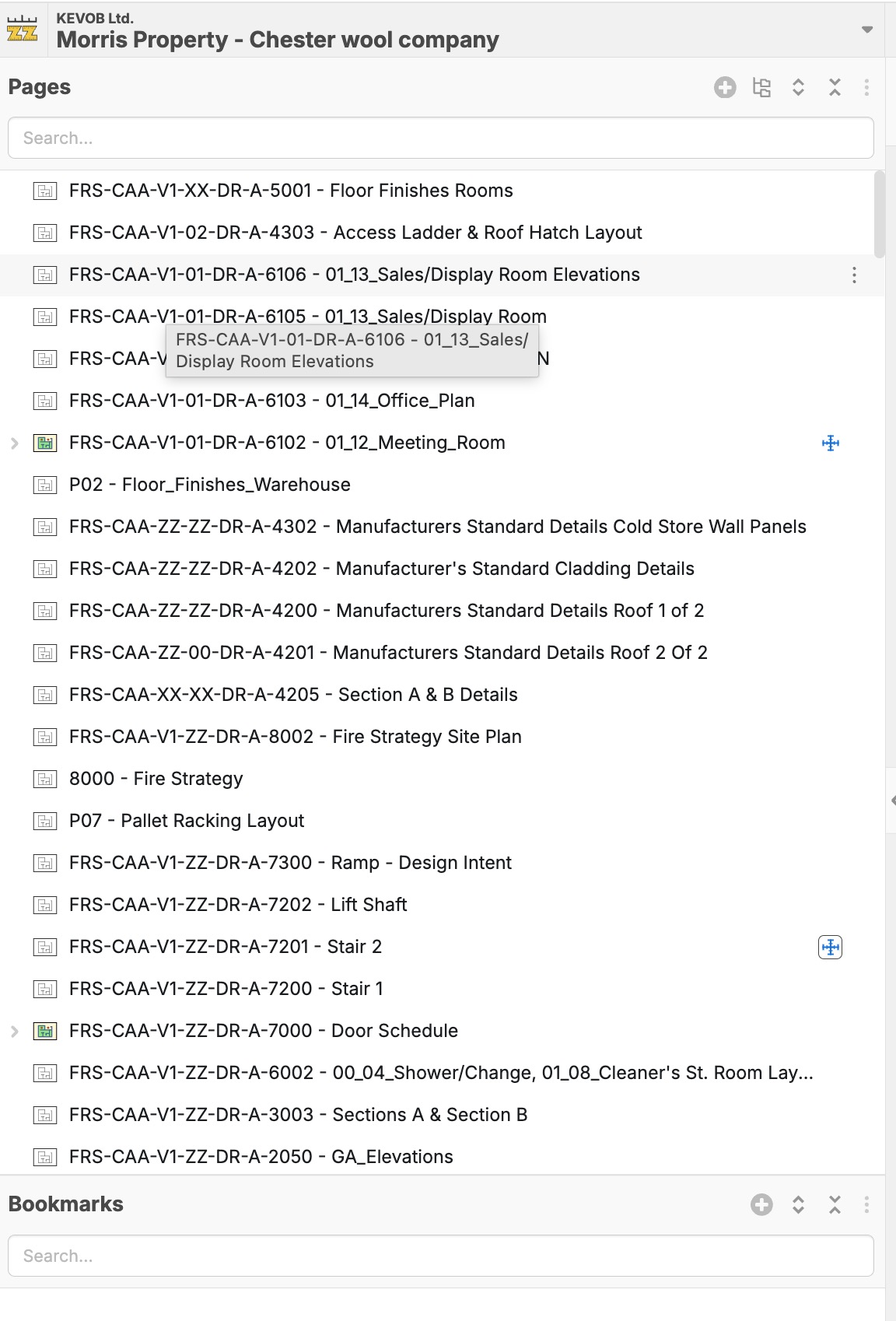
Or if I could change the order of the sheet # and page name that would help

Yeah same problem, would love to have a option in the 3 dots to hide the dam long page # name.....some jobs its horrible! Great Picture Kevin that shows the problem.
👍1Hi, thanks for the details on this feature. I have moved this thread to feature requests and shared it with the dev team.