











Layer Left Right Button
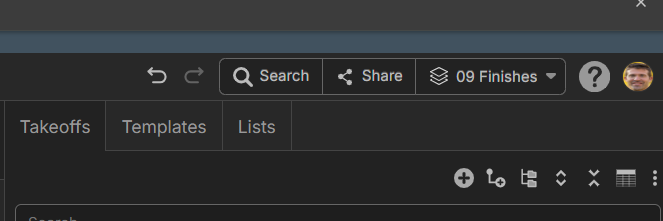
Hello I need a button to toggle layers. I just want a button to the right and left, right and left, so I could hit one button to toggle the next layer. Boom, toggle the next layer. When I'm reviewing drawings that's why I want this.

Great feature request, Kyle! It's on our radar now 🙂

fundamentally though, the root problem is I need to be able to view all layers at once, which I know your guys are getting close to doing. That would solve mutiliplayer takeoff viewing........ now it needs to be by each users view, which I'm sure is the hard part on your end........ becuase when I turn on all the layers, that best not show up on my teams view.
👍2
What are your thoughts on rethinking layers and multiplayer takeoff?
I think zzTakeoff currently doesn't have a definitive answer to how users should handle breakouts/revisions/multiplayer. I get that everyone currently has their way of doing it, but maybe there should be the way zzTakeoff pushes users towards.
In this post I tried to outline some spitball suggestions:
- A toggle for multiplayer/single player views (i.e. kind like a filter).
- With the addition of the 'System' layer, layers have become a bit confusing due the the dual purpose of them at this point. Layers need to have a clear design intent. Are they:
- Visual filters?
- Scope breakout managers?
- User/workspace multiplayer mangers?
- Estimate version/design milestone control/snapshots?
I think layers are too multi-purpose and we (zzTakeoff users) should be herded into solutions that are a bit more specific for these problems and that might mean rethinking and splitting up functions of layers as they exist now.