











Manual Takeoff
When we do a manual takeoff can we get the button to say start takeoff instead of save. I am always worried i am going to change the template instead of doing a takeoff

You can lock the templates so you an avoid changing them by mistake. If you go to the Templates List Dropdown you will see 3-dots button, in there you can lock all the templates from your list, until you select again this option to unlock them.
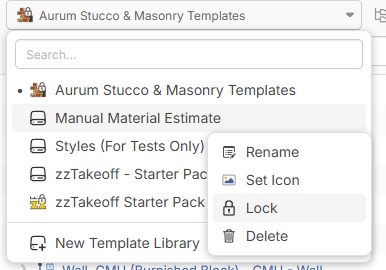
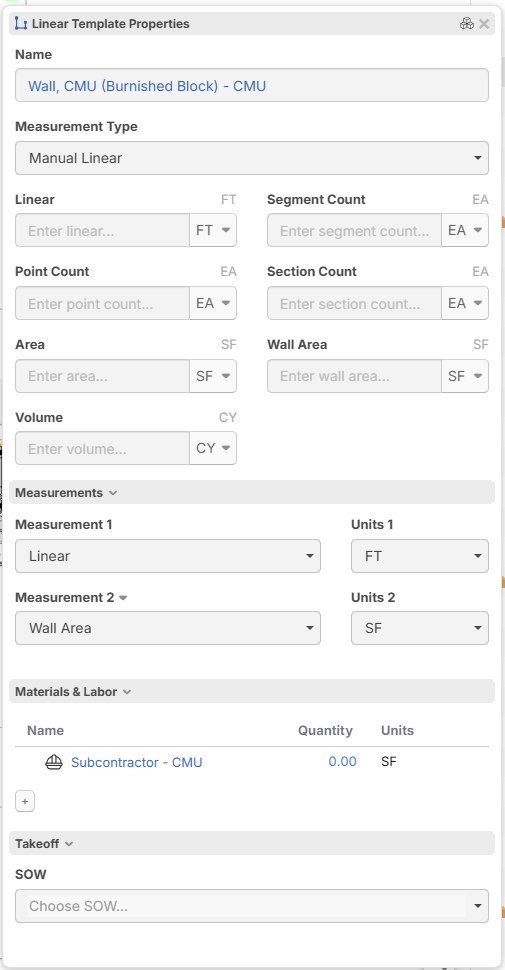

@Chris, I like the idea. I have our templates locked down, but when I see "save" and not something like "start", I also question it.
👍1
Hey Chris, thanks for the feature request! I'll mention this to the team to see if we can tweak.
👍1
Even with the templates locked you can still make changes to the items in templates and they will save with the changes. You can also add items with them locked so is it really locked! We make changes to our items when we start a takeoff also takeoff input
👍1Hey Chris, is the template library locked, or is the takeoff template locked? If you lock the takeoff template, it currently does not lock the items underneath it.