











 Feature Requests
%22%2F%3E%3Ctext%20x%3D%2232%22%20y%3D%2233%22%20text-anchor%3D%22middle%22%20dominant-baseline%3D%22central%22%20font-family%3D%22Arial%2C%20sans-serif%22%20font-size%3D%2226%22%20font-weight%3D%22600%22%20fill%3D%22%23fff%22%3ED%3C%2Ftext%3E%3C%2Fsvg%3E "duke")
143d 5h
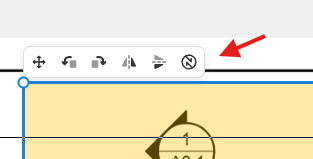
options popup when copy pasting geometriwes needs an option to turn off/back on when needed.
Completed
It could be geometry specific, but when copy pasting items (in my scenario it was short lines spaced at close intervals) the popup appears directly over the location where I need to place the item to be pasted. Dropping the item elsewhere and moving it to the correct locations is inefficient, and after repeating this a few times in a row, it starts to become something else... . Thank you for looking into this.

Heber Allred zzTakeoff143d 5h
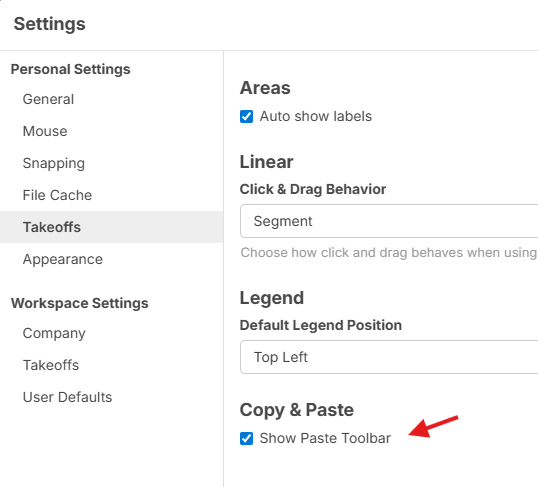
Thanks for the feedback Duke. We'll add a setting for this.
Just to make sure, you want a setting to make this little toolbar not show when you paste, right?
Heber Allred zzTakeoff143d 4h
Sounds good. We will add this to the upcoming release. It's an easy setting for us to add.
You must be logged in to post replies. If you don't have an account you can signup here.