











Page Multiplier
Looking to see if your able to make a page have a setting that can multiply, so if I takeoff an item on a page we would have a setting in the page properties to have a multiplier, this would be helpful when I have a plan that is a typical floor and the takeoff would auto multiply. 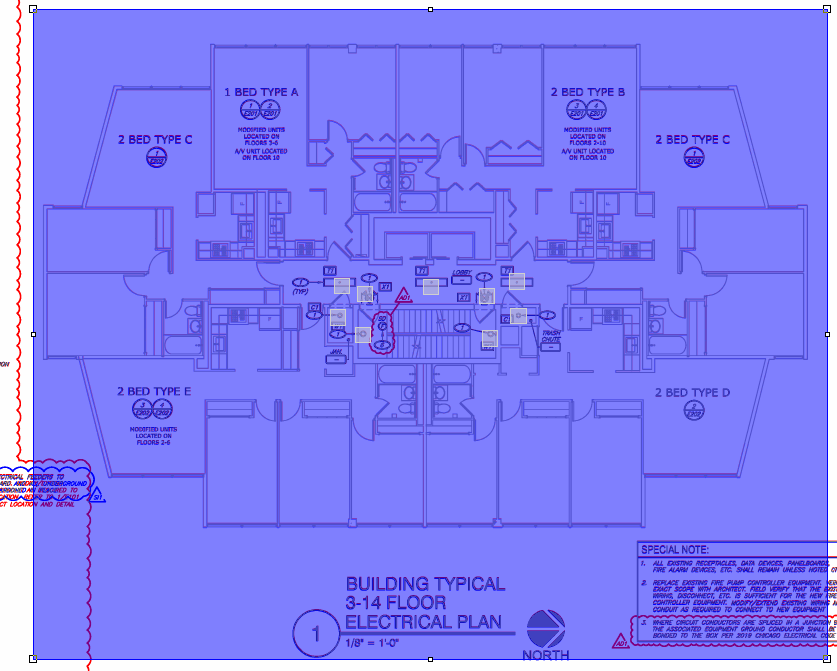


Thanks guys. @Jeffery I'm not sure if you use Layers or not, but we're discussing internally whether a page multiplier should be separate per layer, or one value that applies to that page on all layers. Any thoughts?

@Jeffrey I’m not sure how meaningful it is for you to see entire QTO or estimate within zzQTO but sometimes I’ll do the following when I need multiplier:
- Duplicate drawing sheet (rename sheet as bldg#, floor#, etc)
- Select original QTO object(s) on originating sheet
- Then I’ll group those objects if there’s a lot of pieces /parts
- Paste into duplicated page
- Move into position
very flexible (especially with folders) and works great
👍2%22%2F%3E%3Ctext%20x%3D%2232%22%20y%3D%2233%22%20text-anchor%3D%22middle%22%20dominant-baseline%3D%22central%22%20font-family%3D%22Arial%2C%20sans-serif%22%20font-size%3D%2226%22%20font-weight%3D%22600%22%20fill%3D%22%23fff%22%3EJO%3C%2Ftext%3E%3C%2Fsvg%3E "Jeffery Osborn")
Yes thats a work around, but compared to OST, I dont need to do that. Appreciate the tip
The layer function does not work for my use.
Thanks for the tips @Chaz. We would love to make this easier for you @Jeffery, thanks for the feedback.
%22%2F%3E%3Ctext%20x%3D%2232%22%20y%3D%2233%22%20text-anchor%3D%22middle%22%20dominant-baseline%3D%22central%22%20font-family%3D%22Arial%2C%20sans-serif%22%20font-size%3D%2226%22%20font-weight%3D%22600%22%20fill%3D%22%23fff%22%3EFG%3C%2Ftext%3E%3C%2Fsvg%3E "Freddy Gallo")
I used Count fire for estimating, So if used If I had to count devices on that sheet that had 7-14 floors I would just choose the Multiplier option and I can simply calculate it. OR Create a zone and multiply the zones.. Is there a feature here that can do the same?
You can create a custom property called multiplier, then create takeoff items that use that multiplier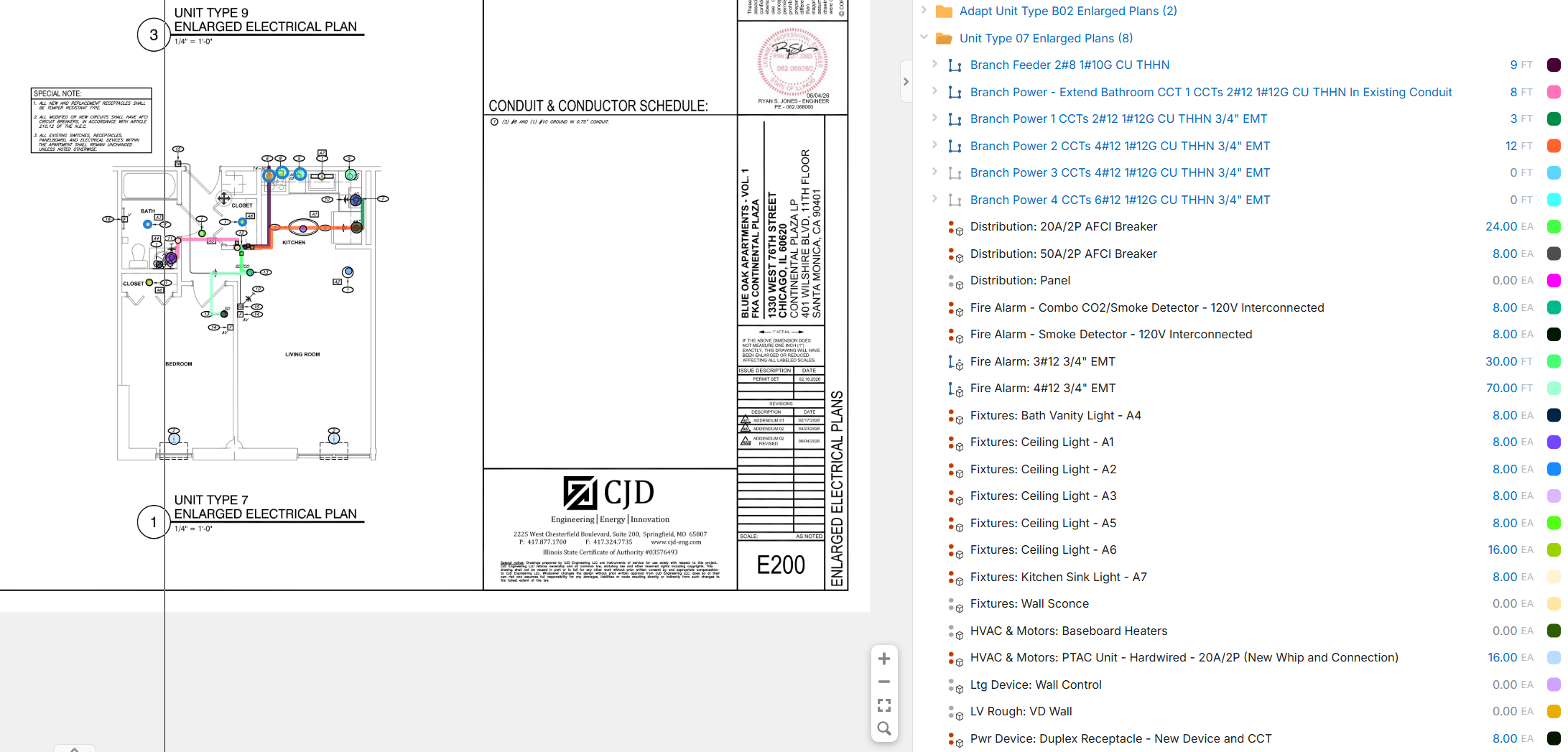
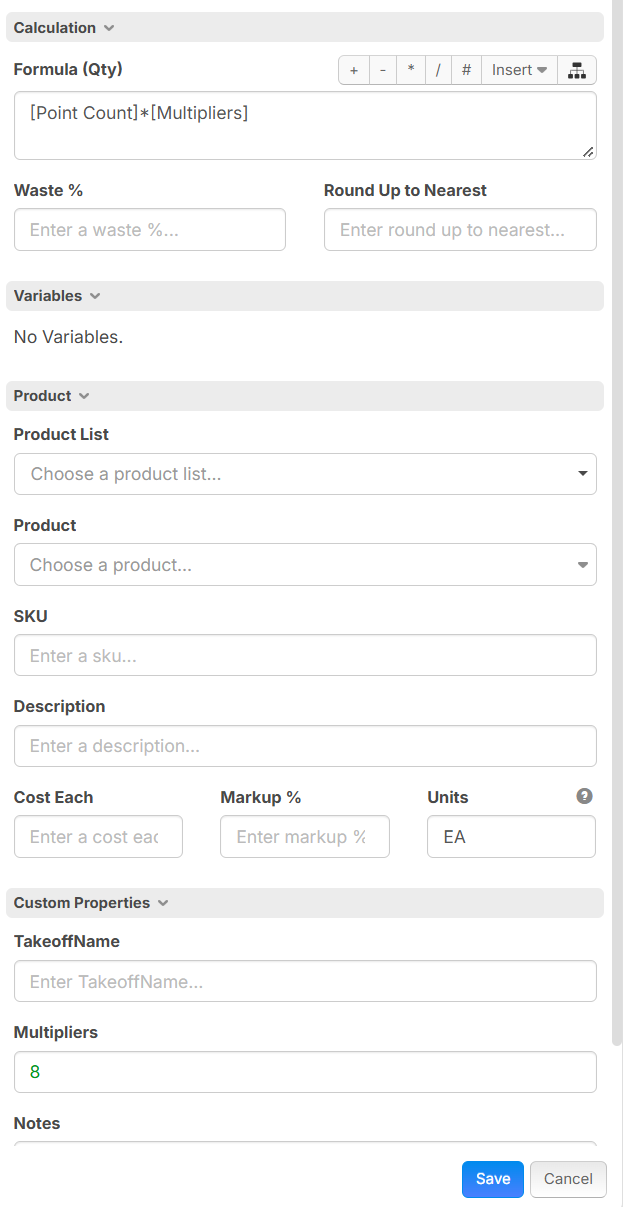
So I should have the "Custom Properties" dropdown feature that would allow me to multiply. but it seems like I dont
Where's my starting point?
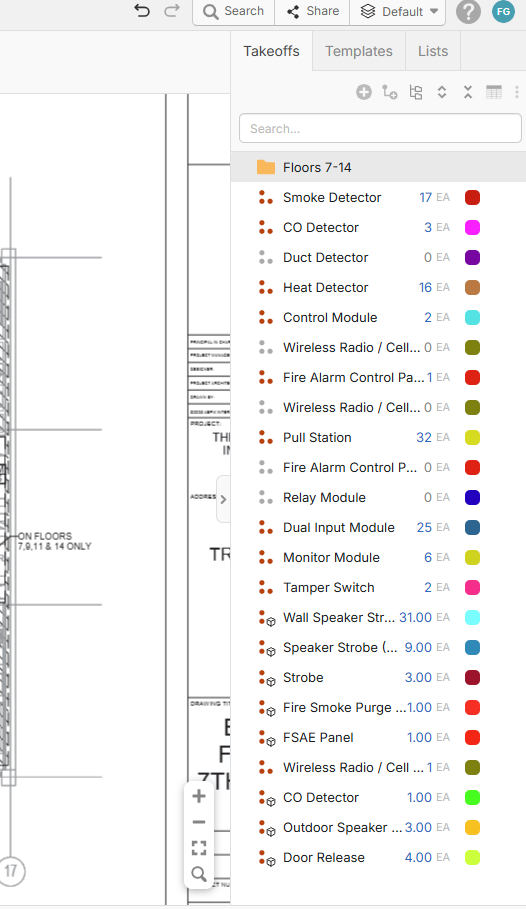
In this case i have 7-14 floors so essentially I want to multiply each device 8x How and where to start?
Click on your name in the top right corner, Click Custom Properties, Click New Property then new custom property, Fill out as shown: 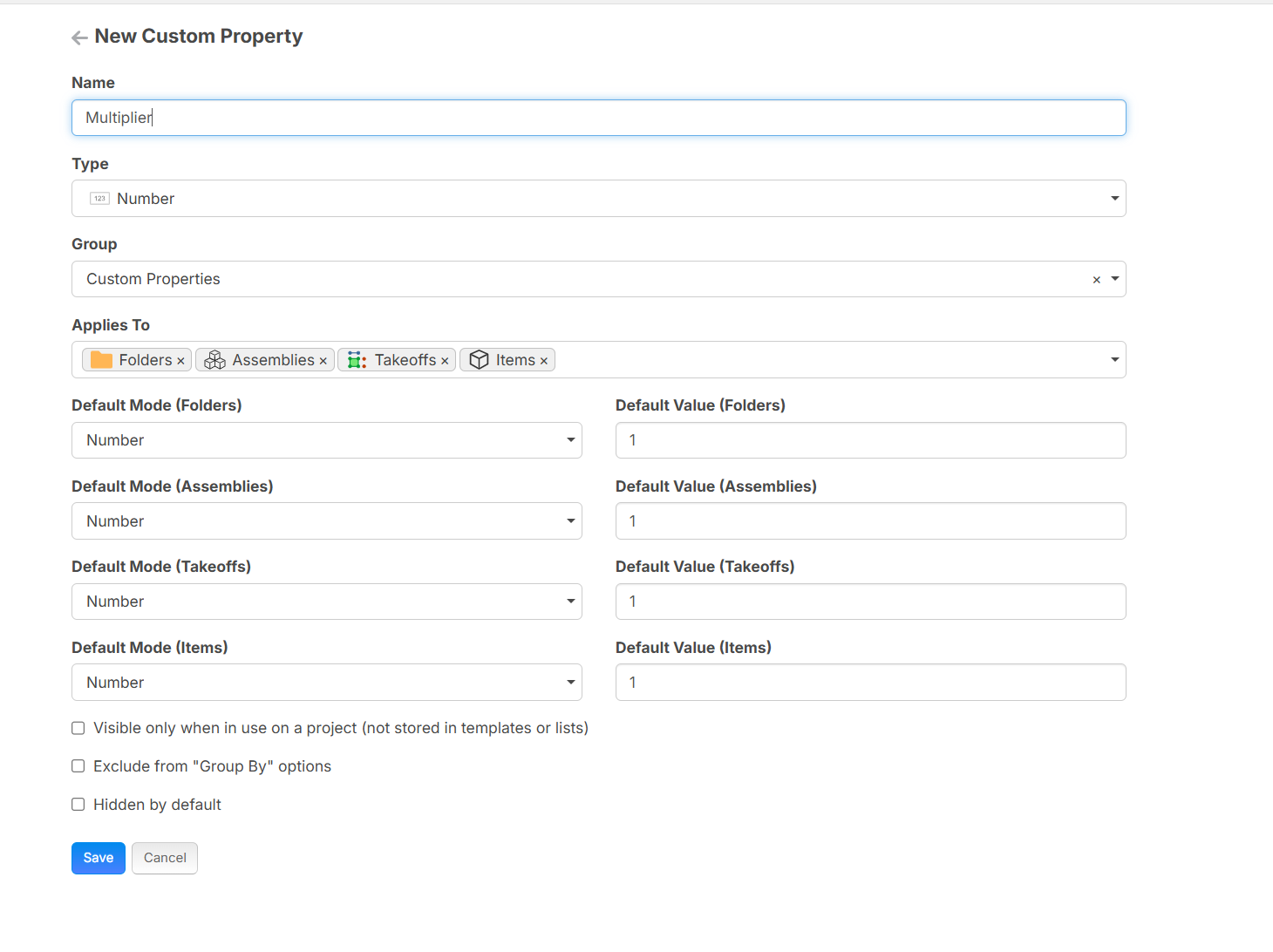
Then go to your takeoff item, at the bottom under custom properties you should see the multiplier at the bottom, then update the calculation field by adding * and then select pull down at the insert and select the multiplier
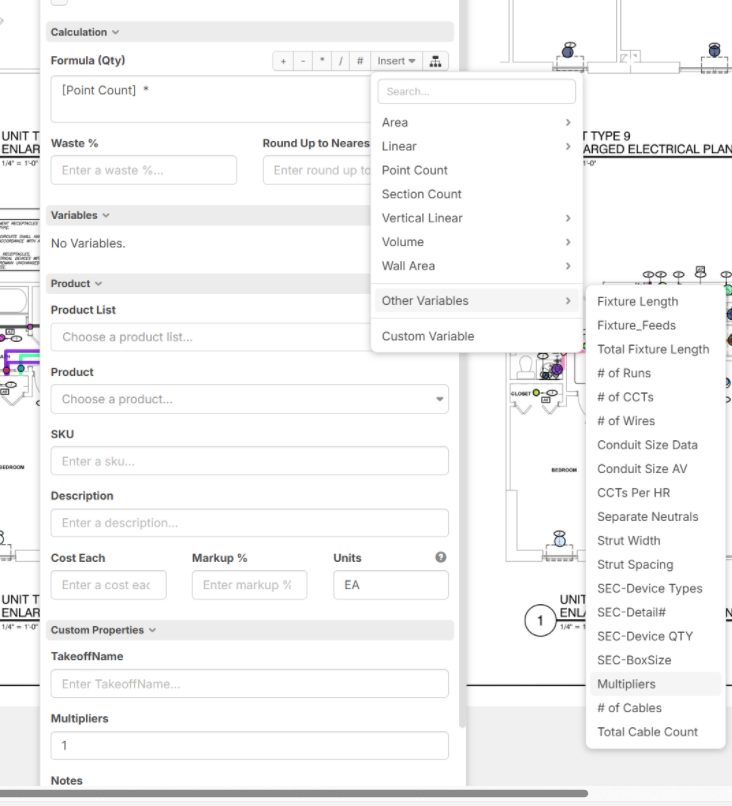
You can then change that multiplier value in each takeoff, or create a folder and have the multiplier sit there, and you can set the multiplier in the takeoff item to inherit the value from the folder, that way you can copy this takeoff item and the multiplier should stay.
Ugh so i followed Step above then hit save and it gave me this message.

sorry type multipliers, that what I had to do, sorry