











 Feature Requests
(QoL) Picture in Picture
More of a nice to have feature. Some sort of PIP, so having one page where you can set, while you are looking through other plans.
IE: Going through a plan for concrete, and a PIP of concrete detail plans.
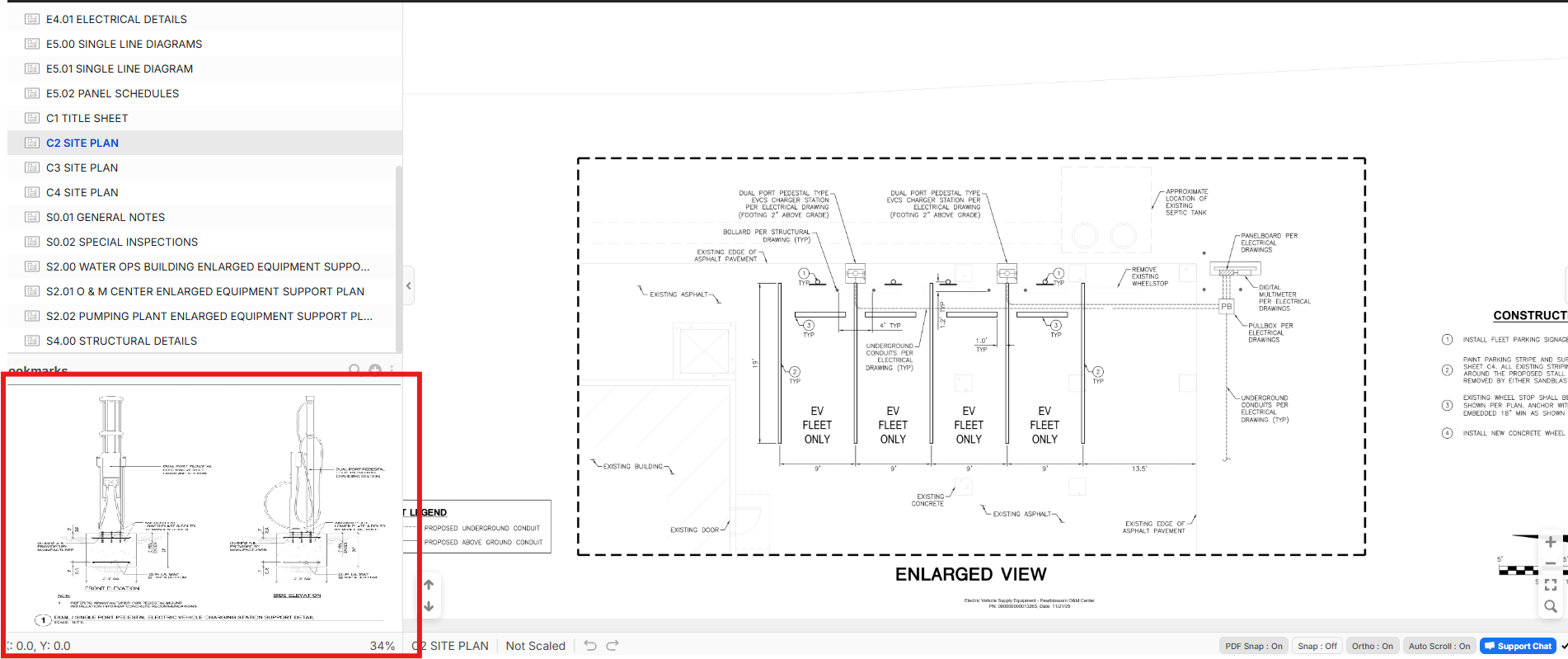

Thanks for the input Casey. For your use case, would this picture in picture view need to allow clicking in it to do takeoffs or just for reference only? We've thought of some ideas how to open previews like this and maybe minimize them to the bottom footer bar for easy click to access and pop back up. Or, I guess there could be a button on the bookmark that opens the bookmark as a small thumbnail preview that you can drag around the screen.

In this case it would only need to be used as a preview, but be able to move around the page on it. There are multiple details on one page, and being able to just move it around to another detail is great. I would also add, a button to do a hot swap, where the PIP will be the main and vise versa, just in case there needs to be markings, it will be an easy transition.
Not sure if you can have a customization on where you want to have the PIP. Like a drag and drop into a section. So you can choose to have it on the left side under bookmarks or right side panel under TakeOff, or just have a screen locked location (Where its a floating popup that is locked at that location, but not sure how that would work with other sections)
Also, maybe a window popup, since we use multi screen (but then again, I could just open another window of the same plan)
I do like the button on the bookmark that opens a thumbnail preview, but instead of a button, have it as a hover preview, then if the user wants to make it a PIP, they can right click and select "PIP"
This feature can be later extended for detail previews, where you hover over a detail marking to preview that detail from another page. (Where you can set it as a PIP to keep it on screen or right click to open in another window, etc)