Feature Requests
Smart Detail Callout Preview and Navigation
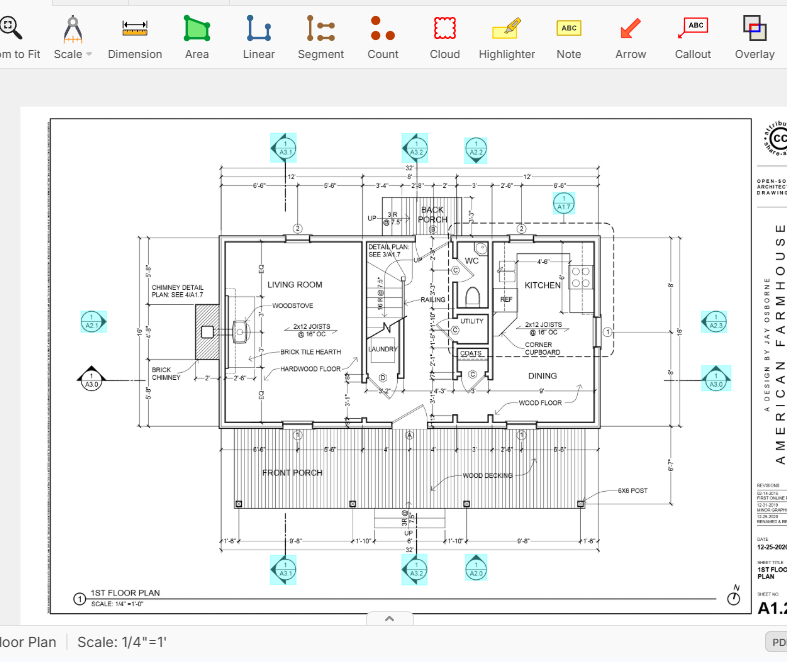
When reviewing construction drawings, users frequently encounter detail callouts, section markers, elevation references, and other symbols that direct them to a different sheet and detail number. Currently, this requires manually navigating to the referenced sheet, finding the detail, and then returning to the original drawing.
It would be extremely helpful if ZZ Takeoff could automatically recognize these drawing references and create an interactive preview.
Proposed functionality:
- When hovering over a detail callout, section marker, elevation reference, or similar symbol, a preview window automatically appears.
- The preview displays the referenced drawing sheet and detail.
- Users can quickly review the detail without leaving their current sheet.
- Clicking the preview opens the referenced sheet/detail directly.
- An optional "Back" button could return the user to the original location.
- Support for common reference formats such as:
- Detail references (5/A401)
- Sections (3/S201)
- Elevations
- Enlarged plans
- Typical details
Benefits:
- Eliminates constant sheet-to-sheet navigation.
- Speeds up drawing review and takeoff workflows.
- Improves estimator and project manager productivity.
- Reduces the chance of overlooking important details.
- Makes working with large plan sets significantly more efficient.
Real-world example: PlanGrid offers a similar feature where hovering over a callout instantly displays the referenced detail in a preview window. This saves considerable time when reviewing plans and would be a valuable addition to ZZ Takeoff.
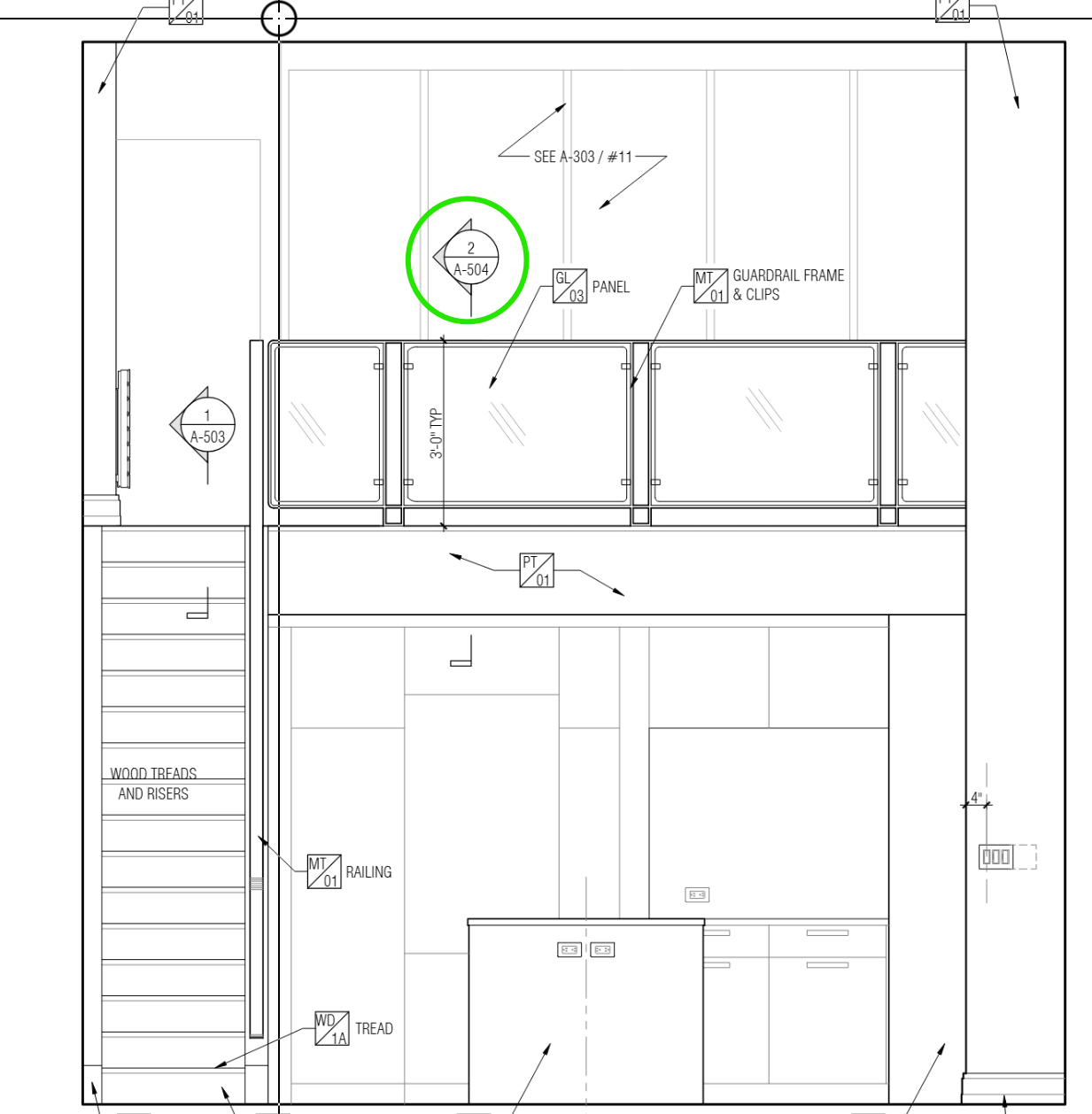

Hey Justin, thanks for the detailed feature request! We have part of this implemented with the PDF hyperlinks, where clicking one of them jumps to the page that the detail is on. Currently, this is limited to PDFs that embed this information, but we are planning to expand this to auto-detect the formats you mentioned. I'll mention the hover preview to the team as well.