Feature Requests
%22%2F%3E%3Ctext%20x%3D%2232%22%20y%3D%2233%22%20text-anchor%3D%22middle%22%20dominant-baseline%3D%22central%22%20font-family%3D%22Arial%2C%20sans-serif%22%20font-size%3D%2226%22%20font-weight%3D%22600%22%20fill%3D%22%23fff%22%3EBD%3C%2Ftext%3E%3C%2Fsvg%3E "Bretey, Jason D")
Support for Multiple Takeoff Projects Within a Single Project
Users need the ability to create multiple takeoff projects within a single parent project so they can align takeoffs with different estimate milestones—such as conceptual, schematic, design development, and final estimates—without having to create separate standalone projects each time.

You may consider using Layers to achieve this depending on your use case. Layers will use the same plan sets with Revisions Plans (if relevant) and Isolate the Takeoff's on each Layer you do the Takeoffs on.
You would setup Layers for:
- conceptual
- schematic
- design development
- final estimates

Hi Sam,
Firstly, I’d like to say I really appreciate all the ongoing improvements being made to zzTakeoff, it’s clear a lot of effort is going into making it a powerful estimating tool.
Similar as @Bretey, Jason D
I wanted to put forward a suggestion based on a common real-world scenario we deal with in residential / commercial slab works.
In drawings like the one attached, slabs are often divided into multiple sections (e.g. S1, S2, S3, S4, S5), each with different thicknesses and reinforcement. Currently, this requires us to perform separate area takeoffs for each section.
It would be extremely efficient if we could:
- Perform one single area takeoff for the entire slab, and
- Assign multiple slab depth options (e.g. 100mm, 110mm, 150mm) within that same takeoff, possibly through a dropdown or property-based system
This could work similarly to how materials or assemblies are assigned — where the user can define zones or apply different slab types within one measured area.
The benefit would be:
- Faster takeoffs (less duplication of work)
- Reduced risk of missing areas or overlaps
- Cleaner and more flexible workflows, especially for complex slabs
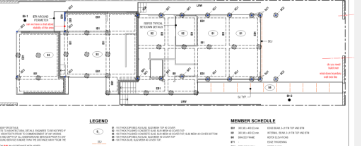
As you can see, bellow I had to do 3 different takeoffs for one slab
Check Slab Drawing Legend:
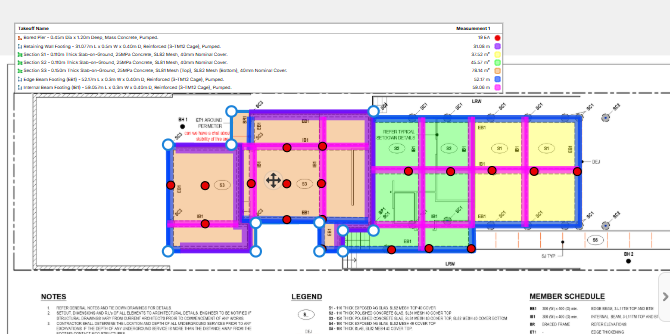
I understand this may be a long shot or require significant backend changes, but I thought it was worth putting out there as it could be a very powerful feature for users working with slab-on-ground construction.
Thanks again for all the work you’re doing Sam, and really enjoying the direction the software is heading.

@Sam,
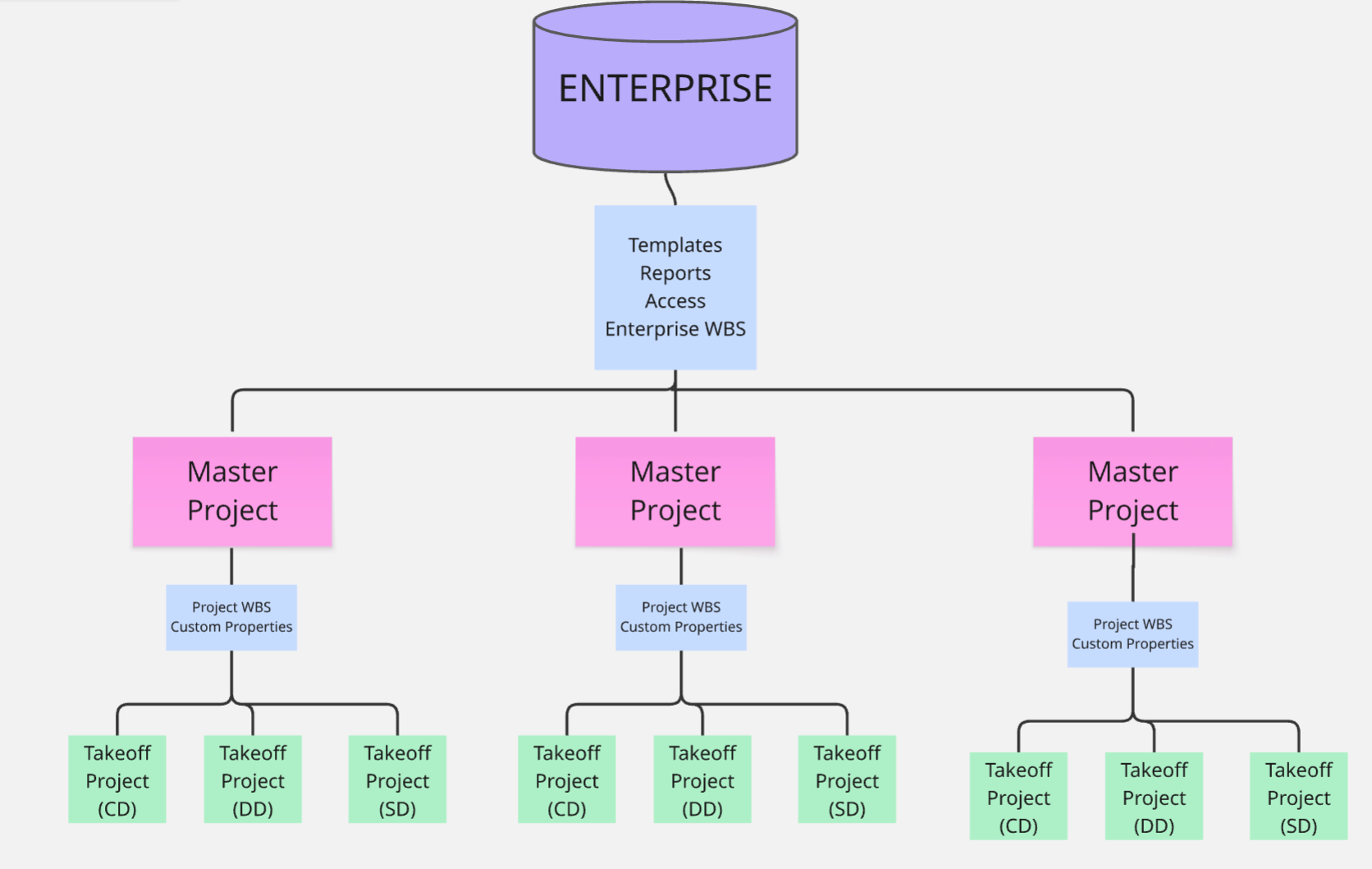
Our mission is to have a set of drawings that go with the estimate, we typically have multiple estimates per project, the moment we try to do this all in one project it gets convoluted quickly. Layers are utilized as best practice as each scope, or each person doing the takeoff, thus its not available for this purpose.......plus now you have so many PDF's to deal with as well. Understood planswift was a key tool for trades doing detail estimates with completed sets, we are a GC that have to do multiple iterations of estimates starting at napkin sketches and there is not a tool on the market that allows for milestone/phased workflows...except for Ediphi & EOS who has it figured out.
Picture of the problem, zz only lets us go to the Pink...without making a crapload of projects for one project.
@Steve
If you do one takeoff for the Slab the Slabs would need to be split into sections to be able to assign different Thicknesses to each part of the slab. If I understand correctly you want to takeoff the entire slab then have some sort of Cutting or Split Tool, that creates separate sections and then you would go in and set the different Depths of the Slab.
The advantages would be Reduction of the possability of overlay of slab areas (despite the Snapping Capability) and you would maintain the Slab Area as a Total
@Kyle
Thankyou for your clarrification, My suggestion was a work around for Jason.
We are aware of your previosly posted comment https://www.zztakeoff.com/app/community/feature-requests/audit-log which has been shared with the Dev Team
😎1
Kyle — agreed 100%.
This workflow happens on 100% of our projects.
zz is a bit light in the document governance & versioning side of things.
We are aiming to have our 2D takeoff software act as a source of truth ... it has to help us keep organized (structure & reduce the chaos).
Autodesk does snap shots (but you cant duplicate a project or snapshot and if you take a snap shot the takeoff within it is dead - you can only view it). I've been on them for about 2 years on both of these items because it doesn't work for our workflows.
See below. Its a bit rough, but you will likely get the gist.
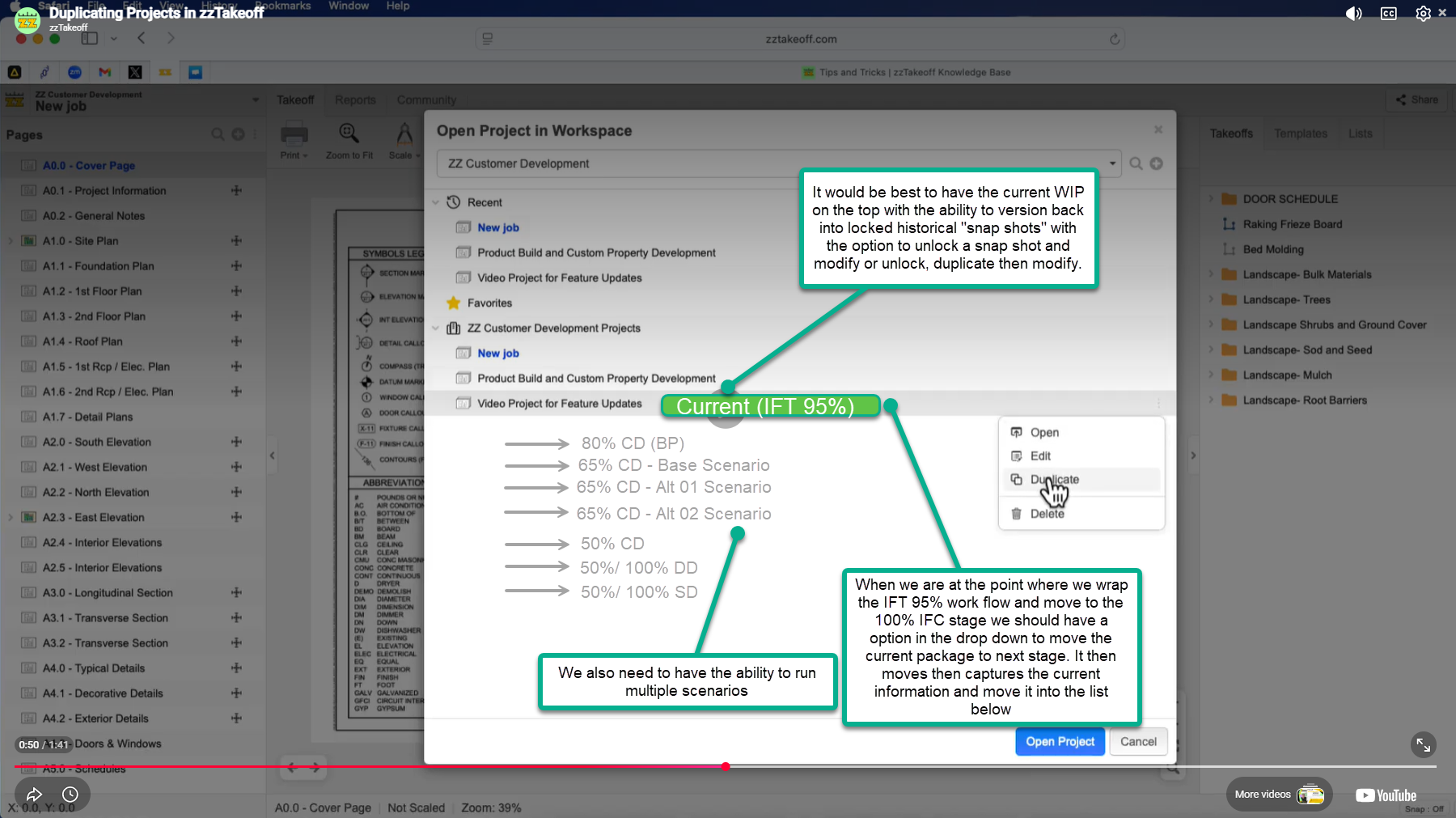
Something like this would be incredible:
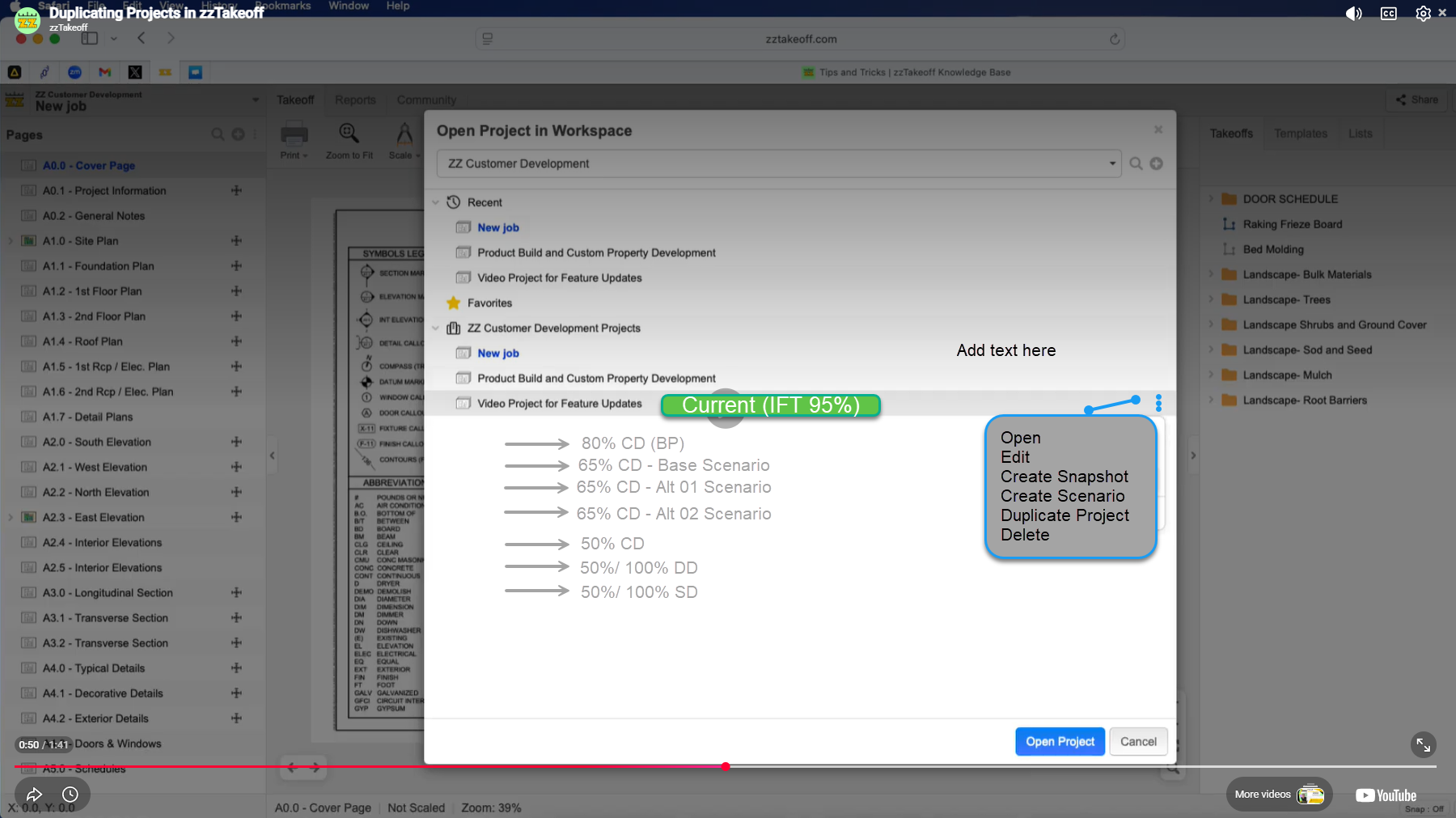
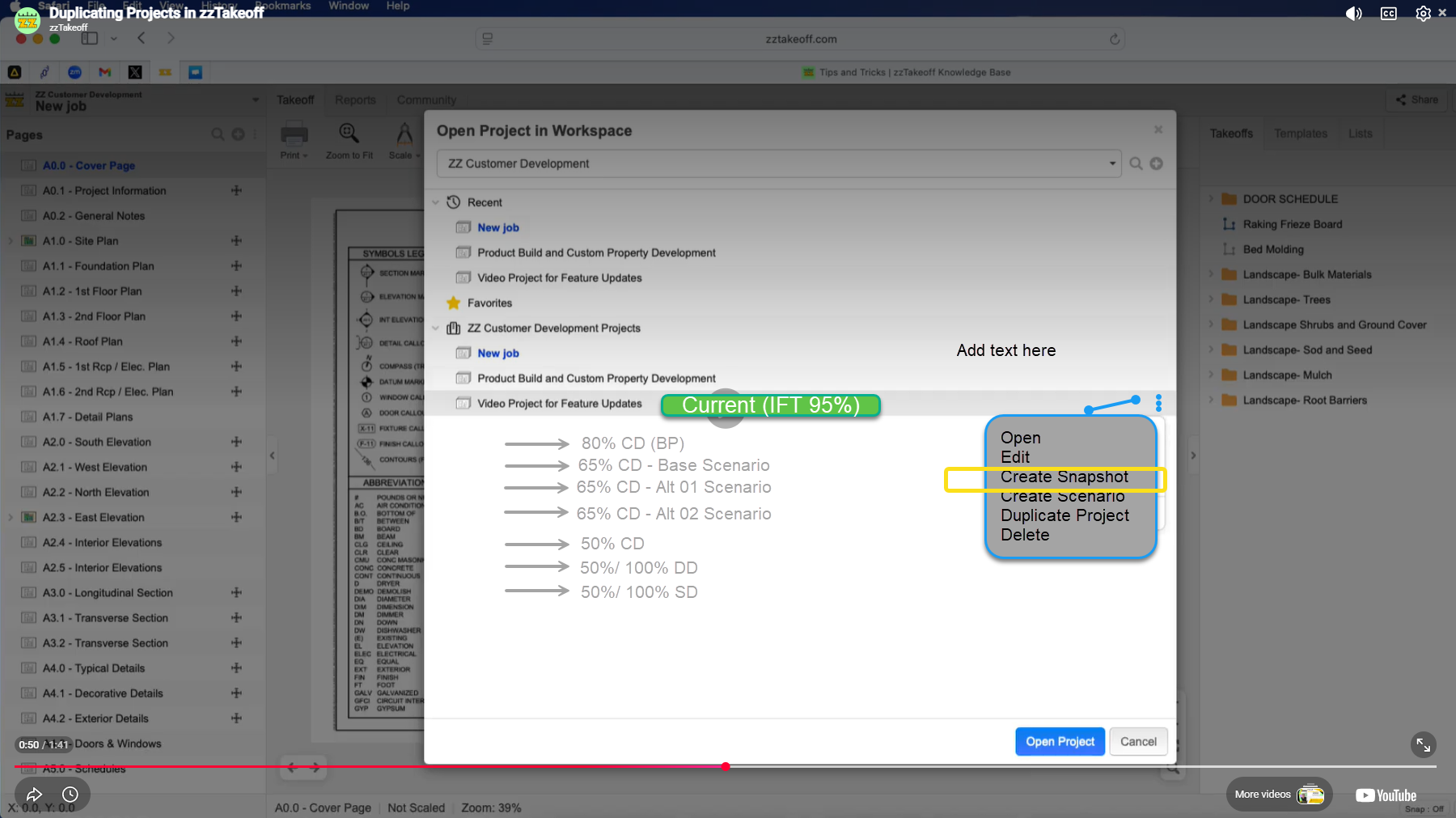
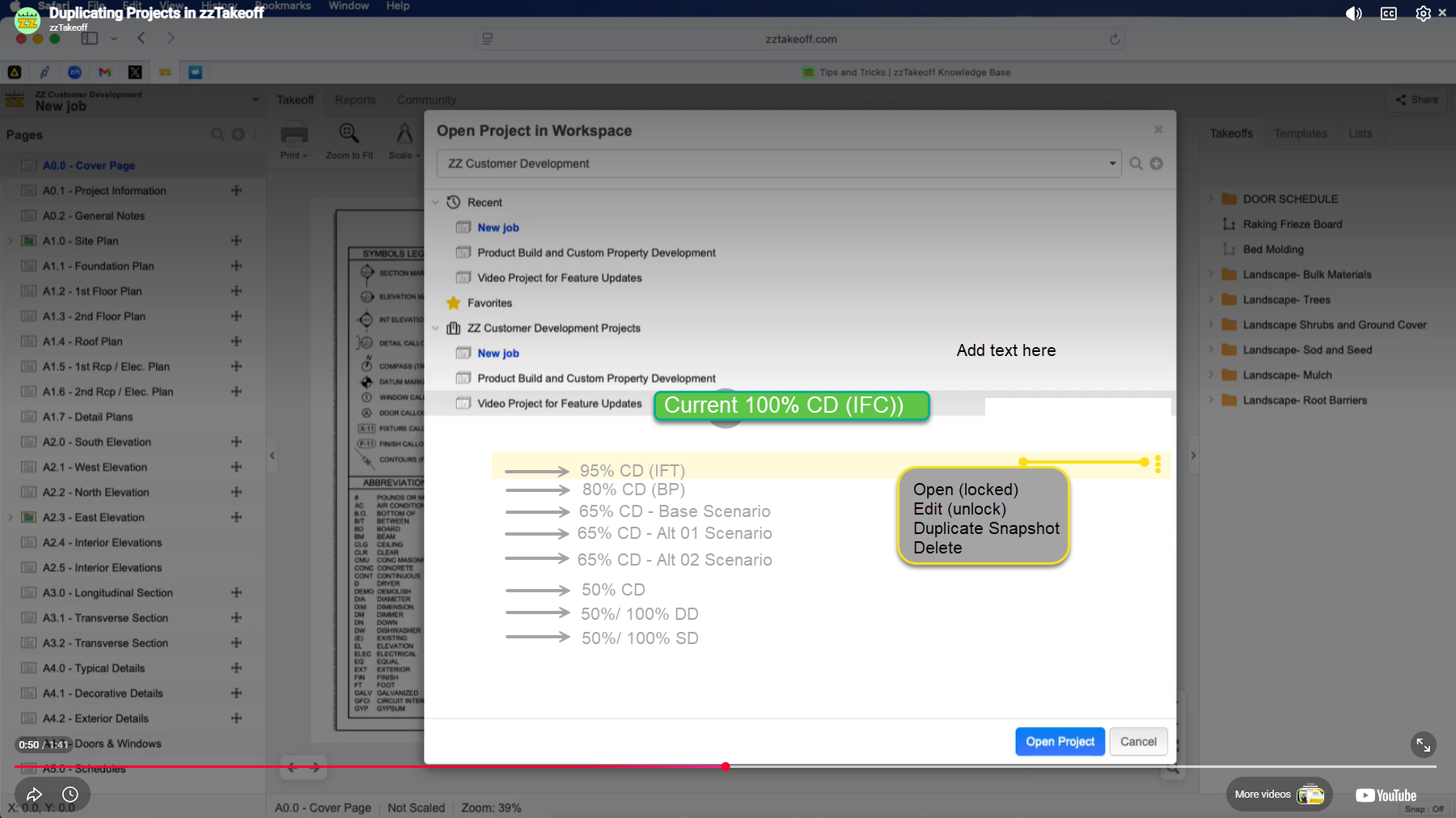
If you take a snapshot you should be prompted to enter in the current stage ... lets say you were going into IFC ... before you load your IFC and update the takeoff you would create a snap shot of the IFT ... it would prompt you to enter in the next stage = IFC and then put IFT into the list of snap shots below.
Ideally you could go into each of the snap shots, view the takeoff, reports, export with the option to unlock to edit, duplicate if you needed to keep a version but play around with a scenario for that past version, or delete.