











 Feature Requests
Takeoff Multiplier
Need a takeoff multiplier so that we don't have to copy a takeoff multiple times to obtain the total takeoff amount.
%22%2F%3E%3Ctext%20x%3D%2232%22%20y%3D%2233%22%20text-anchor%3D%22middle%22%20dominant-baseline%3D%22central%22%20font-family%3D%22Arial%2C%20sans-serif%22%20font-size%3D%2226%22%20font-weight%3D%22600%22%20fill%3D%22%23fff%22%3ED%3C%2Ftext%3E%3C%2Fsvg%3E "Darlene")
How is this coming along? We have apartment buildings to takeoff and would like to be able to select an entirely taken off unit and multiply times the number of units. Thanks!

Darlene,
You checked out Ediphi? Its made for that, as I'm using it now for a hotel. Would also use this multiplier for when I get situations like this that I'm in now.


@Darlene, this is currently in development. We recently requested feedback in the community about how the multiplier should display on the hover hints, etc.
%22%2F%3E%3Ctext%20x%3D%2232%22%20y%3D%2233%22%20text-anchor%3D%22middle%22%20dominant-baseline%3D%22central%22%20font-family%3D%22Arial%2C%20sans-serif%22%20font-size%3D%2226%22%20font-weight%3D%22600%22%20fill%3D%22%23fff%22%3EJO%3C%2Ftext%3E%3C%2Fsvg%3E "Jeffery Osborn")
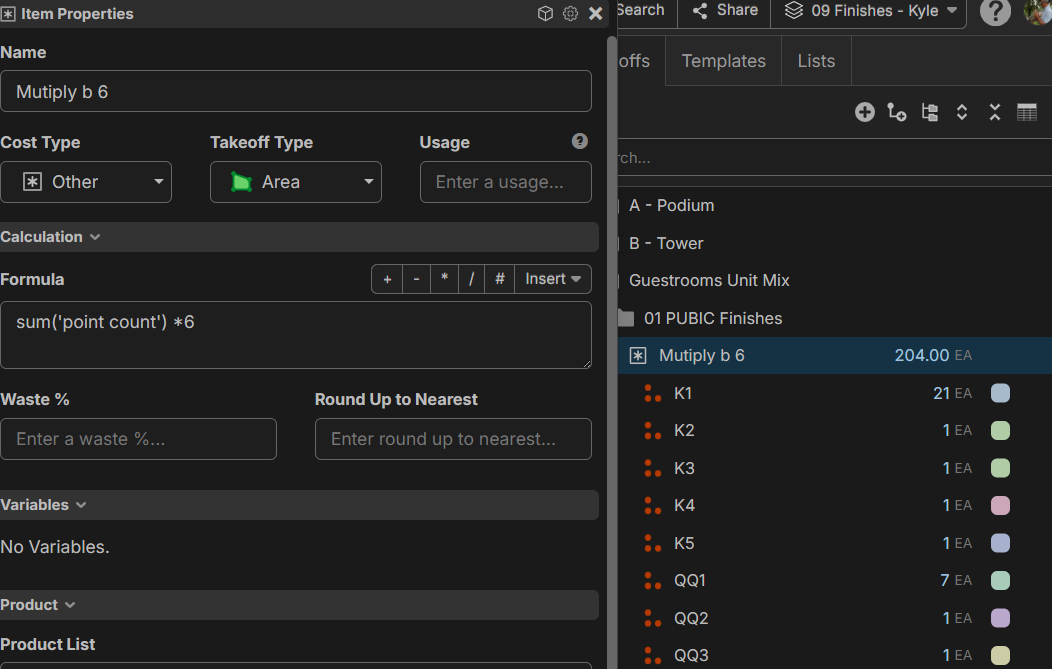
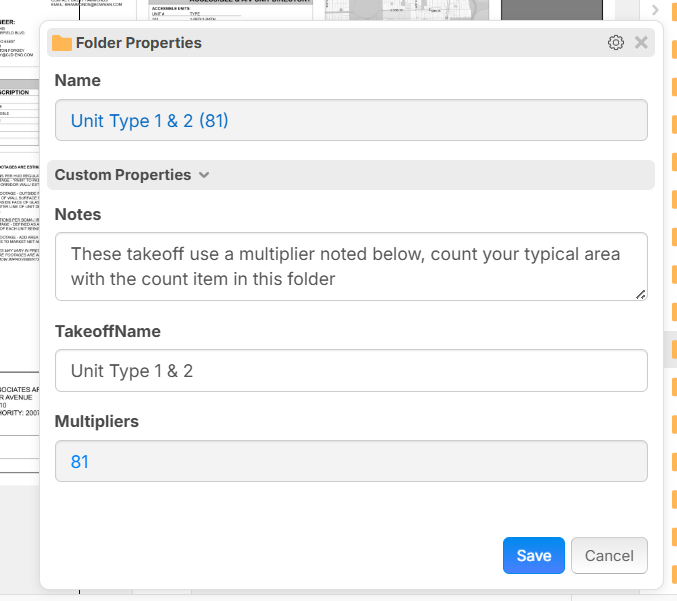
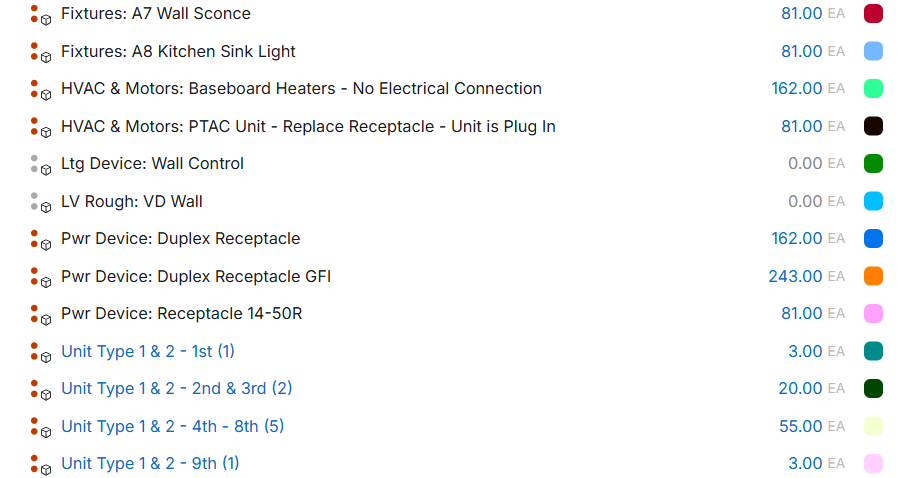
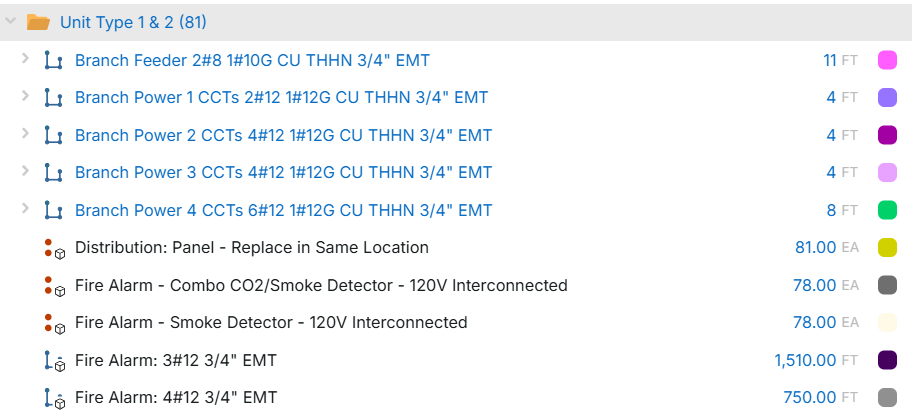
I've created this for APT there is a bit of work and creation of custom properties to make this work, but works great, maybe I can find a way to get this over to ZZ and they can create a template to share
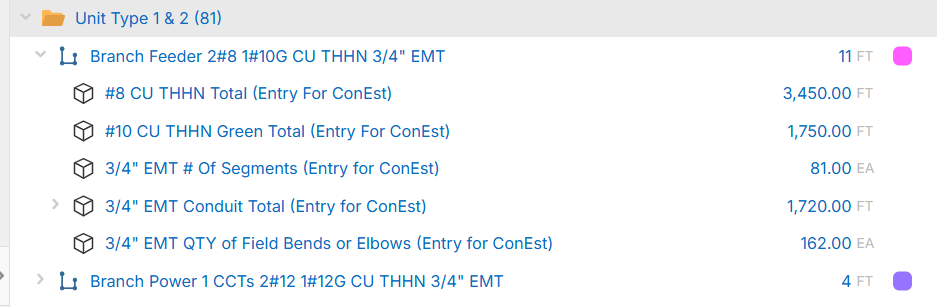
%22%2F%3E%3Ctext%20x%3D%2232%22%20y%3D%2233%22%20text-anchor%3D%22middle%22%20dominant-baseline%3D%22central%22%20font-family%3D%22Arial%2C%20sans-serif%22%20font-size%3D%2226%22%20font-weight%3D%22600%22%20fill%3D%22%23fff%22%3ELC%3C%2Ftext%3E%3C%2Fsvg%3E "Luis Chiriboga")
It should just be a simple multiplayer variable available at the takeoff properties window for area, linear, segment & count).
Once you have it setup, its pretty simple after that, but I understand what you mean, I did ask for them to apply it at the page level, which I think can be an easy fix if they can allow the custom variables to be applied to pages as well.
👍2@Jeff,
Thats the problem we have over here......things are simple to setup as a individual, but training and making it repeatable is the hard part. zzTakeoff is now "excel" for takeoff.......anyone can set up anything, but only the person that built the dam complicated excel file knows how to work it lol.
Glad zzTO is making a dictated standard here to help everyone!
👍1%22%2F%3E%3Ctext%20x%3D%2232%22%20y%3D%2233%22%20text-anchor%3D%22middle%22%20dominant-baseline%3D%22central%22%20font-family%3D%22Arial%2C%20sans-serif%22%20font-size%3D%2226%22%20font-weight%3D%22600%22%20fill%3D%22%23fff%22%3EC%3C%2Ftext%3E%3C%2Fsvg%3E "Conetoe")
You could set a multiplier in a custom property at the folder level with a default of 1 but the takeoff or item reads up to the folder level then multiplies by the item at the takeoff/material level. Basically it would not be used until a value was changed away from "1" . Should work until someone breaks the default link.
You dont have to have it linked to the folder property, change your item to text, dont od inherit, or you can change it manually to any value you want at the takeoff level