











 Feature Requests
Template-Specific Custom Property Controls
As more Custom Properties are created, the Properties panel can become difficult to navigate because every tool may display properties that are unrelated to that particular template.
Could templates have their own Custom Property display settings, including:
- Choose which properties appear on the template.
- Set the order in which they appear.
- Assign properties to groups or tabs.
- Set groups as expanded or collapsed by default.
- Conditionally show or hide properties based on another field.
- Allow properties to be created for one template without displaying globally.
This would allow users to build advanced templates while keeping the estimator-facing interface clean and limited to the inputs relevant to the selected tool.
Even if conditional visibility comes later, template-specific property selection, ordering, and grouping would be a major usability improvement.

Hi David! We are planning to do these things. Internally we call it Assemblies 2.0. We will be making major updates in this area, as well as improving the way Custom Properties link to lists. Lots of good things ahead 👍🏻😊
🚀2❤️2
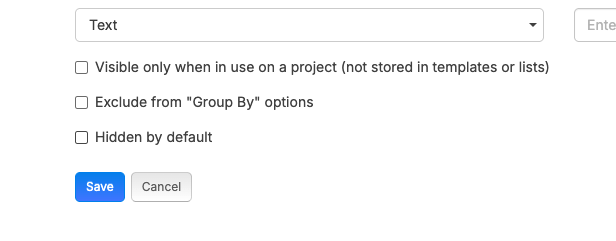
Hi David, there is also a hide Custom Property check box on each CP. Once you selct hide, you can make them visible in the item/template as needed. This helps keep your templates clean as well
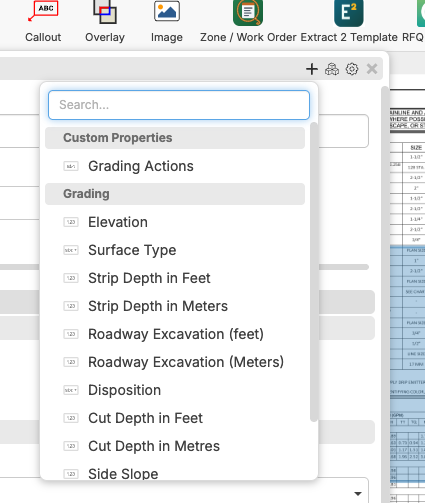
When you select the + button the hidden properties are show.
As far as putting them in order, you can place them in the order you want them to show in your custom properties and they will display that way, with the exception of Native properties, they have the right of way.
Hope this helps.
👍2