











 Q & A
Q & A%22%2F%3E%3Ctext%20x%3D%2232%22%20y%3D%2233%22%20text-anchor%3D%22middle%22%20dominant-baseline%3D%22central%22%20font-family%3D%22Arial%2C%20sans-serif%22%20font-size%3D%2226%22%20font-weight%3D%22600%22%20fill%3D%22%23fff%22%3EDB%3C%2Ftext%3E%3C%2Fsvg%3E "Dan Beegle")
90d 10h
Adding Revision Set
I imported a Plan Swift Set of drawings with takeoffs. I went to add pages and added a PDF revision set. It downloaded the revision set then a window came up to prop old version for cover sheet. It stacked the first page but just added the other pages. Any suggestions. Thanks.

Lorin Allred zzTakeoff90d 10h
Hey Dan, we currently auto-match the revisions based on the sheet #. If there is no sheet # or it doesn't find a match, and you skipped the review pages pop-up, you can manually match up the revisions, and then migrate the takeoff data to the current page
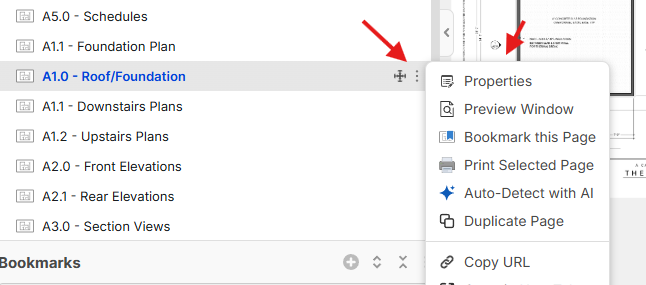
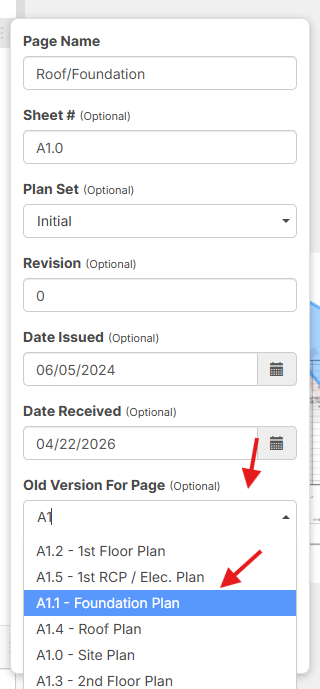
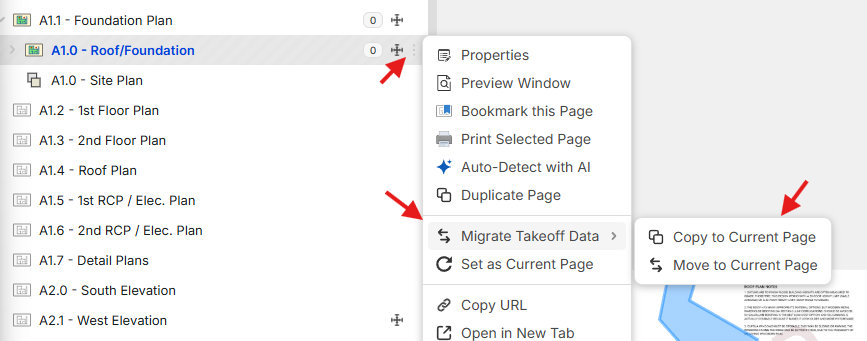
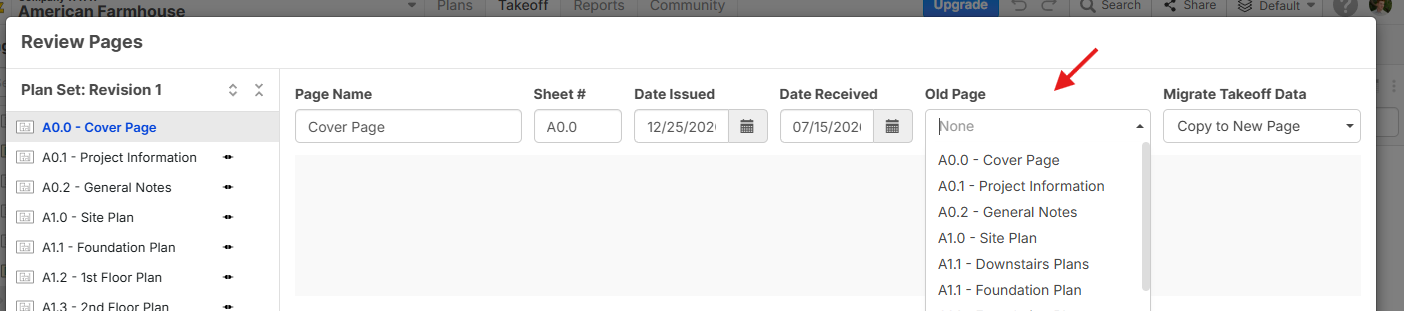
Side note: on the Review Pages pop-up, you can choose the "Old Page" for the new plan you just uploaded to avoid manually adding the revision and copying the takeoff data.
You must be logged in to post replies. If you don't have an account you can signup here.