











 Q & A
Q & AAI Scaling!!
Hey ZZ,
I've just had a MAJOR error and it seems like the AI scale is the culprit... (and me not triple checking)
This is a level 1 plan
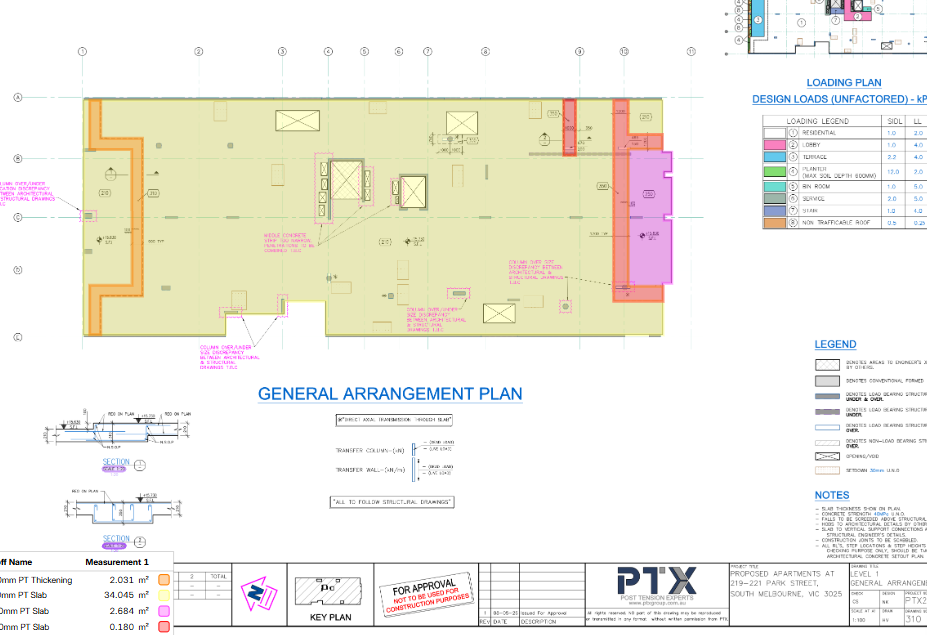
In short the AI has picked up on the section detail scale 1:20 and completely ignored the 1:100 in the title block.
It's too late for this one, i'm now scrambling, but suggest you look into the AI detection hierarchy... the same happend on L3
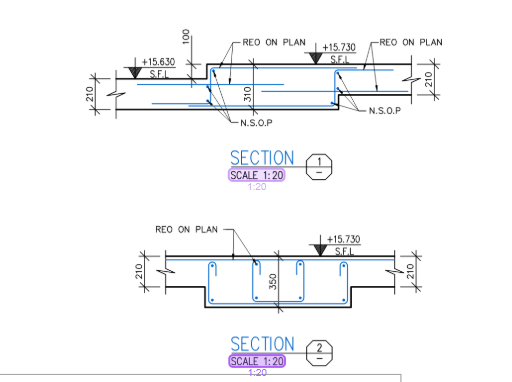
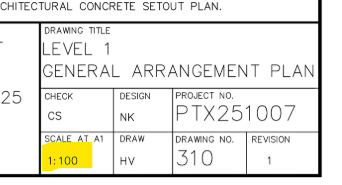

Further to this,
Is there a way to have the scale button in the ribbon display the page scale (Like a split button) so i don't have to click into it on every page?

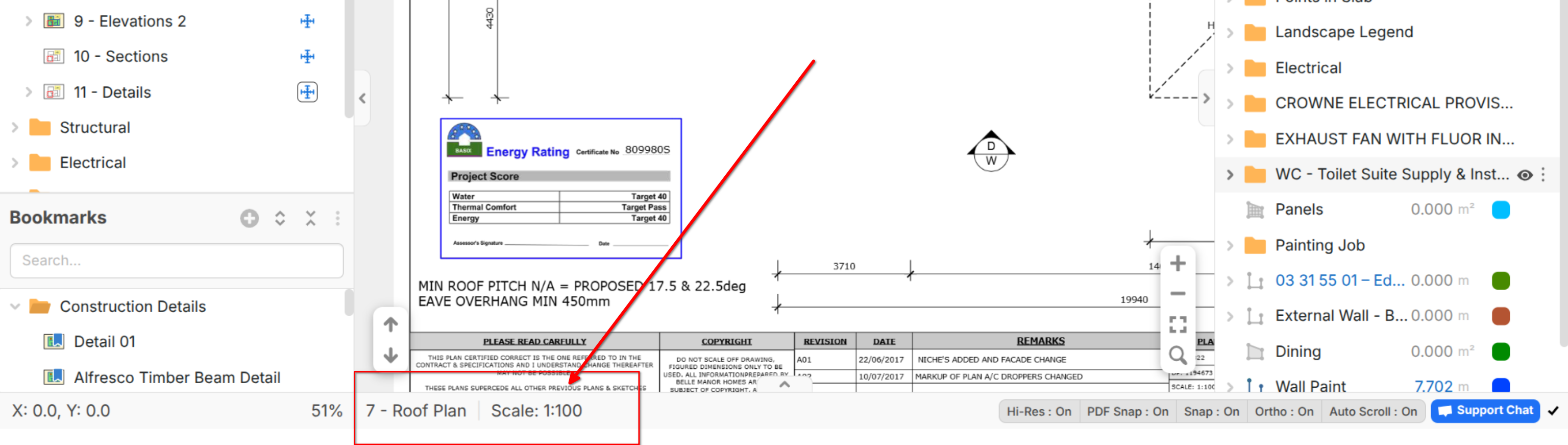

Hey Thomas, our developers are looking into improving the scale detection. We apologise for the issue.
This also shows the importance of double-checking/verifying scales set by AI, as it is not 100 percent accurate.