











 Q & A
Q & AConfiguring Wall Areas with Varying Slab Heights Across Floors
How do I configure wall areas of the same wall type across floors with varying slab-to-slab heights? For example, WT-1 has a height of 4.1m on the Ground Floor, 2.9m from Levels 1 to 28, and 3.3m on Levels 29 and 30.
%22%2F%3E%3Ctext%20x%3D%2232%22%20y%3D%2233%22%20text-anchor%3D%22middle%22%20dominant-baseline%3D%22central%22%20font-family%3D%22Arial%2C%20sans-serif%22%20font-size%3D%2226%22%20font-weight%3D%22600%22%20fill%3D%22%23fff%22%3EMH%3C%2Ftext%3E%3C%2Fsvg%3E "Mark Henry")
I would be putting a variable (height) field into your wall take off assembly. That means every time you use / activate the assembly you have to select a wall hight to continue. If you have set up the sub items correctly in the assembly then all the measures will adjust to suit.

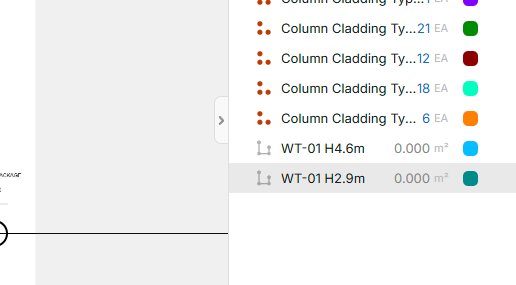
So would the approach be to set up separate wall area takeoff entries for each height — like WT-01 H4.6m for the Ground Floor and WT-01 H2.9m for Levels 1–28 — and assign each level to the matching configuration?
Hi Sidney,
That is one way to do it - but you would only want to do it that way with your most common sizes of wall height. For me in residential construction, it would be 2.4 2.7 & 3.0m wall heights only. You look to nbe a bit more commercial than me by going up to 4.6m So I would make the one Linear take off that has a drop down box to select a ceiling height. Then the calculations / formulas in that item with calulate your requirements.
My wall tile example...
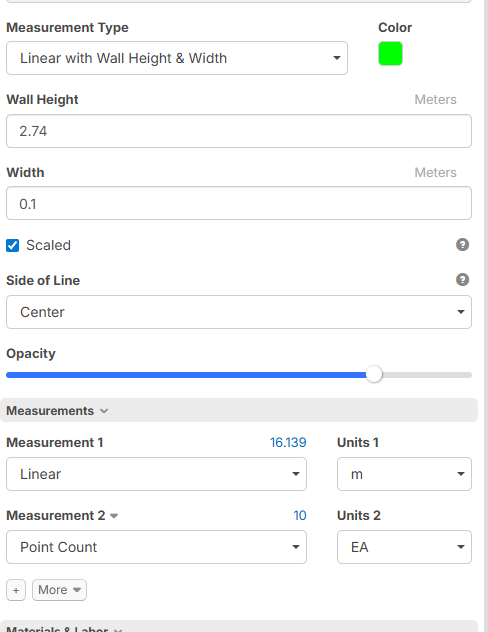
Then in a sub item goes the calculating for my tiles (your framing timber etc)
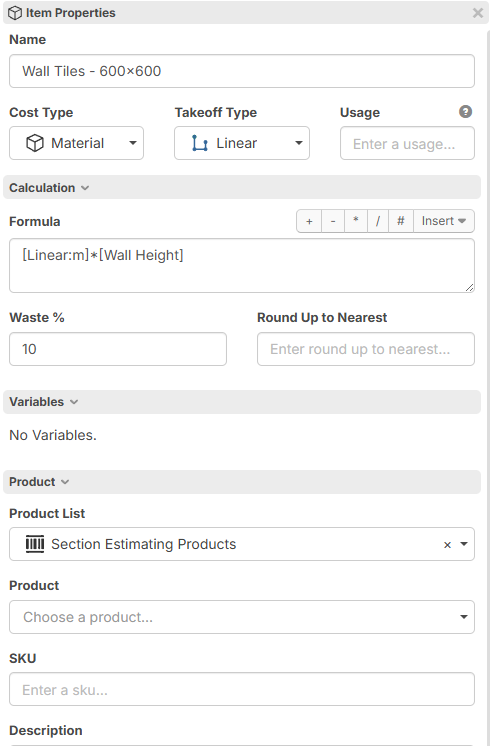
See the sub items belonging to the one parent item?
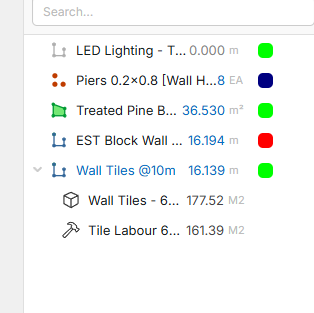

@Sidney does this answer your question?