Q & A
Q & AControl Over Decimals and Rounding at Parent Level
Hi Guys,
Just a quick question, would it be possible to have more control over rounding and decimal display at the Parent level?
Specifically:
- The ability to display results to two decimal places, and
- The option to apply round, roundup, or round down functions.
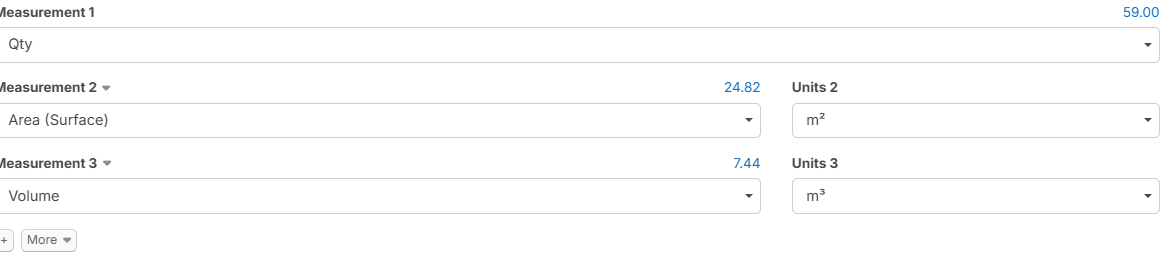
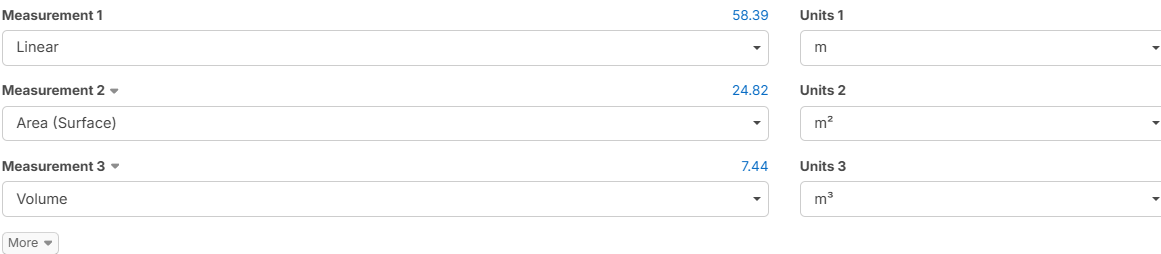
For example, in this case I would have preferred the result to round up to 59.00 m.
This would really help improve consistency and presentation in outputs, especially when finalising quantities.
Thanks again for all the great work and ongoing improvements, really appreciated.

Kind regards,
Steve G

Steve,
You can Edit the decimal Places Displayed, however there is no Rounding Capoablity at this time. May I suggest you add to Features Requests and Point out your use case.
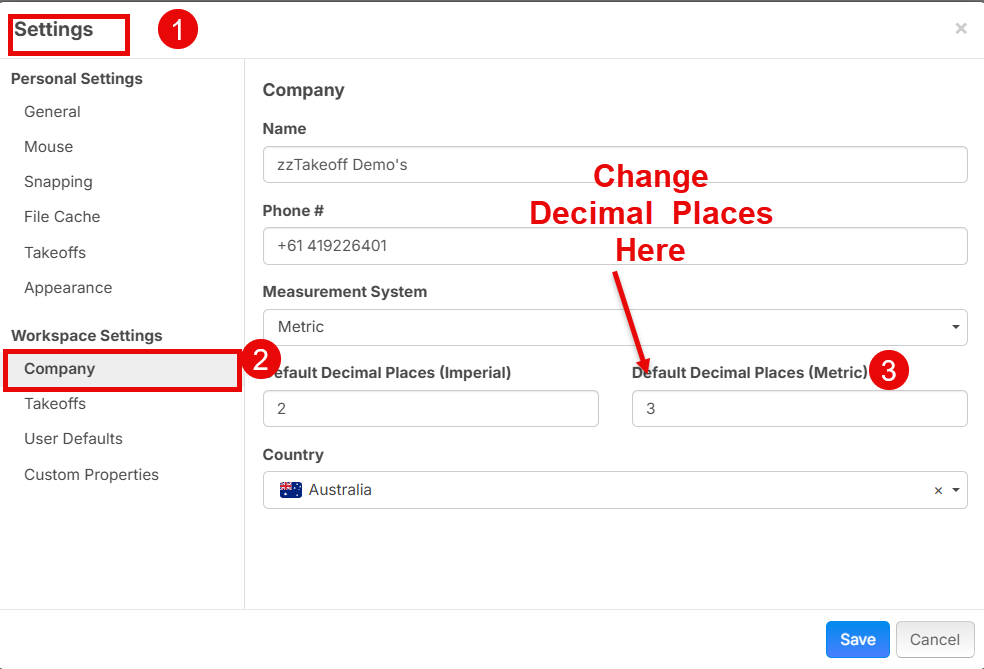

Thanks again Sam, much appreciated.
I completely forgot about this feature, I’ve now updated it to show two decimal places.
Looking forward to the roundup update when it’s available.
Steve,
You can achieve the Roundup on Takeoff by Converting it to an Item Takeoff and Saving it as a preset.
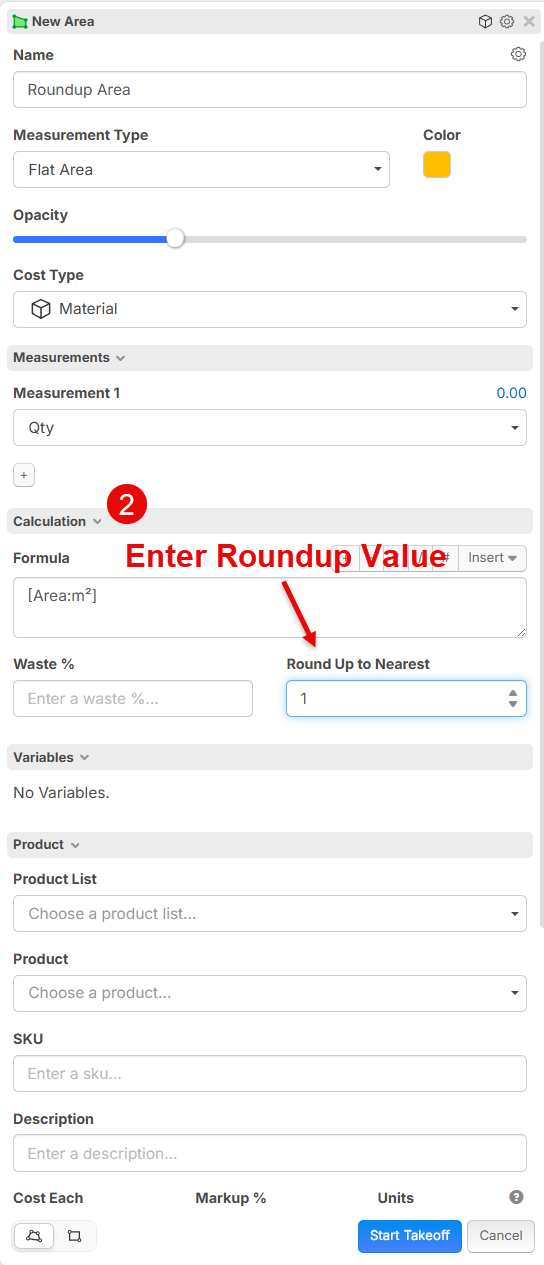
1️⃣ Start a Takeoff and select Icon and Convert to an Item
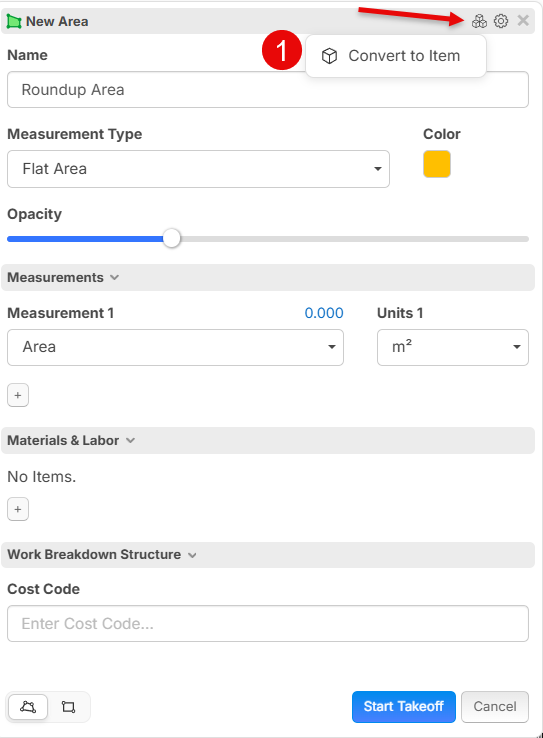
2️⃣ Enter the Round Up Value you require
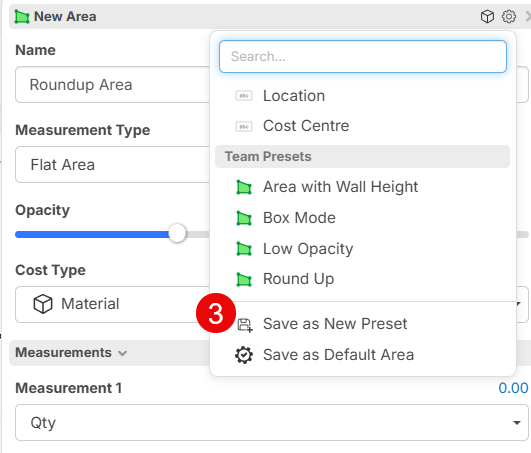
3️⃣ Save as a Preset or deffault Value
Hope this Helps. These are all new features from the release over the weekend. There will be a detailed Post coming soon with all the New Features
Hi Sam,
Thanks again, good stuff, the round-up is working well following your instructions.
The only issue I’m running into now is with the UOM. When I  to enable the rounding, the unit switches from
  to
to 
If I then change it back to  it keeps the correct unit (meters) and reverts to the original decimal value instead of the rounded whole number.
Before with Assembly

After - Converted to Item and rounded-up

Concrete Edge Beam (EB) - [Linear]m L x [Width]m W x [Depth]0m D, Reinforced (3-TM12 Cage), Pumped.
The information shown in the Name field is set as "Text with Tags", and as you can see in both examples, the original length (58.389m L) is not updating. Ideally, this value should reflect the adjusted result, either to two decimal places or rounded up, depending on the selected option.
I might not be using it correctly at this stage, but one thing I can’t have is EA instead of meters.
Ideally, I’d need a way to:
- Keep the UOM as meters, and
- Still apply rounding (e.g. round up to whole meters)
Would you be able to advise the correct workflow for this, or if there’s a way to achieve both?
Thanks again for the support, really appreciate the updates.

Hi Steve,
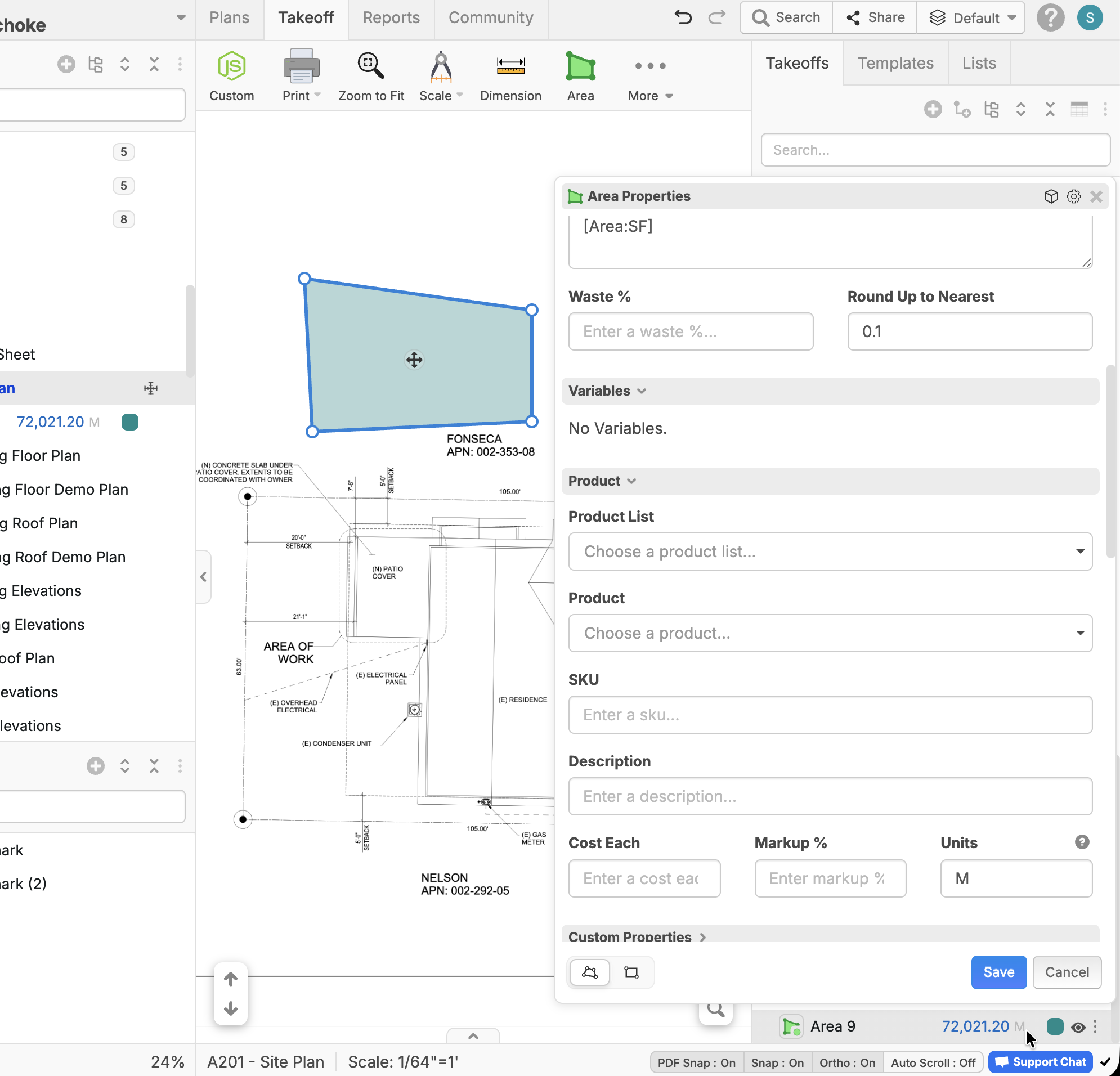
Did you try also changing the Units box in the properties window from EA to M? That seems to work for me.
Hi Stephen,
Thank you so much, that works for me to.

Now we just need it to display the same value in the Name, Text with Tag as well. At the moment, it’s still showing 58.389 m instead of the rounded value.
@Steve what is your formula for Name? Is it referencing Qty to get the rounded value?
@Stephen,
Yes, it is under Qty, other ways it will come up with 2 decimal places.
Concrete Edge Beam (EB) - [Linear]m L x [Width]m W x [Depth]0m D, Reinforced (3-TM12 Cage), Pumped.