











Default Label Size settings
How do I set label properties to be the same size and opacity the same as a default? I would prefer not to have to do it with every new job...
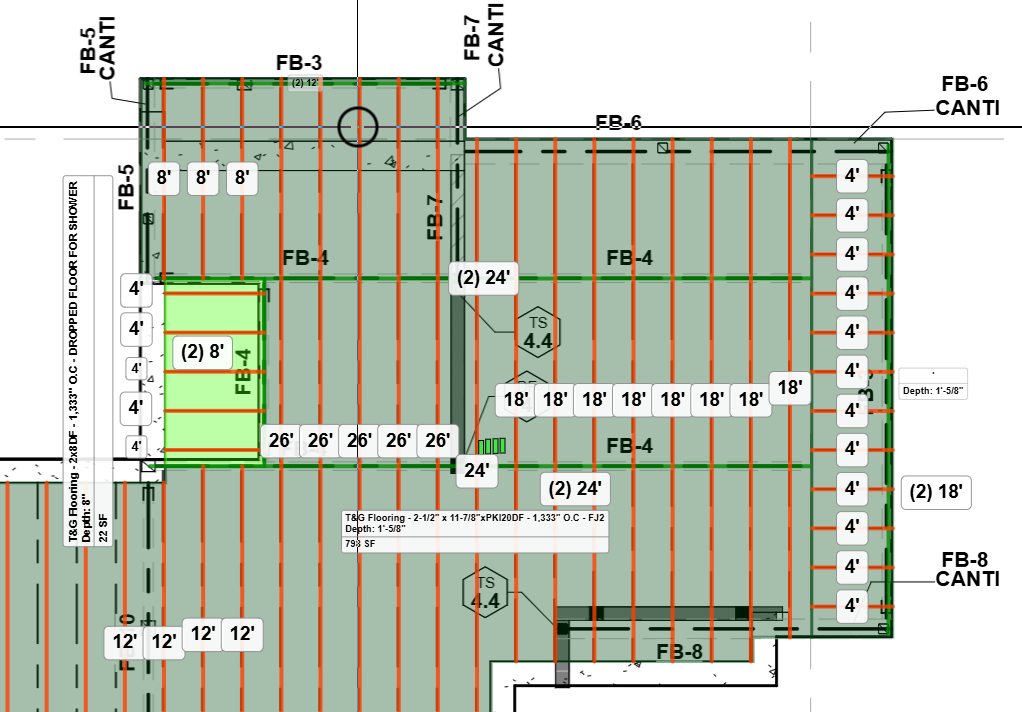
This must apply to all labels.

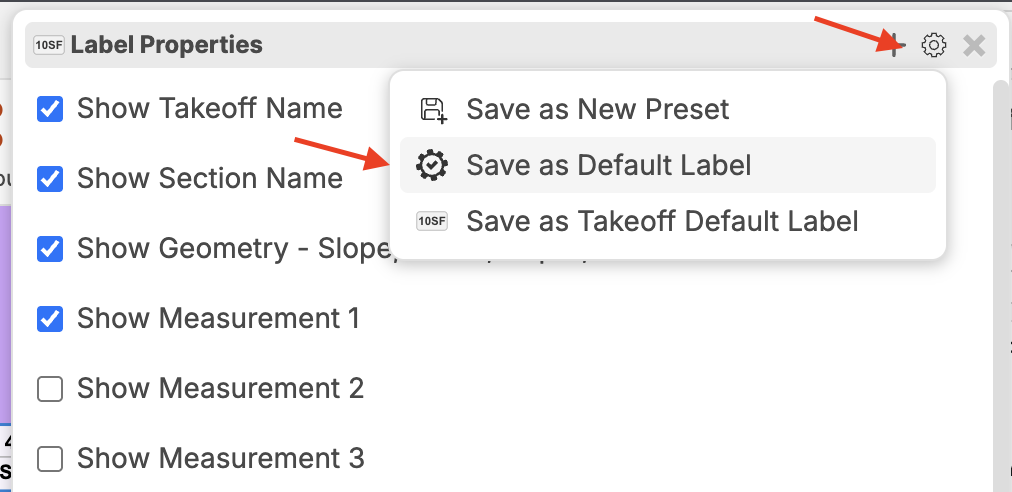
Hey Wesley! It looks like this ties in with your other community post. As Shawn mentioned, you can set the default label, and then all future labels will have the adjusted properties.
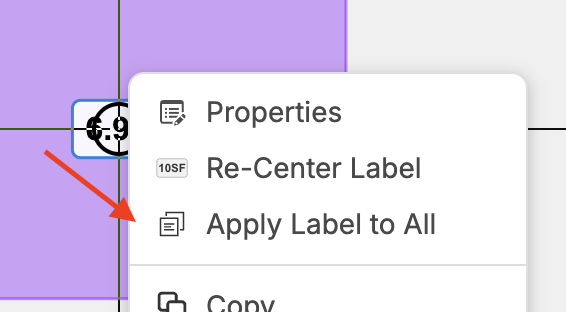
You can also right-click on the label and "Apply Label to All" which should apply that label to all of that takeoffs sections.
Thank you Lorin, I don't seem to have this option available to me.
Hey Wesley, if you deselect all takeoffs, then right-click on the label, does the "Apply Label to All" option show up? Note - you have to have more than 1 section of the takeoff for this option to show up.