











 Q & A
Q & ADefault Setting for Annotations?
Can we get a default setting for the annotations? If we change a font size, arrow size, or line width size, can the default change to that setting, or have a button to say set as default and it will keep that setting for the project?

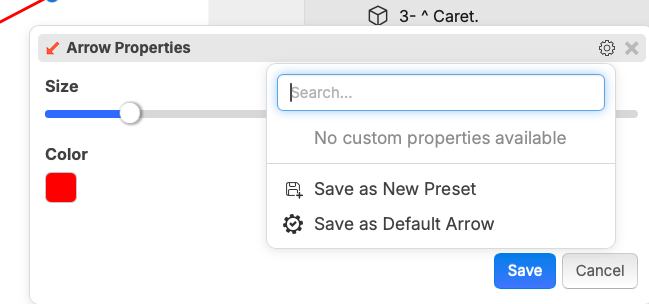
Hi Jeffery, When you create the Annotation you like, right click on it and hit the gear. See if you can save your defaults that way. Then when you go to use it again it should be available.
%22%2F%3E%3Ctext%20x%3D%2232%22%20y%3D%2233%22%20text-anchor%3D%22middle%22%20dominant-baseline%3D%22central%22%20font-family%3D%22Arial%2C%20sans-serif%22%20font-size%3D%2226%22%20font-weight%3D%22600%22%20fill%3D%22%23fff%22%3EJO%3C%2Ftext%3E%3C%2Fsvg%3E "Jeffery Osborn")
The setting does not save when you use right click option. You have to select from the tool bar

What right click option were you using exactly?
I highlighted and area, then right clicked, and used the note option from that menu that allows you to do a search or ask AI etc.
I dont know how you guys do a video screen recording, I tried with my snipping tool but I cant copy and past video of the screen recording so I can show you what I was doing
I don't have a new arrow in a right click menu, can you include a screenshot?
Note option, not arrow

Thanks for reporting. We'll get a bug fix out for that. 🙂
I'm still not able to reproduce the issue, see the video below
@Stephen, I was able to reproduce this locally. It happens if you smart-select an area, then select a tool from the context menu that shows up.
👍1I highlighted an area on the plan, right clicked to add note:
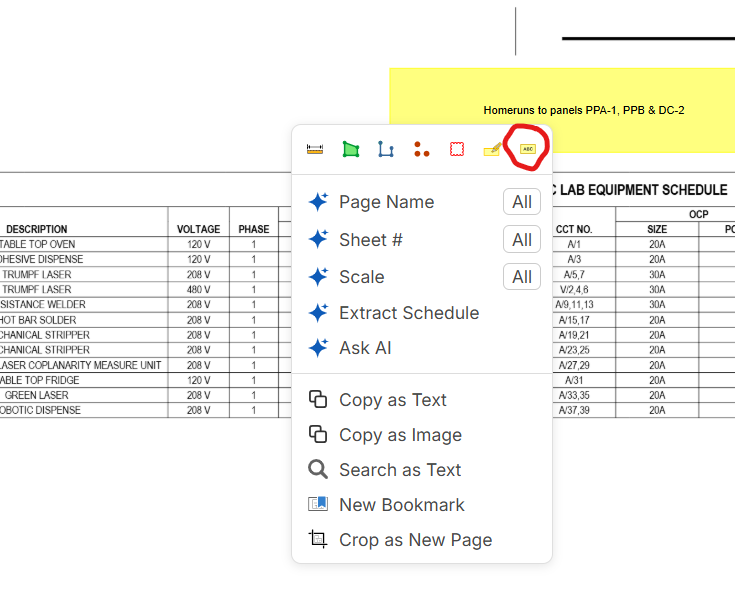
If I have a default setting already setup for the note, this menu does not take that setting a reverts to a default setting
👍2Thanks Jeffery we will get this fixed!