











 Q & A
Q & ADev > RFI > Autodesk (ACC)
Good morning everyone,
I started to play around with the dev mode & Claude last week. Noticing there wasn't a native way to log RFI's in ZZ and either print to a report or push to another platform (we use ACC), I did two things:
- Created a template with an icon and custom properties that we could use to flag RFI's then see them in a report on the reports tab.
- We could simple export that report if needed to send externally.
Taking it a step further, using Claude code for the first time (first time using code, not first time using Claude...freaks), I had Claude push it to ACC.
The seamlessness on this part of it is still being worked on, it can be done a few different ways including with Make (this needs further work on the coding), as a 'terminal' push on my Mac, and via Claude using the Chrome extention. I saved it as a skill but it takes a few minutes. In my test workflow I just created a bunch of RFI's and had it push once I had a good list so the 5 or so minutes it took was worth it.
Then for fun, I had Claude create an RFI macro on the toolbar so I now just click that instead of finding the RFI template in the library.
See attached screenshots.
Not perfect but thought I'd share and open it up to suggestions.

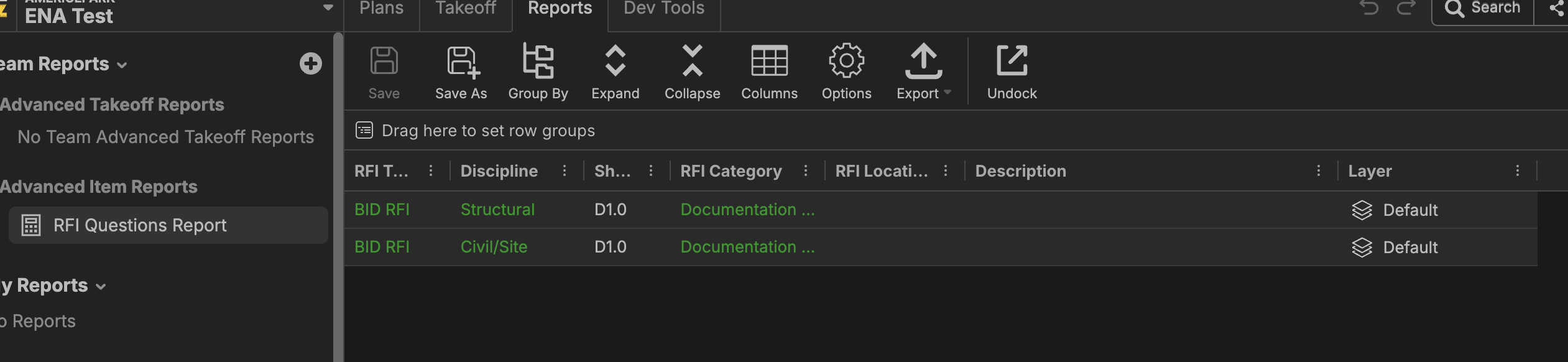
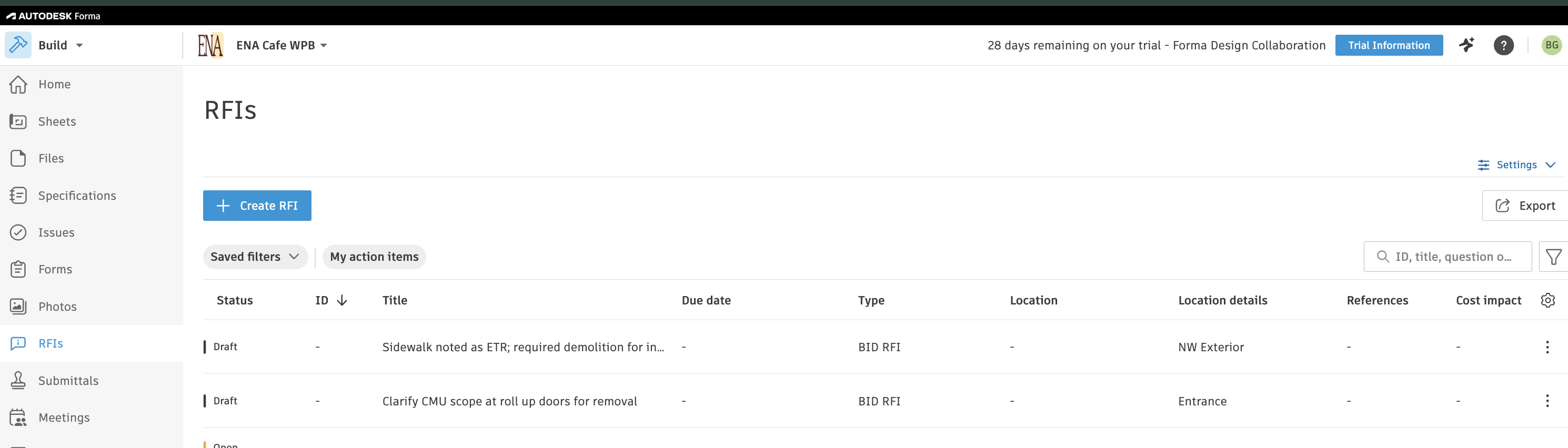

We have the best users on the planet!! Nice job Bruce... I love it, version controls are a must these days have you started with that?
🙏1%22%2F%3E%3Ctext%20x%3D%2232%22%20y%3D%2233%22%20text-anchor%3D%22middle%22%20dominant-baseline%3D%22central%22%20font-family%3D%22Arial%2C%20sans-serif%22%20font-size%3D%2226%22%20font-weight%3D%22600%22%20fill%3D%22%23fff%22%3EBG%3C%2Ftext%3E%3C%2Fsvg%3E "Bruce Guckert")
Todd, I have not, would love to learn a bit more about it. Just started using ZZ recently so still getting up to speed.
I have built or two and I am sure claude can help you, but basically I ask the application to make a snap shot (json file) of the base bid once it is finished, and then every time an RFI or Change order comes in I ask the application to make a snap shot and then compare the changes both plus and negative. That snap shot is the source of truth when approved on not approved. It is real handy for documenting changes costs to the owner.

wonderful use case with the new plugin coming in hot.