











 Q & A
Q & ADiscrepancy in Total Labour Hours (Item vs Takeoff Sum)
Hi ZZ team,
I’m after some advice regarding labour hour calculations.
At the item level, I’ve created a formula to calculate Total Labour Hours per scope: ([Formula] * [Crew Size]) = Total Labour Hours (or Crew hours on site).
I’ve reviewed all labour scopes, and the total adds up correctly to 166.84 hours.
I then created a parent-level formula in the Takeoffs: sum('Total Labour Hours'), labelled as Total Job Labour Hours.
However, at the parent Takeoff level, it’s showing 390.3 hours, which doesn’t align with the summed item-level total.
Both formulas are set as Computed, so I’m unsure where the additional hours are being pulled from.
I’ve double-checked the individual scopes, but I’m wondering if this could be picking up values from duplicate or hidden takeoffs, or possibly items outside the expected scope.
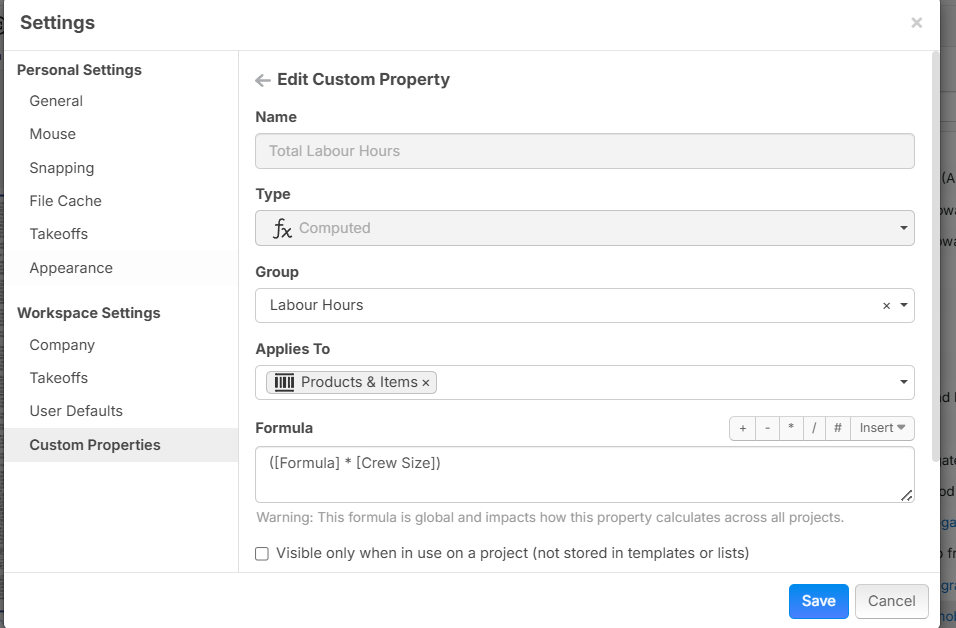
Formula for Crew Duration Hours on Site = [Area:m²] * ([Production Rate] / [Crew Size])
Formula for Total Labour Hours = ([Formula] * [Crew Size]) -----> Witch is [Area:m²] * ([Production Rate] * [Crew Size])
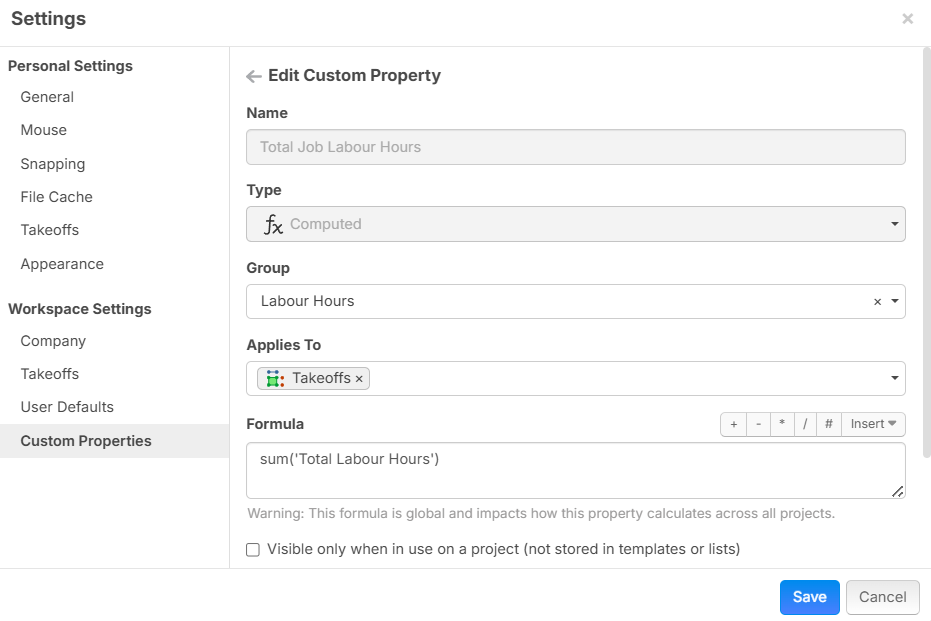
Based on the example above, it may be a long shot, but I’d appreciate your advice on what might be causing this discrepancy.
I checked about 3 times, but I will keep rechecking.

Happy days — I’ve identified the issue.
When I created the Custom Property for Total Labour Hours, I initially set it as a Computed formula:
([Formula] * [Crew Size]).
I’ve since changed the property type to a Number and moved the formula into the labour item level instead.
It appears that having [Formula] * [Crew Size] as a computed property was causing the parent Takeoff to also pull values from material quantities (but not equipment), which resulted in the inflated total.
👍1