











 Q & A

9h 42m
Downloading Files
Would there be a way for us to be able to download the PDF that we uploaded with and without our takeoffs on them?

KristiK zzTakeoff8h 59m
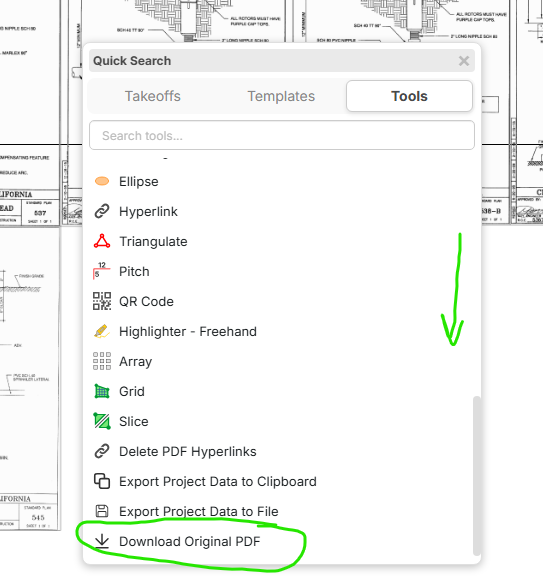
Hi Brian, if you hit the forward slash on your keyboard while hovering over a plan page, it will open a tools menu, then scroll down and at the bottom is an option to download your original PDF, unmarked
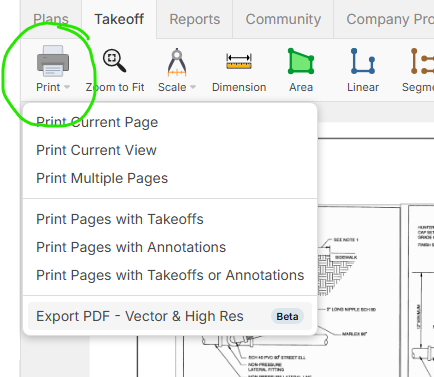
To get the PDF with the markups showing on the page, right click on a plan page, but not on a takeoff and select Show Legend (all) and then use our Print options in the upper toolbar to Save as PDF with the markings on the page (this is just with markings/counts showing, not an exported project file that can be edited outside of zzTakeoff)
You must be logged in to post replies. If you don't have an account you can signup here.