Q & A
Q & AExport 'Simple' Report to Excel
My goal is to export my takeoff report in the below format so that I can copy and paste the items cleanly into my takeoff reports for our customers in a summary view:
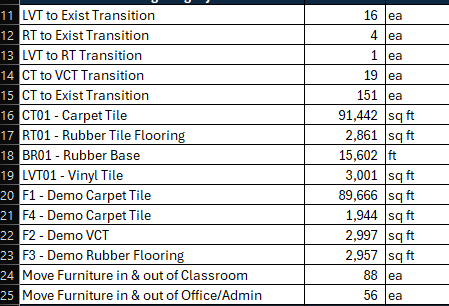
However, when I export the report, the dropdowns from the reports tab (that I have collapsed) are exporting and causing an issue with my copy and paste:
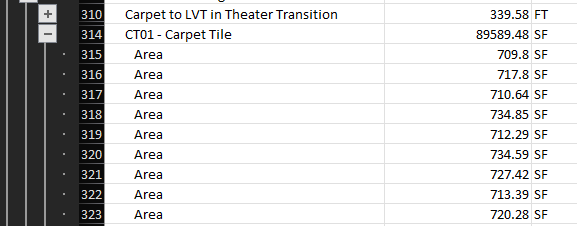
When copied, even with the +/- collapsed my copy and paste goes as follows:
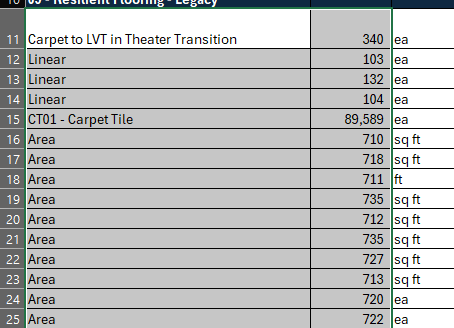
Is there a way to modify my report/eport settings so that I only get the data that is collapsed to in my report as shown below: (Summary Take off Report)
I would like this to export without all the dropdowns, for example, only export CT01 - Carpet Tile and qtys ILO of ZZ exporting all the takeoffs under that summary item.
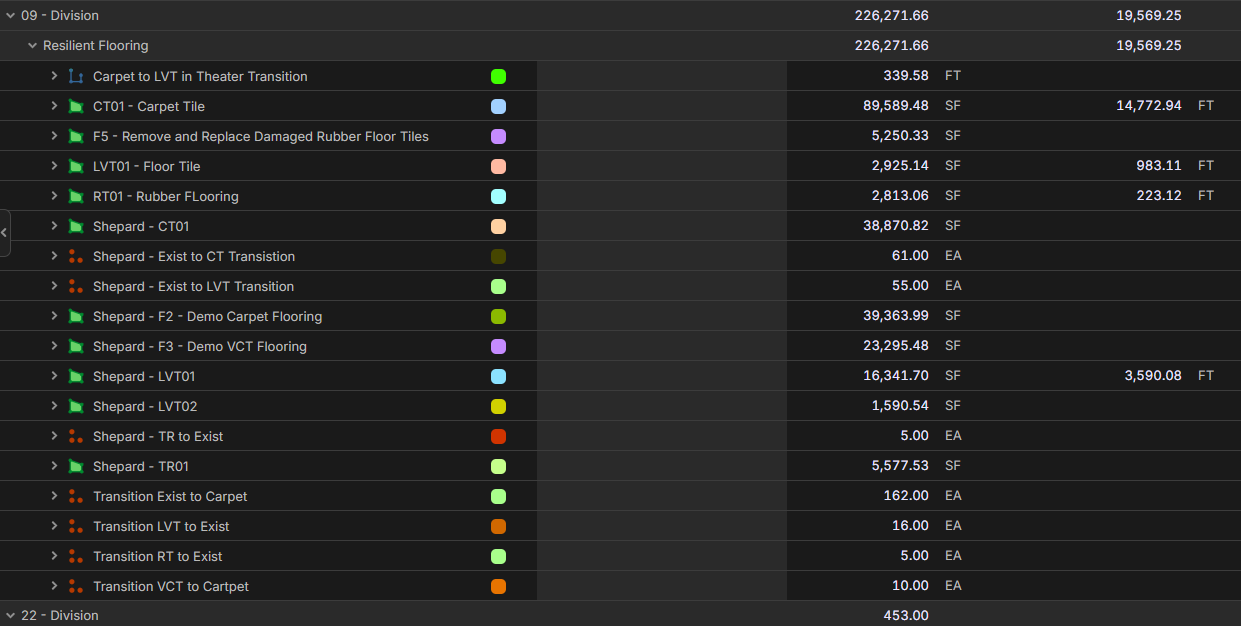

I like to highlight and copy the report in zzTakeoff like you would an Excel, then paste that into your Excel
👍1%22%2F%3E%3Ctext%20x%3D%2232%22%20y%3D%2233%22%20text-anchor%3D%22middle%22%20dominant-baseline%3D%22central%22%20font-family%3D%22Arial%2C%20sans-serif%22%20font-size%3D%2226%22%20font-weight%3D%22600%22%20fill%3D%22%23fff%22%3EH%3C%2Ftext%3E%3C%2Fsvg%3E "Hunter")
Well that was easy. Thank you!

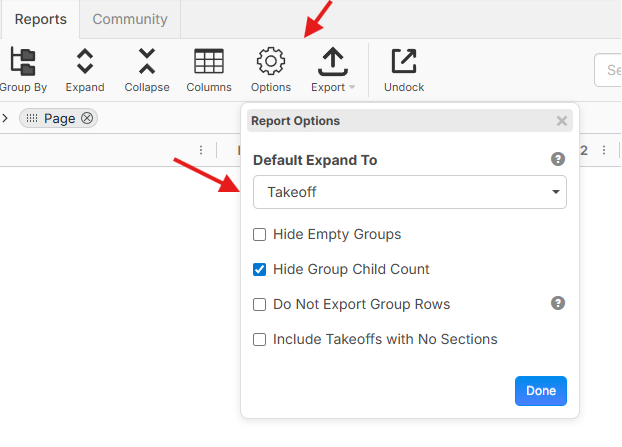
I also want to mention that if you choose a "Default Expand To" for your report, we only export to the default expand level. So in your case, if you choose the default expand level as "Takeoff", you would not get the section rows in the export.