











 Q & A
Q & A
Finding Move Handle still tricky
Not sure what the best solution is, but sometimes even with the move handle maxxed out i'm staring at the page for super long trying to find it. I think we could benefit from some color contrast or an animation...

Hi, you can increate the move handle size in the Settings (click you icon in the top right, then click settings):
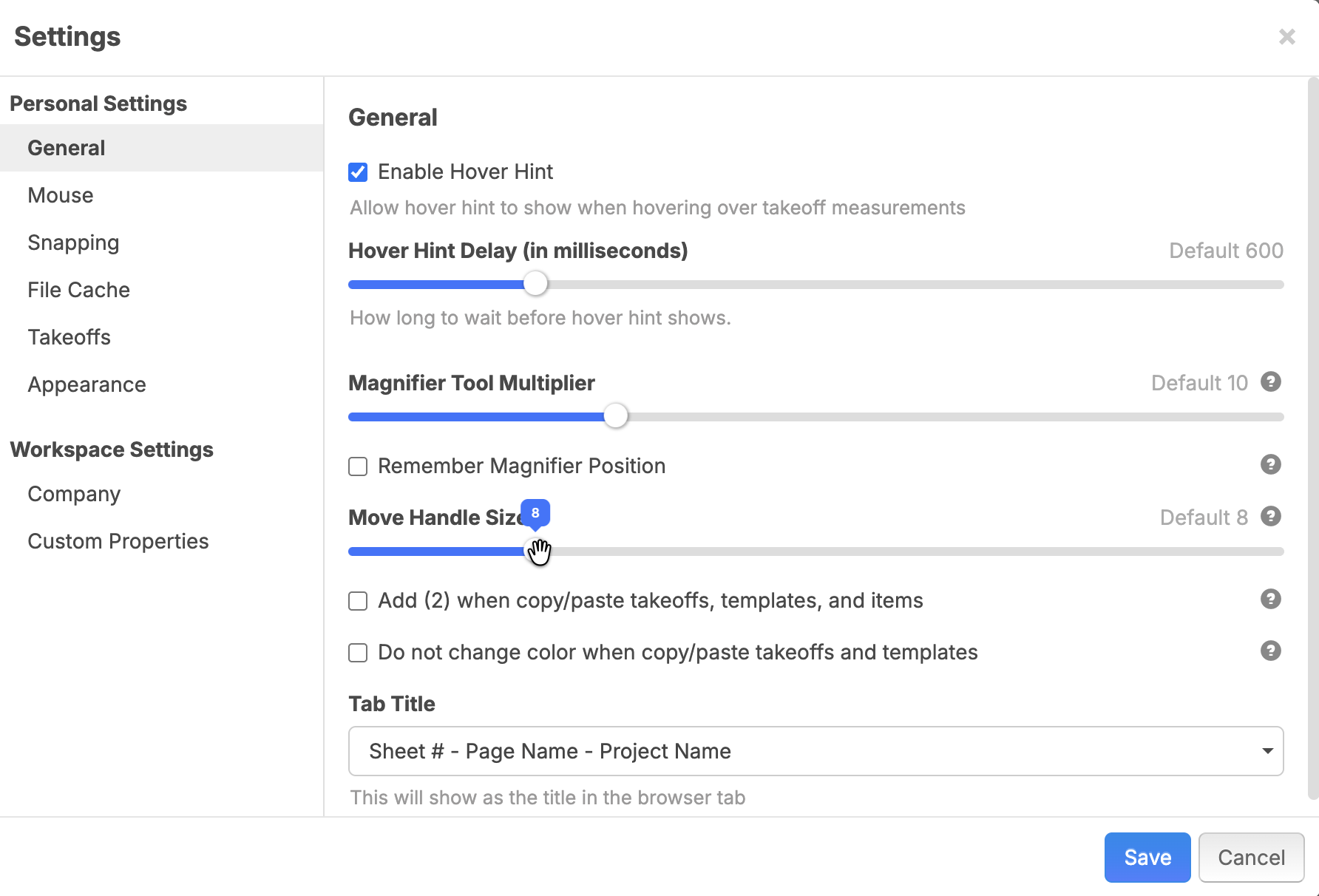

Hi Stephen, yes I have it “maxed out”.
i still find often times, especially when I highlight an entire page of takeoff items for duplication purposes, after pasting I have trouble finding it, even at full size because grey is a common color on the busy prints. It gets washed out.

Yeah I maxed mine out to and it’s too small. If you hold alt on keyboard with any objects selected you can grab any part then drag… that’s what I do now and gave up hunting for the move handles.
alt is my 3rd most used keyboard shortcut.
👍1