











 Q & A
Q & AHow do you make Taxes work
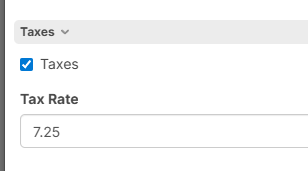
Has anybody made taxes work yet and if so how is it done this is what i have so far this is the project level
and this is the item level
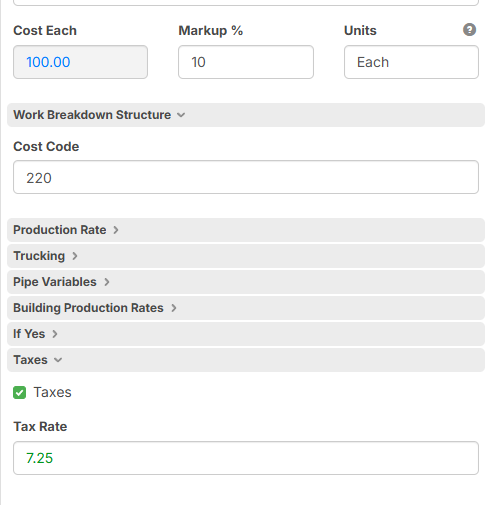
how do i get the cost each to calculate.
for instance we had a job we sent out yesterday then they sent an addendum after the fact saying it is tax exempt so i would like to just uncheck the project level if that happens and have it redo all my numbers for material to take the taxes off

This is the formula i have in the cost each section but maybe i need to structure it differently
([Cost Each]*[Tax Rate]%)
when i go into reports and put my price in it erases the formula
%22%2F%3E%3Ctext%20x%3D%2232%22%20y%3D%2233%22%20text-anchor%3D%22middle%22%20dominant-baseline%3D%22central%22%20font-family%3D%22Arial%2C%20sans-serif%22%20font-size%3D%2226%22%20font-weight%3D%22600%22%20fill%3D%22%23fff%22%3EKP%3C%2Ftext%3E%3C%2Fsvg%3E "Kory Podgaysky")
This is where I use custom properties. I don't use cost each, markup, price each or anything built in. I have custom properties setup for material cost, rental cost, subcontractor cost, production, crew size, crew payroll, risk%, profit%, overhead%, tax%, labor burden%, and then an extended cost driven using a formula that uses all of these custom properties. I then hide some custom properties at certain levels to reduce clutter. Some things are set at job folder level like the percentages and payroll. Some things are set at the phase folder level like crew size/makeup for that phase. Some things are set at the item level such as material cost, rental cost, sub cost, and production rates for that item.
👍1
Great ideas for handling Taxes. Let me know if you have any trouble trying these ideas.