











 Q & A
Q & A%22%2F%3E%3Ctext%20x%3D%2232%22%20y%3D%2233%22%20text-anchor%3D%22middle%22%20dominant-baseline%3D%22central%22%20font-family%3D%22Arial%2C%20sans-serif%22%20font-size%3D%2226%22%20font-weight%3D%22600%22%20fill%3D%22%23fff%22%3EJL%3C%2Ftext%3E%3C%2Fsvg%3E "John L")
Is there a way to have a take off be a child of a take off in a template?
not sure I'm describing this right with the title but I'm trying to do something that would save some time during the take off process but maybe isn't even possible.
I have a template that uses Area and has material and labor items with formulas
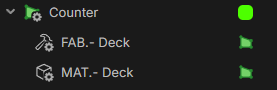
I also have 2 linear tool templates, each for different purposes, each with thier own material/labor items plus formulas
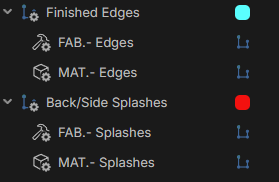
I like to keep them organized by room on the take off list

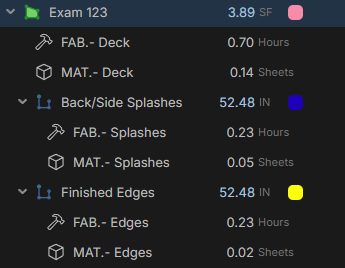
As you can see, the linear take off is showing as if it's a "child" of the area take off. But if I try to make the template itself function that way, it seems to not bring the linear tool with it. This is how it looks in the template area...
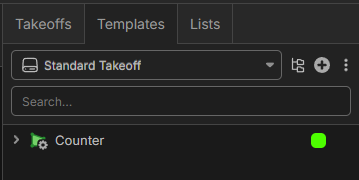
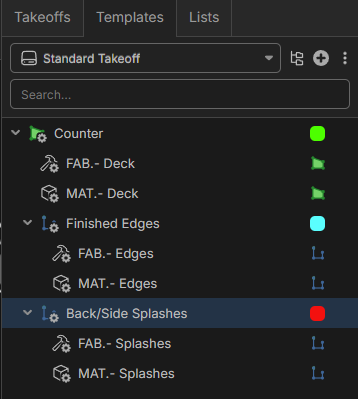
but if I start a new take off and select the Counter area tool, the 2 linear tools don't come with it and I get this..
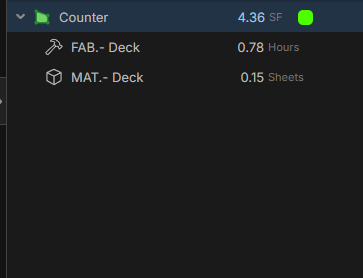
So then I have to select and do each linear take off 1 at a time which results in this
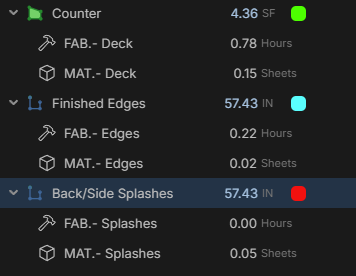
However some of the formulas kind of rely on everything being children of the "area" and for organization purpose I have to manually drag them in order to get this format...
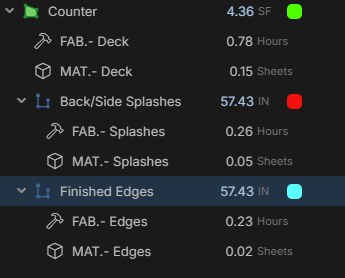
So my question is, is it even possible to have it so that when I use that Area take off called "counter" that it automatically brings the 2 linear tool with it, as children, so I can just do those take off without having do so much manual clicking or dragging? The custom properties below are labor modifies that I can set at the "Area" level and if the linear take offs are children of it, the modifier automatically propagates through those and applies the same modifier to those items
This does work (so far), but it requires me to manually drag the linear take off so they're children of the Area and I'm just trying to streamline the process, if possible.
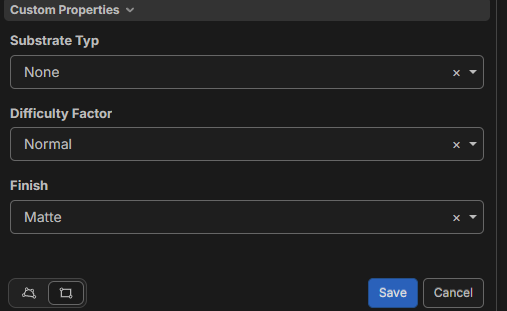
Sorry this ended up so long. I wanted to make sure I provided photos of everything I'm doing. I'm pretty new to this(not estimating, but setting up templates/assemblies/formulas) and learning on the go by reading the posts around here plus heavy use of ChatGPT.

Thanks for this detailed log of what you want, it is very helpful in solving the problem. I believe the easiest way is for you to click the "Counter" area in your Templates right sidebar and press Ctrl-c to copy, then click Takeoffs in the right side bar and press Ctrl-v to paste. Then you click click the icon for the "Counter" to start the takeoff in one click, and when done, click the icon for the "Back/Side Splashes" next to start that takeoff. This allows all your formulas to continue to work as the parent child relationship is kept intact.