










 Q & A
Q & AMass upload from Planswift to ZZTakeoff
i have over 5000 projects / about 2TB of Planswift projects, how do i bulk upload this all to zz? i tried uploading 17 projects and it took over 3 days and still uploading, is there a better way to do this? im doing it manually through import projects.

Hi Nikolay. Just curious, are you uploading them 1 at a time, or are you browsing to the PS folder and selecting the whole folder to import? We are also working on some improvements to the import.

im selecting 20 at a time, i tried selecting 900 but the browser crashed lol,
if there was a way for me to sync to a google drive or ftp server or something for a one time mass upload of all my projects that would be ideal that way i know it wont be crashing since it wont be relying on a browser to handle all the uploads.
each project is typically 150mb-1gig
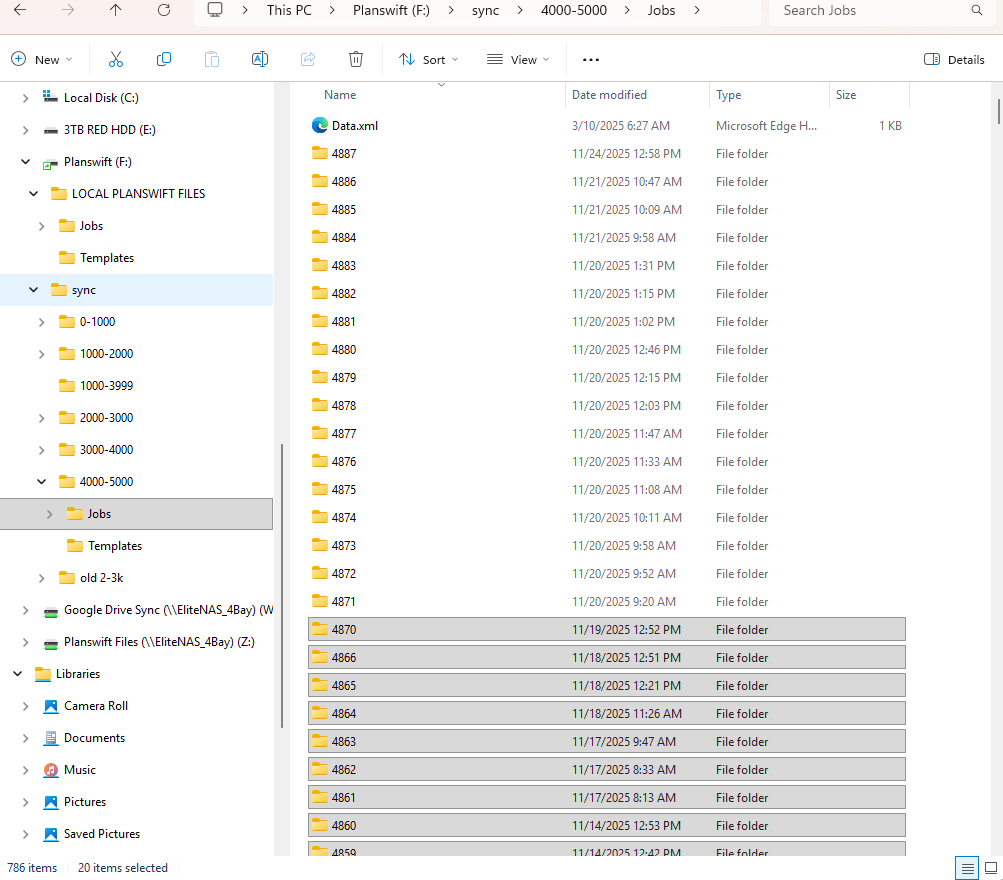
sorry only 1.2 TB haha
i think the browser crashes because its not able to handle that much data, i tried every browser, chrome, opera, firefox, zen, edge
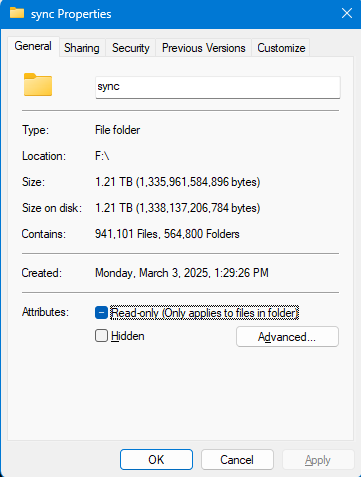
Thanks for the additional info. We will dig into this. There are some updates in progress as well which should help.
@Nikolay We just deployed a patch that should help with better memory management. I don't know for sure if it will help on the speed, but I believe it will help with selecting more jobs at the same time without it crashing. Does it work any better for you?