











Overlay
can someone please tell me how to turn off the overlay option. Ive overlayed a set of drawing and now I cannot seem to figure out how to turn it back off
%22%2F%3E%3Ctext%20x%3D%2232%22%20y%3D%2233%22%20text-anchor%3D%22middle%22%20dominant-baseline%3D%22central%22%20font-family%3D%22Arial%2C%20sans-serif%22%20font-size%3D%2226%22%20font-weight%3D%22600%22%20fill%3D%22%23fff%22%3EMM%3C%2Ftext%3E%3C%2Fsvg%3E "Mark Monteiro")
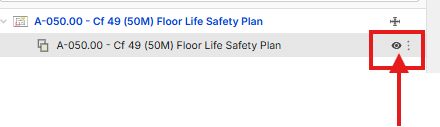
In Pages, click on the eye icon next to overlay.
%22%2F%3E%3Ctext%20x%3D%2232%22%20y%3D%2233%22%20text-anchor%3D%22middle%22%20dominant-baseline%3D%22central%22%20font-family%3D%22Arial%2C%20sans-serif%22%20font-size%3D%2226%22%20font-weight%3D%22600%22%20fill%3D%22%23fff%22%3EK%3C%2Ftext%3E%3C%2Fsvg%3E "KW")

%22%2F%3E%3Ctext%20x%3D%2232%22%20y%3D%2233%22%20text-anchor%3D%22middle%22%20dominant-baseline%3D%22central%22%20font-family%3D%22Arial%2C%20sans-serif%22%20font-size%3D%2226%22%20font-weight%3D%22600%22%20fill%3D%22%23fff%22%3ECL%3C%2Ftext%3E%3C%2Fsvg%3E "Cẩm Lê")
How do you overlay 2 plans different?

@Cam:
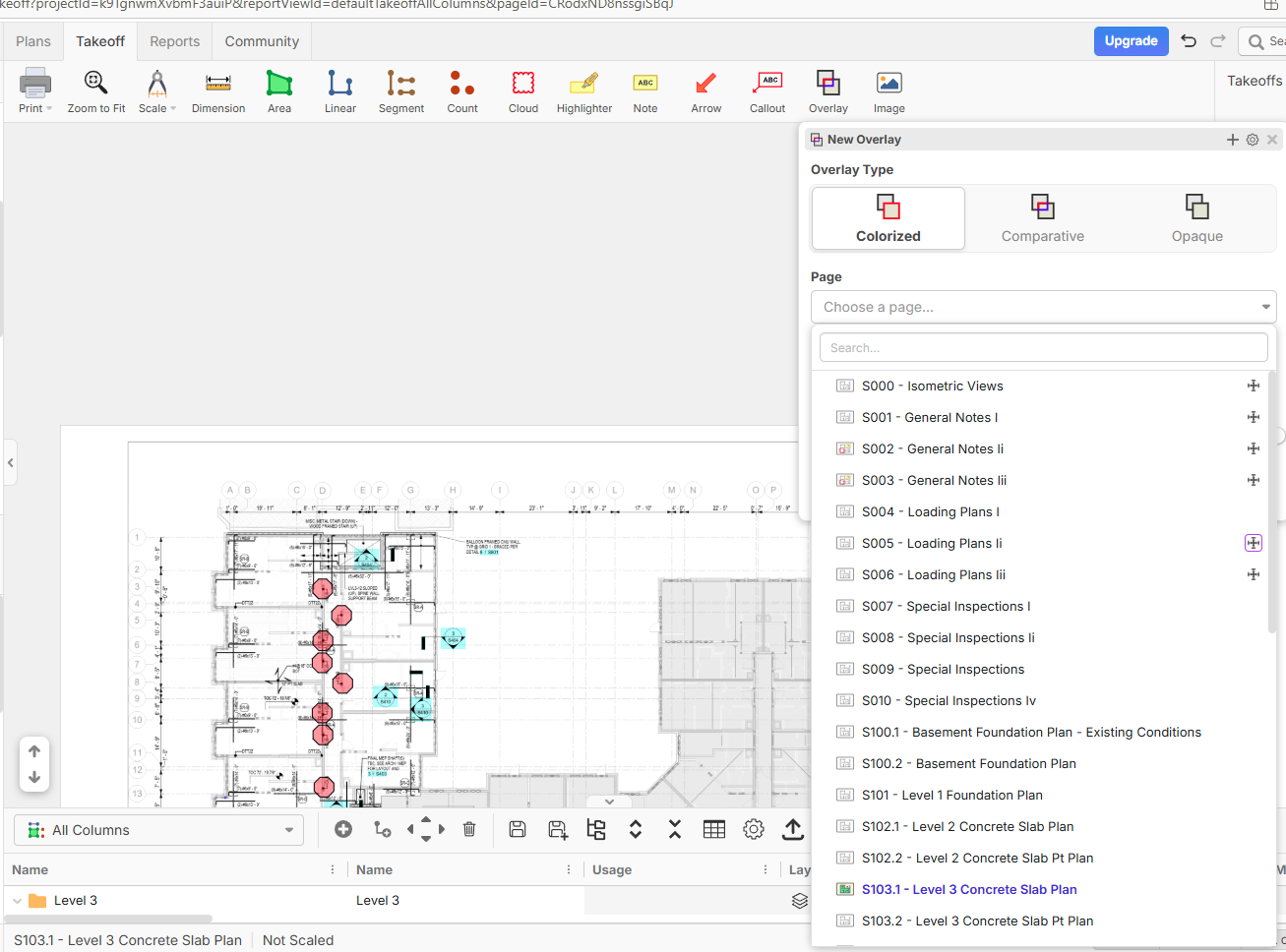
You can place one plan over another using the Overlay tool:
1. Upload both plans to the same project.
2. Open the plan you want as the base.
3. Click Overlay on the toolbar.
4. Set Overlay Type to Colorized.
5. In Page, select the second plan.
6. Click Create Overlay.
7. Choose Yes when asked whether to align the overlay.
Follow the prompts to click a point on the overlay, then its matching point on the base plan. Repeat with a second matching point to finish aligning them.
Thank you for your help.
I am not trying to compare a single page.
I need to compare two complete drawing sets in different folders and automatically match the pages.
Is there a batch overlay/revision comparison tool available, or do I need to overlay each page manually?
Thanks.

Hey Cẩm! We don't have a batch overlay tool yet, but it is a requested feature. You will need to manually overlay the pages for now.
Thank you for your help.