











Plugin not showing in the tabs
Hello,
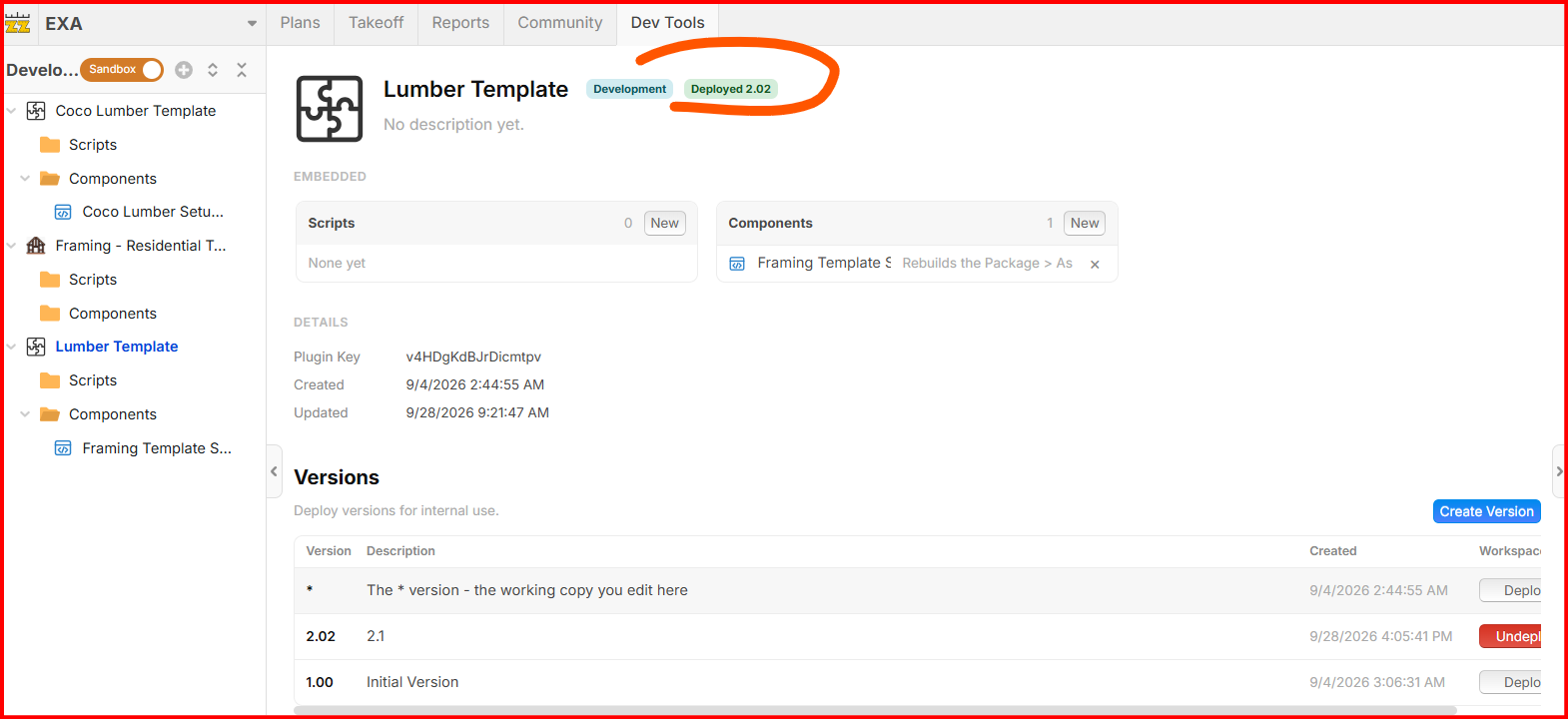
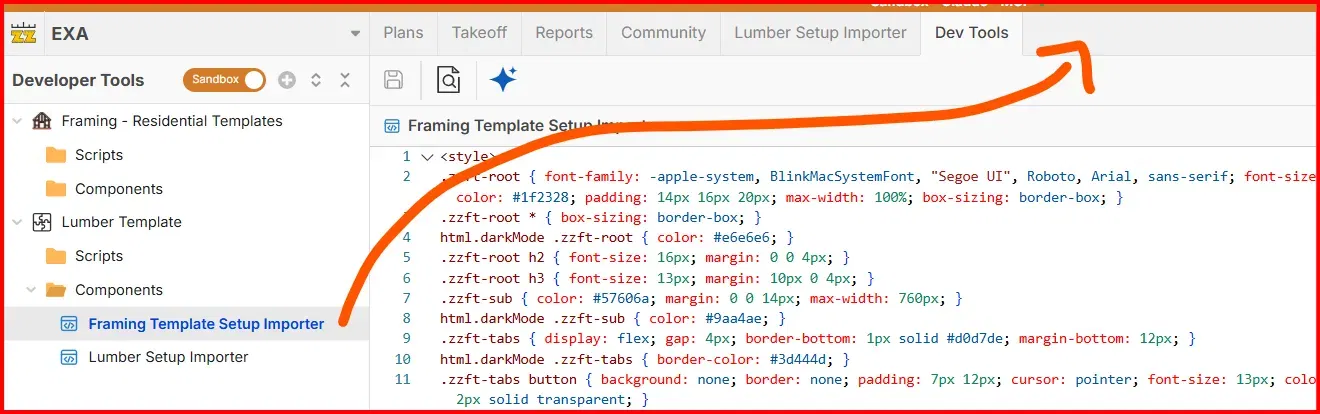
Is there a reason that when I try and deploy a plugin it doesn't show up in the tabs? I had the "lumber setup importer" before and now when I'm trying to deploy a new one like the "framing template setup importer" nothing shows up. It's already deployed...am i missing something up here?

Hi Gabriel 🙂 Hopefully the response below helps. Just let us know:
Deploying a plugin does not automatically add a tab. Its component must have Top Tabs enabled.
• In Dev Tools, expand Lumber Template > Components and select Framing Template Setup Importer.
• Click Placements, the gear at the right end of the editor toolbar.
• Check Top Tabs.
• Close the placement panel and click Save.
Your screenshots show Sandbox is on, which uses the working copy. The tab should appear there after saving. To make the change available in Live Data, select Lumber Template, click Create Version, then Deploy the new version. The already-deployed version does not automatically include later edits.
If the tab remains missing after saving and refreshing, just let us know.
🙏1%22%2F%3E%3Ctext%20x%3D%2232%22%20y%3D%2233%22%20text-anchor%3D%22middle%22%20dominant-baseline%3D%22central%22%20font-family%3D%22Arial%2C%20sans-serif%22%20font-size%3D%2226%22%20font-weight%3D%22600%22%20fill%3D%22%23fff%22%3EGG%3C%2Ftext%3E%3C%2Fsvg%3E "Gabriel Glenton")
Aah it was that simple. I was scratching my head for several hours on end on this. Thanks Heber!
👍1Glad that worked Gabriel. We will continue to improve it and make these things easier and more clear as we go. 🙂
🙏1%22%2F%3E%3Ctext%20x%3D%2232%22%20y%3D%2233%22%20text-anchor%3D%22middle%22%20dominant-baseline%3D%22central%22%20font-family%3D%22Arial%2C%20sans-serif%22%20font-size%3D%2226%22%20font-weight%3D%22600%22%20fill%3D%22%23fff%22%3EJ%3C%2Ftext%3E%3C%2Fsvg%3E "Jes")
%22%2F%3E%3Ctext%20x%3D%2232%22%20y%3D%2233%22%20text-anchor%3D%22middle%22%20dominant-baseline%3D%22central%22%20font-family%3D%22Arial%2C%20sans-serif%22%20font-size%3D%2226%22%20font-weight%3D%22600%22%20fill%3D%22%23fff%22%3ECP%3C%2Ftext%3E%3C%2Fsvg%3E "Chris Powers")
I've followed this thread and, upon deploying a plug-in, still cannot see it in the top tab after refreshing. Have I done something wrong or neglected to do something?: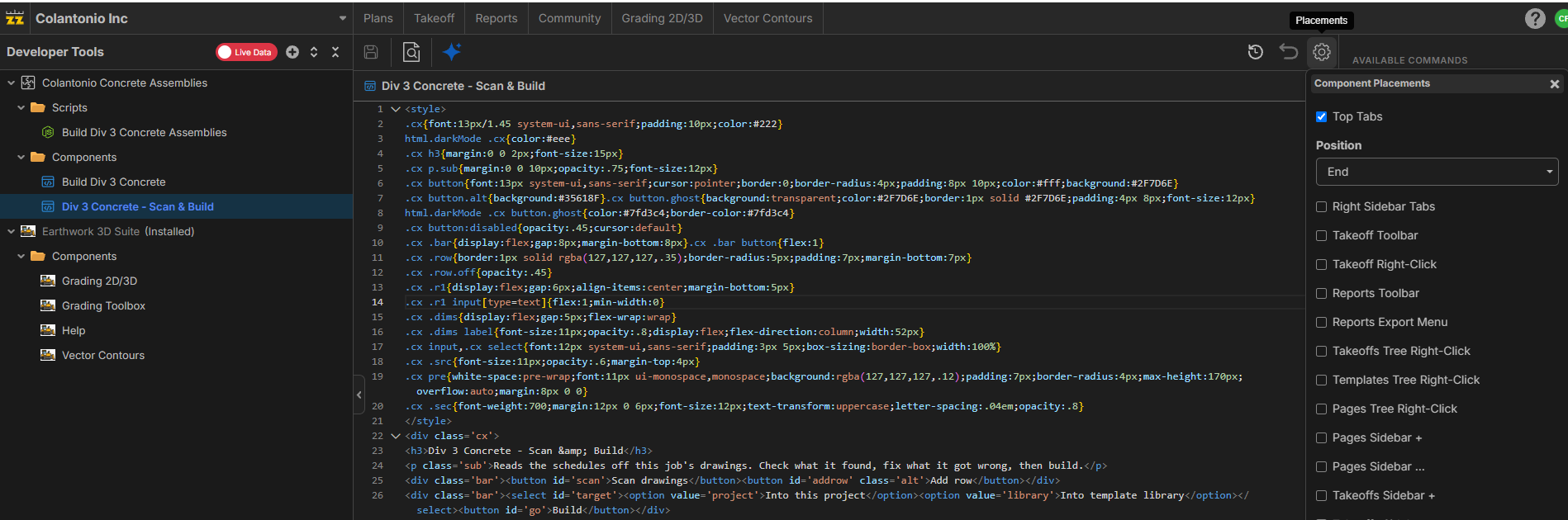
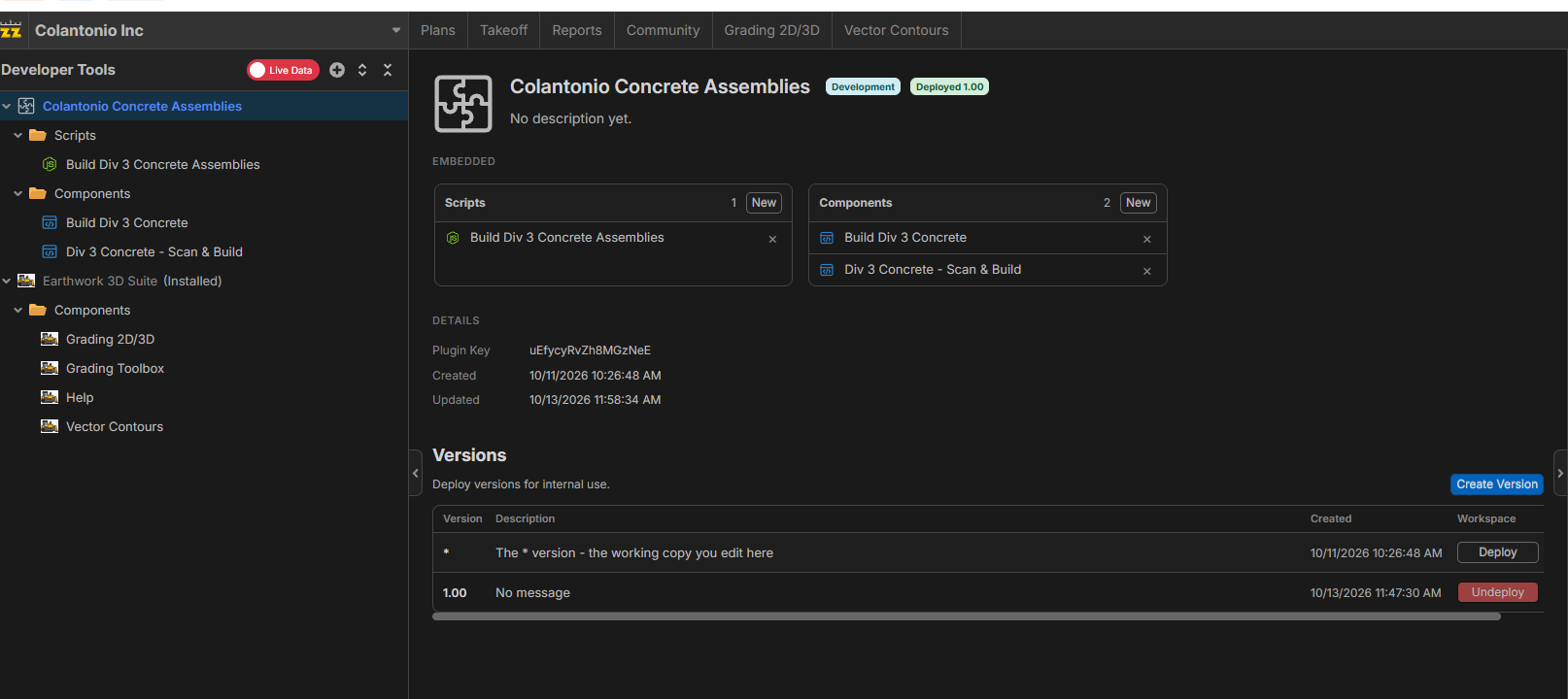

Hey Chris! It looks like you deployed v1.00 of your plugin. When you created that version, did your component have a tab placement, or did you add one afterwards? If not, you will need to create a new version and deploy it (or deploy the * version).
👀1