











 Q & A
Q & AReport Layout Issue?
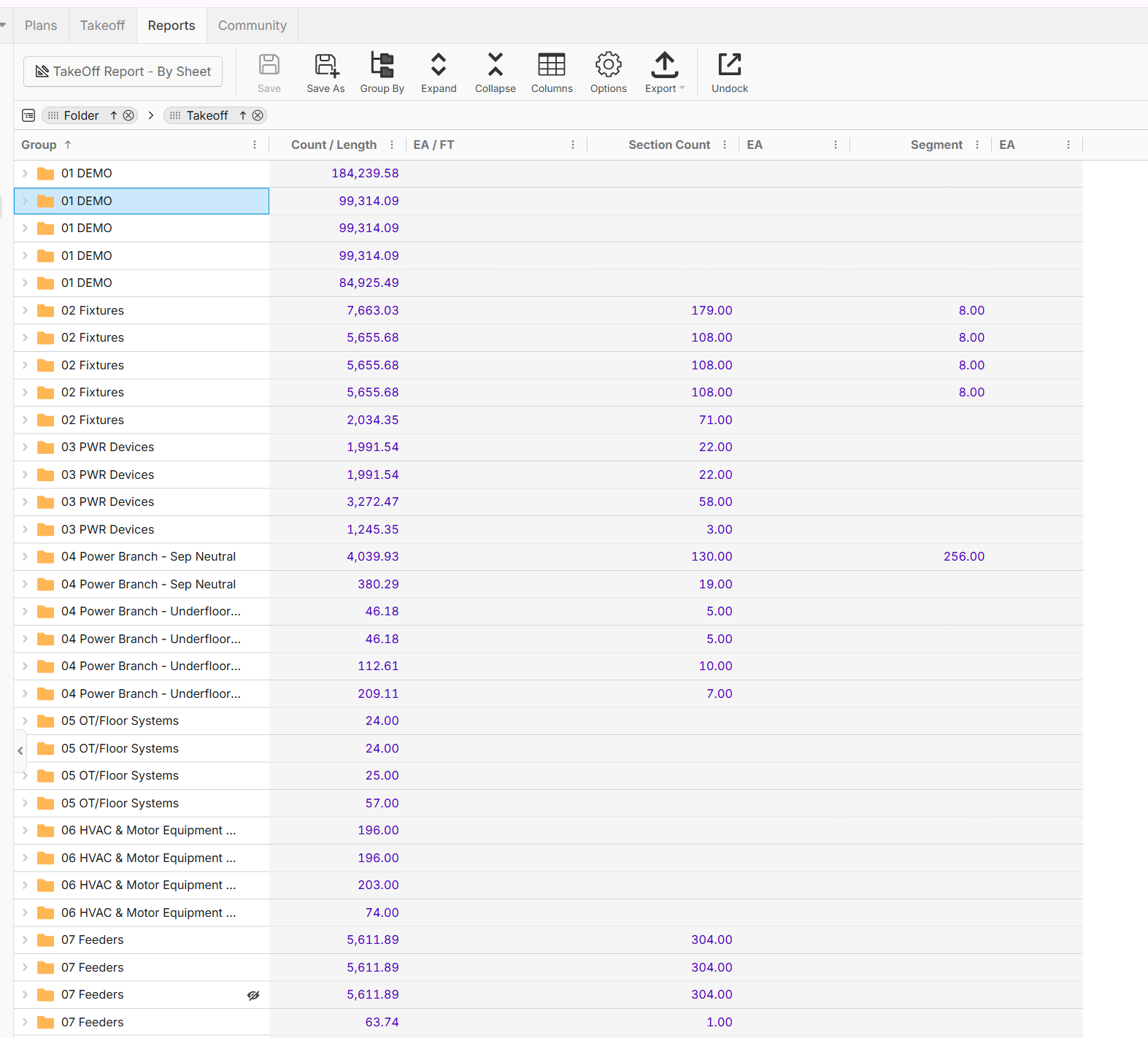
I dont know what setting I hit, but there are multiple folder with the same name now, this was setup where it was all together in the same folder if they were same name? Please help

Hi Jeff, I'm reviewing this with Todd and the dev team. Will update you after we test out the job.

Hey Jeffery, it looks like this is happening because you have multiple layers (5 layers in this case), and your reports are showing the takeoffs/sections/folders from all 5 layers.
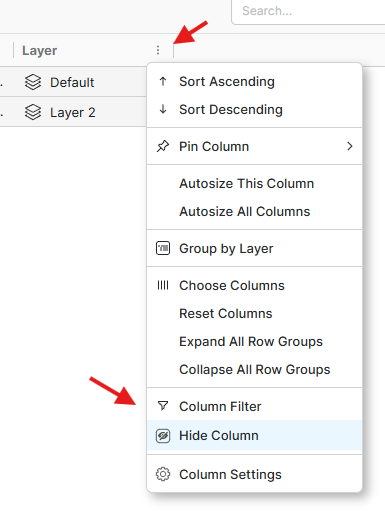
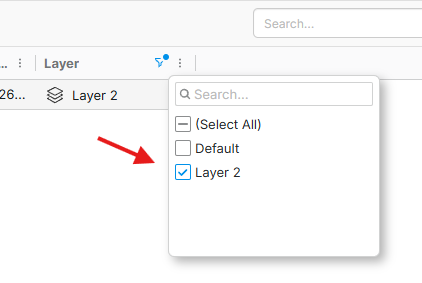
A few things here. If you want only to show 1 layer in your reports, you can add the layer column to your reports and filter to the specific layer.
If you want your reports to span across layers without duplicating folders, I would recommend using WBS properties (custom properties) to group your reports.
%22%2F%3E%3Ctext%20x%3D%2232%22%20y%3D%2233%22%20text-anchor%3D%22middle%22%20dominant-baseline%3D%22central%22%20font-family%3D%22Arial%2C%20sans-serif%22%20font-size%3D%2226%22%20font-weight%3D%22600%22%20fill%3D%22%23fff%22%3EJO%3C%2Ftext%3E%3C%2Fsvg%3E "Jeffery Osborn")
It was fine yesterday, today I played with some of the settings in the options menu, and then these extra folders appeared. Right now I only want 2 Layers for this project, Bid Package 1 and Bid Package 6, I cannot delete the other layers which is another issue I posted. I do want my report to come out by layer, but I wanted to see a total takeoff for an item. It was fine before I started playing with some setting in the options menu.
I see how that is working, but as I mentioned I have had those layers created for a while, it was today specifically that it changed, and it was after I played with some of those settings in the options menu.
Gotcha. If you were grouping by folder previously and the folders were not duplicated, my best guess is that you were filtering by some other property (maybe layer).
The folders do not group by name, they group by the behind-the-scenes identifier that is unique per folder and layer.
I'll also remind the team about the delete layers with takeoff issue you're having.
For this option, I want to only group by folder, regardless of what is in the layers, but this job I will have to group by layers, It was ok at one moment, then I played around with some of the settings and the folders split up like that. I wont use layers going forward as they are causing issues, confusion and I think with my performance and they dont work as I intended or would need them to work. If there was an option to be able to sort by the drawing folders that would be a beneficial feature addition.
👍1